Is anyone still using Windows 7?

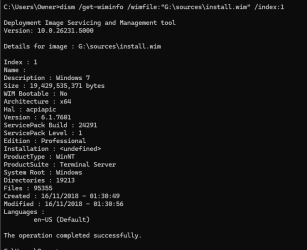
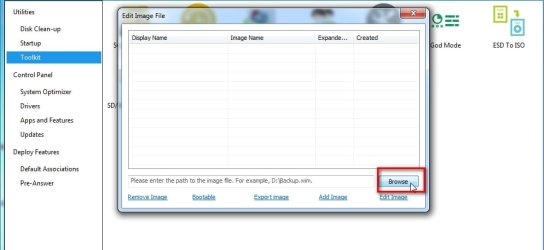
I think I built a test iso using Simplix a couple of years ago with everything I needed. Only issue is I cannot remember where I saved it.
I seem to recall Simplix and I think that meant I could install all the correct drivers for my system as an AIO package?
You can create up-to-date Windows 7 install media by making use of this thread:
Update your Win 7 installation media
 

My Computer

Computer type
PC/Desktop
Computer Manufacturer/Model Number
Dell OptiPlex 9020
OS
Windows 7 Professional SP1 64-bit
CPU
Intel Core i7-4790 3.60 GHz
Memory
32 GB DDR3-1600 MHz
Graphics Card(s)
Integrated Intel HD Graphics 4600
Monitor(s) Displays
Viewsonic 32" LCD
Hard Drives
Kingston SATA 3 240 GB SSD
Internet Speed
Spectrum Internet 1000 Mbps
You can create up-to-date Windows 7 install media by making use of this thread:
Update your Win 7 installation media

Thanks but half my problem is I cannot locate my original Win 7 SP1 installation media. I have the odd iso which might be a copy of the original media but I haven't labelled it correctly and called it Test.iso!!!! That could be test iso for Windows 10 Clean Install or maybe Win 7 ultimate. I've no idea and also no idea how to find out. I mounted it but the file and folder structure tell me nothing.

- - - Updated - - -

Thanks flavallee

I have managed to find a Win 7 Pro iso and have copied the SIW2 zip to C drive and extracted ISO to my OneDrive. So far so good. Hopefully, I don't end up writing anything to the drive I am working on as I haven't got a backup and it's a critical Win 10 drive!!!
 

My Computer

Computer type
PC/Desktop
Computer Manufacturer/Model Number
HP xw4600 Workstation
OS
Windows 7 Ultimate x64 SP1
CPU
Intel Q9550 from memory
Motherboard
HP
Memory
8192Mb
Graphics Card(s)
Matrox Millenium
Hard Drives
Western Digital WD5000-AAKS (Blue Caviar?)
Antivirus
None
Browser
Firefox 48

My Computers

System One System Two

  • Computer type
    Laptop
    Computer Manufacturer/Model Number
    Toshiba satellite C650D
    OS
    Windows 7 Home Premium x64
    CPU
    AMD V120
    Memory
    4GB
    Internet Speed
    150 Mbps
    Antivirus
    MSE
    Browser
    IE11, Edge, Firefox
    Other Info
    I also have W7 Pro on my System Two, and several W7 Hyper-V VMs. My other machines run Windows 10/11. Their specs are in my Ten Forums & Eleven Forum profiles.
  • Computer type
    Laptop
    System Manufacturer/Model Number
    Lenovo Thinkpad T430
    OS
    Windows 7 Pro x64
    CPU
    Intel i5-3320M
    Memory
    8 GB
    Hard Drives
    250GB Samsung SSD 860 EVO
    Other Info
    Antivirus: MSE

My Computers

System One System Two

  • Computer type
    PC/Desktop
    OS
    7 X64
    CPU
    i5 8400
    Motherboard
    gigabyte b365m ds3h
    Memory
    2x8gb 3200mhz
    Hard Drives
    various
    PSU
    pure power 11 400w cm
    Case
    Coolermaster
    Cooling
    cryorig m9i
  • Computer type
    PC/Desktop
    OS
    7x64
    CPU
    g5400
    Motherboard
    ga b365m ds3h
    Memory
    8gb ddr4 2400
    PSU
    xfx pro 450w
Thanks for all your help, folks.

I am still stumped.

Managed to get a Win 7 Repair USB made using SIW2 excellent tutorial.

Scoured the internet last night and found instructions (that seemed a bit dodgy but I tried it anyway to no avail).

dism.exe /image:C:\sources \cleanup-image \revertpendingactions

Prior to this, system repair is in a boot loop.

Tried loading iastor drivers as cannot see any of the hard drives in system recovery when doing system repair so cannot select it.

So frustrating.

I'll read these latest posts but I cannot see what can change. The file structure seems sound on these drives.

I've ran sfc /scannow and all seems well on those I could access via CMD and using diskpart to remove or assign drive letters where necessary.

I see these responses are regarding my drives with Win 10 on. I think they will be OK but will pop back if not.
 

My Computer

Computer type
PC/Desktop
Computer Manufacturer/Model Number
HP xw4600 Workstation
OS
Windows 7 Ultimate x64 SP1
CPU
Intel Q9550 from memory
Motherboard
HP
Memory
8192Mb
Graphics Card(s)
Matrox Millenium
Hard Drives
Western Digital WD5000-AAKS (Blue Caviar?)
Antivirus
None
Browser
Firefox 48
Yes. Windows 10 is awful. Windows 11 is even worse
 

My Computer

Computer type
PC/Desktop
OS
Windows 7 Ultimate 64 bit
Would you mind telling me why you extracted the ISO? Couldn't you just used Rufus to created a bootable flash drive using that ISO?
 

My Computers

System One System Two

  • Computer type
    PC/Desktop
    Computer Manufacturer/Model Number
    Custom build
    OS
    Windows 7 Home Premium 64-bits
    CPU
    AMD FX-8350
    Motherboard
    Gigabyte GA-990FXA-UD3 (AM3+)
    Memory
    GSKILL Ripjaw-X PC3 12800 8GB (2x4GB)
    Graphics Card(s)
    ASUS ROG STRIX GTX 1060 6GB
    Sound Card
    Integrated
    Monitor(s) Displays
    Asus VE228H (21.5-in)
    Screen Resolution
    1920x1080 60Hz
    Hard Drives
    SAMSUNG 870 EVO 2.5 Inch SATA SSD (1TB)
    SAMSUNG 870 EVO 2.5 Inch SATA SSD (1TB)
    SAMSUNG 870 EVO 2.5 Inch SATA SSD (1TB)
    PSU
    Corsair RM750x (750 watts)
    Case
    Corsair Carbide Series 200R
    Cooling
    Corsair Hydro Series H60 (CWCH60)
    Keyboard
    Logitech Elite
    Mouse
    Logitech M510 Wireless Mouse
    Internet Speed
    Comcast Gigabit Extra (1200Mbps down / 35Mbps up)
    Antivirus
    Malwarebytes
    Browser
    Firefox, Edge, Chrome
    Other Info
    ASUS DRW-24B1ST DVD-RW (24X) optical drive
    Seagate Expansion Desk (5TB) external SATA/USB HDD
    Comcast XB8 Internet Gateway
  • Computer type
    PC/Desktop
    System Manufacturer/Model Number
    Custom
    OS
    Windows 7 Pro (64-bit)
    CPU
    AMD Phenom II 960T X4
    Motherboard
    ASUS M4N82 Deluxe
    Memory
    Corsair XMS2 DDR2-800 8GB (4x2GB)
    Graphics Card(s)
    ASUS ENGTX560 DCII OC/2DI/1GD5 1GB
    Monitor(s) Displays
    Samsung 930B 19-inch LCD
    Screen Resolution
    1280x1024
    Hard Drives
    Samsung SSD 870 EVO 1000 GB (Windows 10)
    Seagate ST1000DM003 1000 GB (Windows 7)
    PSU
    Antec TruePower (new) TP-650
    Case
    Antec Three Hundred
    Cooling
    AMD stock cooler from FX8350
    Mouse
    Logitech M100
    Internet Speed
    Xfinity Gigabit Extra 1200/35 Mbps
Yes. About a year ago, I received a hand-me-down PC that was choking on Windows 10. With the help of the HP Restore Partition, an SSD I that didn't get used for what I bought it for, an "emergency spare" PSU I wasn't using for anything, and a hand-me-down Beefy GPU™, I turned it into an "offline" (blocked from the Internet but able to use Windows File Sharing locally for convenience) Windows 7 "games console, except not a console" full of mostly GOG.com games. (There are a few others, like the copies of Age of Empires and Age of Empires 2 that I spent many an afternoon losing at as a kid.)

With the help of some KVM switches (and Barrier as an alternative), it shares the monitors, keyboard, and mouse of my big, triple-head, Ryzen-based Linux daily driver with a growing collection of old thin clients that I run stuff like Windows 98SE, Windows XP pretending harder than usual to be Windows 98SE, and MS-DOS on.
 
Last edited:

My Computers

System One System Two

  • Computer type
    PC/Desktop
    Computer Manufacturer/Model Number
    HP Pavilion p7-1203
    OS
    Windows 7 Home Premium Service Pack 1 64-bit
    CPU
    Intel Core i3-2120 3.30GHz
    Motherboard
    (OEM)
    Memory
    8.00 GB
    Graphics Card(s)
    AMD Radeon HD 5870
    Sound Card
    (Realtek onboard)
    Monitor(s) Displays
    HP 2210m
    Screen Resolution
    1920x1080
    Hard Drives
    1TB WD Blue SATA SSD (SanDisk SSD G5 BICS4: 1000.2 GB)
    PSU
    Seasonic M12 II Bronze EVO Edition
    Case
    (OEM)
    Cooling
    (OEM)
    Keyboard
    Rosewill RK-9000I
    Mouse
    Logitech G203 Prodigy
    Internet Speed
    Irrelevant (blocked)
    Antivirus
    None (This gaming machine is blocked from Internet Access)
    Browser
    Firefox 115.0.2 64-bit (Used only with miniserve on LAN)
    Other Info
    Because the motherboard in this hand-me-down can't take more than 8GB of RAM, this machine is a "games console, except not a console" and is KVM-switched together with the triple-head Ryzen I daily drive.

    Also, the CPU cooler fan and chassis fan have been replaced with equivalent Noctua fans.
  • Computer type
    PC/Desktop
Yes, I am still using Windows 7 Pro on all my machines at home and even on my VPS too (I have there Apache with website, TS3 server, Sven Co-op server, OTTD server, and I can still run MC server if we want play with friends :-) ) .
Only on my PC I have dual boot with Windows 10 for VR games and new games were not support Windows 7 anymore.
But Windows 7 is still the most stable operation system ever for real work. I still streaming on it with OBS on Youtube, editing videos in MAGIX Vegas 15 PRO , and etc. .
 

My Computer

Computer type
Laptop
Computer Manufacturer/Model Number
Lenovo Y50-70 (20378)
OS
Windows 7 Professional x64
CPU
Intel Core i5-4210H
Memory
2x Kingston 8GB DDR3 1600 CL11
Graphics Card(s)
Nvidia GeForce GTX960M 4GB
Sound Card
Sound Blaster PLAY! 3
Monitor(s) Displays
2
Screen Resolution
2x 1920x1080
Hard Drives
Crucial MX500 500GB SSD
Cooling
Deepcool Multi Core X6
Keyboard
Yenkee YKB 1002 CS USB
Mouse
Crono CM645 Wired optical mouse
Internet Speed
95 Mb/s Down 95 Mb/s Up
Antivirus
MSE
Browser
Firefox 91.13.0esr x64bit
You mean there are other systems?
 

My Computer

Computer type
PC/Desktop
Computer Manufacturer/Model Number
My build
OS
Win7 Ultimate SP1
CPU
Intel Core i5 9400 Coffee Lake 14nm
Motherboard
Asus Prime H310M-E R2.0 (LGA1151)
Memory
16G DDR4
Graphics Card(s)
NVidia GeForce GTX 960
Sound Card
Realtek High Definition Audio (mobo)
Monitor(s) Displays
Asus PA248 24" 16:10 format
Screen Resolution
1920x1200@59Hz
Hard Drives
1863GB Seagate ST2000DM
3726GB Seagate ST4000DM
1863GB Seagate ST2000DM
6TB Seagate
465GB NVMe Samsung SSD 970
PSU
750G2
Case
Tower
Cooling
Standard
Keyboard
USB
Mouse
USB
Internet Speed
920Mbs/480Mbs
Antivirus
Malwarebytes
Browser
Firefox
I have used, and continue to use, my W7 OS to this day.

When I have a game or program I cannot run, I had a W10 dual-boot installation set up to run it. I basically used the W10 version exclusively for playing "Helldivers II".
 

My Computer

Computer type
PC/Desktop
Computer Manufacturer/Model Number
Dell Optiplex 9020
OS
Windows VII Professional (Sixty Four Bit)
CPU
Intel Core I7-4770 CPU (at 3.400 Gigahertz/3.39 Gigahertz)
Motherboard
Intel
Memory
32GB RAM
Graphics Card(s)
NVIDIA Geforce GTX 1660
Sound Card
Standard
Monitor(s) Displays
MULTISYNC LCD 1530V + Evoyo Display
Screen Resolution
1024 x 768
Hard Drives
Four Terabyte Solid State Drive
PSU
Gold Standard
Case
Original
Cooling
Traditional
Keyboard
Compaq Internet Keyboard (KU-9978)
Mouse
Genius Net Scroll Serial
Antivirus
Kaspersky
Browser
Supermium; Google Chrome; Firefox 28
Other Info
Jesus loves you and died for you!
I have yet to find any good enough reason to give up on W7. Admittedly my computing needs are basic. Email handling, internet access, word processing, and data storage is all I need. I don't need lightning speeds for games (I'm an adult) or advanced video editing software, so with an eye firmly on the security aspect Windows 7 serves admirably and by using it I send a single finger salute to Microsoft.
 

My Computer

Computer type
PC/Desktop
Computer Manufacturer/Model Number
Home built Asus
OS
Windows 7 Pro 64bit
CPU
Intel® Core™ i3 Processor 3.7ghz
Motherboard
Asus Intel Prime H270-Pro LGA 1151 ATX
Memory
Crucial (2x8GB) DDR4-2400
Graphics Card(s)
on board
Monitor(s) Displays
BENQ GL2450HE (24 inch)
Screen Resolution
1980 x 1080
Hard Drives
C drive is SSD Crucial 500gb mostly for the OS
PSU
Corsair CX750
Case
A big black one
Cooling
Cooler Master Hyper TX3i on the processor
Keyboard
Logitech k2700 wireless
Mouse
Logitech M575 wireless trackball
Internet Speed
Just under about 7mb/s on a good day
Antivirus
Avira Free
Browser
Opera, Firefox, Chrome, and Supermium
My first post here. New to this community. I am still Using W7 Ultimate and refuse to give it up. I have other full retail copies of W7 Ultimate that I may put on other laptops but my concern is the vast updates it would needs such as SP1 and SP2.
 

My Computers

System One System Two

  • Computer type
    Laptop
    Computer Manufacturer/Model Number
    DELL
    OS
    Windows 7 Ultimate
  • Computer type
    PC/Desktop
A warm welcome to you.
There is a straightforward way to keep up with W7 updates that have been "cleansed" of unwanted telemetry and nag popups. I'm not certain if I would be allowed to post a link here because it is on another forum but with a bit of research you might find it. (or pm me)
 

My Computer

Computer type
PC/Desktop
Computer Manufacturer/Model Number
Home built Asus
OS
Windows 7 Pro 64bit
CPU
Intel® Core™ i3 Processor 3.7ghz
Motherboard
Asus Intel Prime H270-Pro LGA 1151 ATX
Memory
Crucial (2x8GB) DDR4-2400
Graphics Card(s)
on board
Monitor(s) Displays
BENQ GL2450HE (24 inch)
Screen Resolution
1980 x 1080
Hard Drives
C drive is SSD Crucial 500gb mostly for the OS
PSU
Corsair CX750
Case
A big black one
Cooling
Cooler Master Hyper TX3i on the processor
Keyboard
Logitech k2700 wireless
Mouse
Logitech M575 wireless trackball
Internet Speed
Just under about 7mb/s on a good day
Antivirus
Avira Free
Browser
Opera, Firefox, Chrome, and Supermium
A warm welcome to you.
There is a straightforward way to keep up with W7 updates that have been "cleansed" of unwanted telemetry and nag popups. I'm not certain if I would be allowed to post a link here because it is on another forum but with a bit of research you might find it. (or pm me)
If you are referring to Simplix, that is routinely discussed here. Unless something has changed, it's fine to discuss and recommend it.
 

My Computer

Computer type
PC/Desktop
Computer Manufacturer/Model Number
Gateway GT5656
OS
Windows 7 x64 SP1
CPU
AMD Athlon 64 X2 6000+ / 3.0 GHz
Motherboard
NVIDIA GeForce 6150 SE
Memory
6 GB
Monitor(s) Displays
Lenovo LED
Screen Resolution
1920 X 1080
Hard Drives
Windows on 500 GB spinner; Ubuntu 16 on Sandisk 250GB SSD; Bodhi5 on Samsung 250GB SSD; another old spinner for fooling around.
PSU
Original that came with computer
Keyboard
Logitech wireless
Mouse
Logitech wireless
Antivirus
Microsoft Sec Essentials
Browser
Vivaldi
Yes, the Simplix Update Pack. I'm not very tech savvy but it has worked well for me over a few years now.
 

My Computer

Computer type
PC/Desktop
Computer Manufacturer/Model Number
Home built Asus
OS
Windows 7 Pro 64bit
CPU
Intel® Core™ i3 Processor 3.7ghz
Motherboard
Asus Intel Prime H270-Pro LGA 1151 ATX
Memory
Crucial (2x8GB) DDR4-2400
Graphics Card(s)
on board
Monitor(s) Displays
BENQ GL2450HE (24 inch)
Screen Resolution
1980 x 1080
Hard Drives
C drive is SSD Crucial 500gb mostly for the OS
PSU
Corsair CX750
Case
A big black one
Cooling
Cooler Master Hyper TX3i on the processor
Keyboard
Logitech k2700 wireless
Mouse
Logitech M575 wireless trackball
Internet Speed
Just under about 7mb/s on a good day
Antivirus
Avira Free
Browser
Opera, Firefox, Chrome, and Supermium
Note that updates for the Simplix Update Pack come out about once a month.
 

My Computers

System One System Two

  • Computer type
    PC/Desktop
    Computer Manufacturer/Model Number
    Custom build
    OS
    Windows 7 Home Premium 64-bits
    CPU
    AMD FX-8350
    Motherboard
    Gigabyte GA-990FXA-UD3 (AM3+)
    Memory
    GSKILL Ripjaw-X PC3 12800 8GB (2x4GB)
    Graphics Card(s)
    ASUS ROG STRIX GTX 1060 6GB
    Sound Card
    Integrated
    Monitor(s) Displays
    Asus VE228H (21.5-in)
    Screen Resolution
    1920x1080 60Hz
    Hard Drives
    SAMSUNG 870 EVO 2.5 Inch SATA SSD (1TB)
    SAMSUNG 870 EVO 2.5 Inch SATA SSD (1TB)
    SAMSUNG 870 EVO 2.5 Inch SATA SSD (1TB)
    PSU
    Corsair RM750x (750 watts)
    Case
    Corsair Carbide Series 200R
    Cooling
    Corsair Hydro Series H60 (CWCH60)
    Keyboard
    Logitech Elite
    Mouse
    Logitech M510 Wireless Mouse
    Internet Speed
    Comcast Gigabit Extra (1200Mbps down / 35Mbps up)
    Antivirus
    Malwarebytes
    Browser
    Firefox, Edge, Chrome
    Other Info
    ASUS DRW-24B1ST DVD-RW (24X) optical drive
    Seagate Expansion Desk (5TB) external SATA/USB HDD
    Comcast XB8 Internet Gateway
  • Computer type
    PC/Desktop
    System Manufacturer/Model Number
    Custom
    OS
    Windows 7 Pro (64-bit)
    CPU
    AMD Phenom II 960T X4
    Motherboard
    ASUS M4N82 Deluxe
    Memory
    Corsair XMS2 DDR2-800 8GB (4x2GB)
    Graphics Card(s)
    ASUS ENGTX560 DCII OC/2DI/1GD5 1GB
    Monitor(s) Displays
    Samsung 930B 19-inch LCD
    Screen Resolution
    1280x1024
    Hard Drives
    Samsung SSD 870 EVO 1000 GB (Windows 10)
    Seagate ST1000DM003 1000 GB (Windows 7)
    PSU
    Antec TruePower (new) TP-650
    Case
    Antec Three Hundred
    Cooling
    AMD stock cooler from FX8350
    Mouse
    Logitech M100
    Internet Speed
    Xfinity Gigabit Extra 1200/35 Mbps
Back
Top