You can use TrojanGuarder Golden, which guards you from almost all trojans and keyloggers, it's free (also legally free) and to use without limit. Ive made a portable version which you can download here:
http://rapidshare.com/files/187175694/Trojan_Guarder_Gold_portable.rar
The Virus you had is a keylogger, similar to the Avpo variant. Avpo logs the keys from online games like World of Warcraft, Warhammer, Lord of the Rings online, Aion, etc.
Technically;
It abuses system names, like ntdetect, it makes a system file called for example ntde
1ect (note the ntde
1ect) which looks the same but contains the information of the keylogger. Ntde
tect is a needed system file (without it your system cannot boot!) whereas Ntde
1ect is the virus. It also creates amvo.exe files and avp1 or other random generated names (1cdazz.cmd, etc.) at your system32 folder in windows and at every root location of any drive which you got connected (removable devices like usb sticks also get infected!)
To get rid of it, simply do the following;
Go start, press run and type in; msconfig
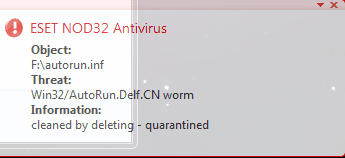
Go to the tab startup and search for any stupid names, like for example rdzx.com (things that dont make any sense). If you are not sure you can always google on it (type in the name of the program on google). Once you have disabled the startup of the virus, you will still need to get rid of the files, the most handiest thing to do is use an antivirus to scan (I found Eset had the most chance to find this virus, together with Avira). However, it can be that the files are hiding themselves by making them systemfiles. Therefor, it is a good idea to make them visible.
Go to start, press run and type cmd
type: C:
type cd\
you should see C:
type attrib -r -s -h *.*
type D:
type attrib -r -s -h *.*
continue typing the driveletters and typing attrib for all of the drives you have connected, (note that cd/dvd drives cannot be infected so you do not have to clean them!).
Also, after having attribbed all drives, do not open any of your drives by double clicking on them, as the virus will start respreading itself again (due to the fact that there is a autorun.inf file on it). Let your antivirus do a full system scan and the virus should be removed.
If you really need to access any of your drives, then you can do that, by doing so the following way (which will NOT trigger the virus to reproduce!).
Click on my computer
In the address bar, type the driveletter of your drive (for example C: ) and press enter
You then see your drive which you want to access and if you see autorun.inf you can also manually delete it.
NOTE; if autorun.inf has been deleted on one of your drives you may not be able to access it via the usual way untill you reboot your computer, the best way to access your drive untill the system scan is complete is by doing it the way as descrebibed above.
I hope this helps people in the future who come across this problem. I had this problem and had a hard time to figure all this out by myself and get rid of this problem (but I know alot about it now). If you need help with THIS problem and this post does not provide you all the necessary information, you can reply to this post or send me a PM

. Goodluck.