I'm still getting used to Windows 7 (Professional, 64 bit). Navigating is a bit different.
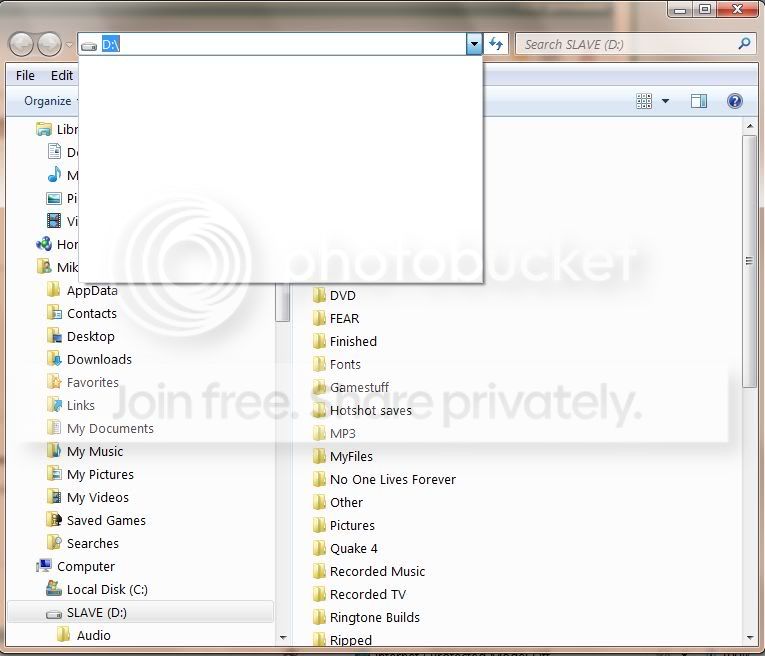
When opening a folder, there is the usual folder and files in box. At top is the "Previous Locations" box. I'm still trying to figure out what it's purpose is as is doesn't take you to the directory structure so you can navigate. Everytime I click on it, the same 3 or four locations are there and it doesn't change. What is this box useful for in Windows 7?
When opening a folder, there is the usual folder and files in box. At top is the "Previous Locations" box. I'm still trying to figure out what it's purpose is as is doesn't take you to the directory structure so you can navigate. Everytime I click on it, the same 3 or four locations are there and it doesn't change. What is this box useful for in Windows 7?
My Computer
At a glance
Windows 7 Pro, x64I7 3770k @ 4.4 Gigs16 (2x8) Gigs Corsair DDR3 1600EVGA GTX 680 Signature 2
- Computer type
- PC/Desktop
- Computer Manufacturer/Model Number
- Built By Mike
- OS
- Windows 7 Pro, x64
- CPU
- I7 3770k @ 4.4 Gigs
- Motherboard
- AsRock Z77 Extreme6
- Memory
- 16 (2x8) Gigs Corsair DDR3 1600
- Graphics Card(s)
- EVGA GTX 680 Signature 2
- Sound Card
- X-Fi Xtreme Gamer Pro, Logitech Z-5500 5.1 Speaker System
- Monitor(s) Displays
- Acer P236H 23"
- Screen Resolution
- 1920x1080
- Hard Drives
- Crucial M500 120 GB SSD, 2 WD 640 Gig Black, WD 1 TB Black, WD 2 TB Black (eSata)
- PSU
- Corsair TX750w
- Case
- HSPC Top Deck Tech Station
- Cooling
- Noctua NH-U14S Heatsink with dual Noctua fans
- Keyboard
- Deck Lighted
- Mouse
- Roccat Kone Pure
- Internet Speed
- Cable
- Antivirus
- AVG
- Other Info
- 2 DVD SATA R/W Drives