- Local time
- 1:29 AM
- Messages
- 35,002
HI EVERYBODY.
Perhaps nobody in the forum asked here for the same problem twice.
Earlier, you friends provide me two batch files to delete all new folders either empty or full.
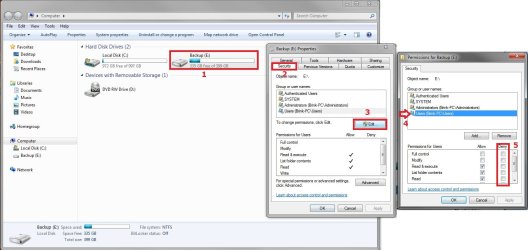
Can anybody please tell me how to disable the new folder button (red bordered)? If it is a registry edit, please tell me how to do so... or otherwise... PLEASE HELP ME.
Perhaps nobody in the forum asked here for the same problem twice.
Earlier, you friends provide me two batch files to delete all new folders either empty or full.
Can anybody please tell me how to disable the new folder button (red bordered)? If it is a registry edit, please tell me how to do so... or otherwise... PLEASE HELP ME.
Attachments

My Computer
- Computer type
- PC/Desktop
- Computer Manufacturer/Model Number
- Self Assembled
- OS
- Microsoft Windows 10 Pro Insider Preview 64-bit
- CPU
- Intel(R) Core(TM) i3-4130 CPU @ 3.40GHz
- Motherboard
- Gigabyte Technology Co., Ltd. B85M-D3H
- Memory
- Corsair Vengence 4GB x2 (8.00GB Dual-Channel DDR3 @ 798MHz)
- Graphics Card(s)
- 2047MB GeForce GTS 450 (ZOTAC International)
- Sound Card
- Onboard (Realtek High Definition Audio)
- Monitor(s) Displays
- LG Flatron E2040T
- Screen Resolution
- 1600x900
- Hard Drives
- Western Digital 1 TB
Seagate 500 GB
- PSU
- Corsair VS550
- Case
- Cooler Master K380
- Cooling
- Cooler Master Seidon 120V Plus
- Keyboard
- Logitech MK260r
- Mouse
- Logitech MK260r
- Internet Speed
- PMPL Broadband
- Antivirus
- Windows Defender + MBAM
- Browser
- Firefox
- Other Info
- Dell Studio 15" Laptop