New icons location in Desktop

andexls

New member
Local time
8:58 AM
Messages
20
Yes, it's kinda ridiculous issue , but see this image:

capturalu.jpg


The downloads I make appear between the Computador (Computer) and the Anderson (Default User) folder, which sucks! I like my Desktop organizated, I wish the itens I download went to the space after the last shortcut, in this example, below Nero StartSmart.

One solution I found to this was setting the sorting mode to Time Modified, but when I do this, I can't use Auto Arrange, or the Computador, Anderson and Lixeira icons are moved to the end of the list.

I know it's nothing important, but I just wish it was like Windows XP. Is there a way to fix this?
 
Last edited:

My Computer My Computer

OS
Windows 7
CPU
Core 2 Duo E7500 2993MHz
Motherboard
Asus P5KPL-AM/BR
Memory
2GB DDR2 800MHz
Graphics Card(s)
Geforce 9800GT
Sound Card
VIA VT1708B CE Integrated
Monitor(s) Displays
SyncMaster 592v 15"
Hard Drives
500GB SATA
PSU
Generic
Case
Generic
Cooling
Generic

My Computer My Computer

Computer type
PC/Desktop
Computer Manufacturer/Model Number
Self Built
OS
Win 10 Pro x64
CPU
Intel I5-2500K @3.3GHz
Motherboard
Asrock P67 Extreme4
Memory
16GB G.Skill Ripjaws X (4x4GB)
Graphics Card(s)
EVGA GeForce 750 Ti SC 2GB
Sound Card
ASUS Xonar DG 5.1 Channels 24-bit 96KHz PCI Interface Sound
Monitor(s) Displays
auria eq2367
Screen Resolution
1920 x 1080
Hard Drives
250GB Samsung 850 EVO SSD
1TB WD Blue
1TB Hitachi
PSU
SeaSonic X 650W 80 Plus Gold
Case
Corsair Obsidian 750D
Cooling
Corsair H60, Three 140mm case fans
Keyboard
Logitech Wireless Keyboard K520
Mouse
Logitech Wireless Mouse M310
Internet Speed
Wave Broadband ~ 100 dn 5 up
Antivirus
Windows Defender, Malwarebytes Premium
Browser
Edge, IE11, Chrome
Other Info
Laptop specs: HP g7-1365dx /
CPU: AMD A6-3420M APU with Radeon(tm) HD Graphics /
RAM: Crucial 8Gb (2x4Gb) /
SSD: Crucial M4-CT128M4SSD2 ATA Device/ FW 000F /
GFX: AMD Radeon HD 6520G /
OS: Windows 10 Pro x64
Hi, Welcome to SF,

You could try to uncheck Auto Arrage option. First arrange the way you want then Right Click on Desktop > Arrange Icons By > uncheck Auto Arrange see whether that makes a difference.

Hope this helps,
Captain
 

My Computer My Computer

Computer Manufacturer/Model Number
Samsung NP550P5C-S02IN
OS
Windows 7 Ultimate - 64-bit | Windows 8 Pro - 64-bit
CPU
Intel® Core™ i7 Processor 3,610QM (2.30Hz, 6MB L3 Cach
Memory
8 GB
Graphics Card(s)
NVIDIA® GeForce® GT 650M 2GB Graphics, Optimus™ techno
Sound Card
SoundAlive™ JBL 3 Speakers (With sub-Woofer)
Monitor(s) Displays
39.62cm (15.6) SuperBright 300nit HD+ LED Display
Screen Resolution
1,600 x 900, Anti-Reflective
Hard Drives
1TB S-ATA II Hard Drive (5,400RPM)
This program does nothing about what I want, but thanks anyway :)

Hi, Welcome to SF,

You could try to uncheck Auto Arrage option. First arrange the way you want then Right Click on Desktop > Arrange Icons By > uncheck Auto Arrange see whether that makes a difference.

Hope this helps,
Captain
Sorry, I had misstranslated "Auto Arrange". That's what I meant with "Auto Organize" in the first post. Beside of the reason I sayid there, there's another reason why I can't disable Auto Arrange. When I come back from a Full Screen game in a different resolution than my Desktop's, the icons get messed up, they leave a 2 icon space in height below the desktop...
 

My Computer My Computer

OS
Windows 7
CPU
Core 2 Duo E7500 2993MHz
Motherboard
Asus P5KPL-AM/BR
Memory
2GB DDR2 800MHz
Graphics Card(s)
Geforce 9800GT
Sound Card
VIA VT1708B CE Integrated
Monitor(s) Displays
SyncMaster 592v 15"
Hard Drives
500GB SATA
PSU
Generic
Case
Generic
Cooling
Generic

My Computer My Computer

Computer type
PC/Desktop
Computer Manufacturer/Model Number
Self Built
OS
Win 10 Pro x64
CPU
Intel I5-2500K @3.3GHz
Motherboard
Asrock P67 Extreme4
Memory
16GB G.Skill Ripjaws X (4x4GB)
Graphics Card(s)
EVGA GeForce 750 Ti SC 2GB
Sound Card
ASUS Xonar DG 5.1 Channels 24-bit 96KHz PCI Interface Sound
Monitor(s) Displays
auria eq2367
Screen Resolution
1920 x 1080
Hard Drives
250GB Samsung 850 EVO SSD
1TB WD Blue
1TB Hitachi
PSU
SeaSonic X 650W 80 Plus Gold
Case
Corsair Obsidian 750D
Cooling
Corsair H60, Three 140mm case fans
Keyboard
Logitech Wireless Keyboard K520
Mouse
Logitech Wireless Mouse M310
Internet Speed
Wave Broadband ~ 100 dn 5 up
Antivirus
Windows Defender, Malwarebytes Premium
Browser
Edge, IE11, Chrome
Other Info
Laptop specs: HP g7-1365dx /
CPU: AMD A6-3420M APU with Radeon(tm) HD Graphics /
RAM: Crucial 8Gb (2x4Gb) /
SSD: Crucial M4-CT128M4SSD2 ATA Device/ FW 000F /
GFX: AMD Radeon HD 6520G /
OS: Windows 10 Pro x64

My Computer My Computer

OS
Windows 7
CPU
Core 2 Duo E7500 2993MHz
Motherboard
Asus P5KPL-AM/BR
Memory
2GB DDR2 800MHz
Graphics Card(s)
Geforce 9800GT
Sound Card
VIA VT1708B CE Integrated
Monitor(s) Displays
SyncMaster 592v 15"
Hard Drives
500GB SATA
PSU
Generic
Case
Generic
Cooling
Generic
Sorry that's not what you were looking for, Here's some more I found on CNET if you want to look at them. Good luck and I hope you get it figured out.
Icon Tools - Free software downloads and software reviews - CNET Download.com

Seriously, I don't think my problem has something to do with icons themselves. :confused:

It's just a Windows 7 arranging "issue".

Your screenshot led me to believe it was an Icon issue, the reason I was suggesting one of those programs is they claim to manage and remember where you want your icons, which is what I thought your problem was. If that's not what your trying to do, I apologize for not understanding what you wanted.
 

My Computer My Computer

Computer type
PC/Desktop
Computer Manufacturer/Model Number
Self Built
OS
Win 10 Pro x64
CPU
Intel I5-2500K @3.3GHz
Motherboard
Asrock P67 Extreme4
Memory
16GB G.Skill Ripjaws X (4x4GB)
Graphics Card(s)
EVGA GeForce 750 Ti SC 2GB
Sound Card
ASUS Xonar DG 5.1 Channels 24-bit 96KHz PCI Interface Sound
Monitor(s) Displays
auria eq2367
Screen Resolution
1920 x 1080
Hard Drives
250GB Samsung 850 EVO SSD
1TB WD Blue
1TB Hitachi
PSU
SeaSonic X 650W 80 Plus Gold
Case
Corsair Obsidian 750D
Cooling
Corsair H60, Three 140mm case fans
Keyboard
Logitech Wireless Keyboard K520
Mouse
Logitech Wireless Mouse M310
Internet Speed
Wave Broadband ~ 100 dn 5 up
Antivirus
Windows Defender, Malwarebytes Premium
Browser
Edge, IE11, Chrome
Other Info
Laptop specs: HP g7-1365dx /
CPU: AMD A6-3420M APU with Radeon(tm) HD Graphics /
RAM: Crucial 8Gb (2x4Gb) /
SSD: Crucial M4-CT128M4SSD2 ATA Device/ FW 000F /
GFX: AMD Radeon HD 6520G /
OS: Windows 10 Pro x64
Sorry that's not what you were looking for, Here's some more I found on CNET if you want to look at them. Good luck and I hope you get it figured out.
Icon Tools - Free software downloads and software reviews - CNET Download.com

Seriously, I don't think my problem has something to do with icons themselves. :confused:

It's just a Windows 7 arranging "issue".

Your screenshot led me to believe it was an Icon issue, the reason I was suggesting one of those programs is they claim to manage and remember where you want your icons, which is what I thought your problem was. If that's not what your trying to do, I apologize for not understanding what you wanted.

I hadn't found in those lists a program who does that (remember icon positions).

And don't take me wrong, I really appreciate your help attempts!


Well, I guess that there's no real solution for that, it's just how Win7 is. I think I'll just get used to it with time.

Thanks for your help anyway, I'll add a reputation point for you guys.
 

My Computer My Computer

OS
Windows 7
CPU
Core 2 Duo E7500 2993MHz
Motherboard
Asus P5KPL-AM/BR
Memory
2GB DDR2 800MHz
Graphics Card(s)
Geforce 9800GT
Sound Card
VIA VT1708B CE Integrated
Monitor(s) Displays
SyncMaster 592v 15"
Hard Drives
500GB SATA
PSU
Generic
Case
Generic
Cooling
Generic
Seriously, I don't think my problem has something to do with icons themselves. :confused:

It's just a Windows 7 arranging "issue".

Your screenshot led me to believe it was an Icon issue, the reason I was suggesting one of those programs is they claim to manage and remember where you want your icons, which is what I thought your problem was. If that's not what your trying to do, I apologize for not understanding what you wanted.

I hadn't found in those lists a program who does that (remember icon positions).

And don't take me wrong, I really appreciate your help attempts!


Well, I guess that there's no real solution for that, it's just how Win7 is. I think I'll just get used to it with time.

Thanks for your help anyway, I'll add a reputation point for you guys.

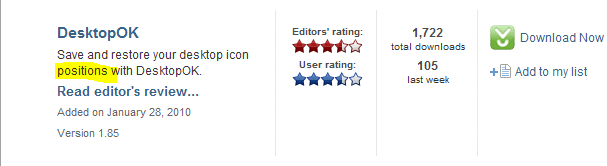
You're welcome and I know you appreciate the help, As for those programs, look at this one it says it will save and restore the positions of your icons, see if that might help.
DesktopOK - Free software downloads and software reviews - CNET Download.com
 

My Computer My Computer

Computer type
PC/Desktop
Computer Manufacturer/Model Number
Self Built
OS
Win 10 Pro x64
CPU
Intel I5-2500K @3.3GHz
Motherboard
Asrock P67 Extreme4
Memory
16GB G.Skill Ripjaws X (4x4GB)
Graphics Card(s)
EVGA GeForce 750 Ti SC 2GB
Sound Card
ASUS Xonar DG 5.1 Channels 24-bit 96KHz PCI Interface Sound
Monitor(s) Displays
auria eq2367
Screen Resolution
1920 x 1080
Hard Drives
250GB Samsung 850 EVO SSD
1TB WD Blue
1TB Hitachi
PSU
SeaSonic X 650W 80 Plus Gold
Case
Corsair Obsidian 750D
Cooling
Corsair H60, Three 140mm case fans
Keyboard
Logitech Wireless Keyboard K520
Mouse
Logitech Wireless Mouse M310
Internet Speed
Wave Broadband ~ 100 dn 5 up
Antivirus
Windows Defender, Malwarebytes Premium
Browser
Edge, IE11, Chrome
Other Info
Laptop specs: HP g7-1365dx /
CPU: AMD A6-3420M APU with Radeon(tm) HD Graphics /
RAM: Crucial 8Gb (2x4Gb) /
SSD: Crucial M4-CT128M4SSD2 ATA Device/ FW 000F /
GFX: AMD Radeon HD 6520G /
OS: Windows 10 Pro x64
Program to Remember Icon Position

Andexls,
Take another look at the Icon Tools at CNET and look for DesktopOK. I think that's what you're looking for. At least it is what I was looking for - Thanks Derek.
I rely on desktop shortcuts instead of using the Start Menu for the stuff I use the most. Every version of Windows I've ever used has tended to re-arrange the icons periodically. I use EzDesk on my XP computer, but of course, that program doesn't work on Win 7.

Derek,
Do you know where Win 7 stores the icon position information? A file or a registry entry?

Tom
 

My Computer My Computer

OS
Windows 7
Andexls,
Take another look at the Icon Tools at CNET and look for DesktopOK. I think that's what you're looking for. At least it is what I was looking for - Thanks Derek.
I rely on desktop shortcuts instead of using the Start Menu for the stuff I use the most. Every version of Windows I've ever used has tended to re-arrange the icons periodically. I use EzDesk on my XP computer, but of course, that program doesn't work on Win 7.

Derek,
Do you know where Win 7 stores the icon position information? A file or a registry entry?

Tom

You're Welcome.
Icons them selves are in a few different places, as for the position info, I can't answer that one. I'm sure someone here knows though.
 

My Computer My Computer

Computer type
PC/Desktop
Computer Manufacturer/Model Number
Self Built
OS
Win 10 Pro x64
CPU
Intel I5-2500K @3.3GHz
Motherboard
Asrock P67 Extreme4
Memory
16GB G.Skill Ripjaws X (4x4GB)
Graphics Card(s)
EVGA GeForce 750 Ti SC 2GB
Sound Card
ASUS Xonar DG 5.1 Channels 24-bit 96KHz PCI Interface Sound
Monitor(s) Displays
auria eq2367
Screen Resolution
1920 x 1080
Hard Drives
250GB Samsung 850 EVO SSD
1TB WD Blue
1TB Hitachi
PSU
SeaSonic X 650W 80 Plus Gold
Case
Corsair Obsidian 750D
Cooling
Corsair H60, Three 140mm case fans
Keyboard
Logitech Wireless Keyboard K520
Mouse
Logitech Wireless Mouse M310
Internet Speed
Wave Broadband ~ 100 dn 5 up
Antivirus
Windows Defender, Malwarebytes Premium
Browser
Edge, IE11, Chrome
Other Info
Laptop specs: HP g7-1365dx /
CPU: AMD A6-3420M APU with Radeon(tm) HD Graphics /
RAM: Crucial 8Gb (2x4Gb) /
SSD: Crucial M4-CT128M4SSD2 ATA Device/ FW 000F /
GFX: AMD Radeon HD 6520G /
OS: Windows 10 Pro x64
I understand your issue and try this if you haven't already...right click your desktop out in open space and select "sort by" and make sure there are NO checks beside any of the options. By default anything new added to your desktop be it downloads, new icons, etc will be placed at the next available slot to the right which is what you are wanting. Also are the downloaded files in the the pic you provided downloaded through a program like a torrent or other filesharing program? If so create a folder where you want it in your documents or on desktop specifically for those downloads and from within the download program select all downloaded files to be stored in that folder, this is normally done by default. IE downloads are saved where you select them to go when you download the files by default.

Check to make sure none of those options are selected and it sounds like the "date modified" one might be selected.

The other thing these other responders are talking about is an icon saver program which is not what you need but search for "desktop icon position saver" should get you to the one I have that works like a charm. I asked about this in the Vista forums related to this site and someone provided a link for the one I am using plus Solway's makes one also. I had to get this because of updating Nvidia vid card drivers with SLI active rearranges my icons every time I update the drivers.
 

My Computer My Computer

Computer Manufacturer/Model Number
Custom Asus
OS
Win7 64
CPU
AMD Phenom X4 9950 2.6ghz
Motherboard
Asus Crosshair
Memory
8 gigs Corsair
Graphics Card(s)
2 X Nvidia Geforce 8800 GTS (G92) 512 in SLI
Sound Card
Onboard
Monitor(s) Displays
Samsung 22 inch
Screen Resolution
1920 X 1080
Hard Drives
WD 1 TB, WD 500 Gig, WD 320 Gig
PSU
Thermaltake 850 watt
Case
Raidmax
Cooling
Zalman 9700
Keyboard
Microsoft
Mouse
Logitech MX 518
Internet Speed
25 mbps
The other thing these other responders are talking about is an icon saver program which is not what you need but search for "desktop icon position saver
That is what I was pointing out. A desktop icon position saver.
 

Attachments

  • desktop ok.PNG
    desktop ok.PNG
    5.9 KB · Views: 7

My Computer My Computer

Computer type
PC/Desktop
Computer Manufacturer/Model Number
Self Built
OS
Win 10 Pro x64
CPU
Intel I5-2500K @3.3GHz
Motherboard
Asrock P67 Extreme4
Memory
16GB G.Skill Ripjaws X (4x4GB)
Graphics Card(s)
EVGA GeForce 750 Ti SC 2GB
Sound Card
ASUS Xonar DG 5.1 Channels 24-bit 96KHz PCI Interface Sound
Monitor(s) Displays
auria eq2367
Screen Resolution
1920 x 1080
Hard Drives
250GB Samsung 850 EVO SSD
1TB WD Blue
1TB Hitachi
PSU
SeaSonic X 650W 80 Plus Gold
Case
Corsair Obsidian 750D
Cooling
Corsair H60, Three 140mm case fans
Keyboard
Logitech Wireless Keyboard K520
Mouse
Logitech Wireless Mouse M310
Internet Speed
Wave Broadband ~ 100 dn 5 up
Antivirus
Windows Defender, Malwarebytes Premium
Browser
Edge, IE11, Chrome
Other Info
Laptop specs: HP g7-1365dx /
CPU: AMD A6-3420M APU with Radeon(tm) HD Graphics /
RAM: Crucial 8Gb (2x4Gb) /
SSD: Crucial M4-CT128M4SSD2 ATA Device/ FW 000F /
GFX: AMD Radeon HD 6520G /
OS: Windows 10 Pro x64

My Computer My Computer

Computer type
PC/Desktop
Computer Manufacturer/Model Number
Dell OP7010
OS
Windows 7 Enterprise (x64); Windows Server 2008 R2 (x64)
Memory
16GB
Monitor(s) Displays
4 Dell 24" LCD
Screen Resolution
1280x1024
Keyboard
Dell
Mouse
Dell Optical
Internet Speed
40meg
Mystery Factors to Desktop Being Re-arranged

I can't say for absolute certain, but I believe that the Windows Update functionality also sometimes has the effect of re-arranging desktop icons. Since I started using Win 7 late last year there had been maybe 2 times when my desktop "mysteriously" re-arranged itself -- until this last week when it did it twice in the course of 2 days with restarts. The last 2 days it has been stable again.
 

My Computer My Computer

OS
Windows 7
why would you want a messy desktop anyway, even if is organized it smessy with so many icons

win 7 with its pinned task bar and sidebar application apps means all i have is 4 game icons and 2 others:

desktop.png
 

My Computer My Computer

OS
win 7 64
why would you want a messy desktop anyway, even if is organized it smessy with so many icons

win 7 with its pinned task bar and sidebar application apps means all i have is 4 game icons and 2 others:

desktop.png


To each his own, I'm sure that is what is suits their needs. I don't have any on mine but that's personal preference.;)
 

My Computer My Computer

Computer type
PC/Desktop
Computer Manufacturer/Model Number
Self Built
OS
Win 10 Pro x64
CPU
Intel I5-2500K @3.3GHz
Motherboard
Asrock P67 Extreme4
Memory
16GB G.Skill Ripjaws X (4x4GB)
Graphics Card(s)
EVGA GeForce 750 Ti SC 2GB
Sound Card
ASUS Xonar DG 5.1 Channels 24-bit 96KHz PCI Interface Sound
Monitor(s) Displays
auria eq2367
Screen Resolution
1920 x 1080
Hard Drives
250GB Samsung 850 EVO SSD
1TB WD Blue
1TB Hitachi
PSU
SeaSonic X 650W 80 Plus Gold
Case
Corsair Obsidian 750D
Cooling
Corsair H60, Three 140mm case fans
Keyboard
Logitech Wireless Keyboard K520
Mouse
Logitech Wireless Mouse M310
Internet Speed
Wave Broadband ~ 100 dn 5 up
Antivirus
Windows Defender, Malwarebytes Premium
Browser
Edge, IE11, Chrome
Other Info
Laptop specs: HP g7-1365dx /
CPU: AMD A6-3420M APU with Radeon(tm) HD Graphics /
RAM: Crucial 8Gb (2x4Gb) /
SSD: Crucial M4-CT128M4SSD2 ATA Device/ FW 000F /
GFX: AMD Radeon HD 6520G /
OS: Windows 10 Pro x64
i did have similar issue on install, every boot all icons were back to left of screen

no matter where i put they would not save


the solution i found was to move to where i want then right click desktop and choose refresh, they now stay where i put them
 

My Computer My Computer

OS
win 7 64
Ok, so it's been over a month since my last post to this topic. About a week or 2 ago my desktop suddenly started rearranging all of my icons on the left side of the desktop. I haven't changed anything that I am aware of but I have gotten Windows updates.
Has anybody else experienced a similiar change?
 

My Computer My Computer

OS
Windows 7
as before, yes we did and yes we gave you the fix
 

My Computer My Computer

OS
win 7 64
Back
Top