Win 7 recognizes my UST ATA hard drive but I want to test it before I spend hours moving data to it.
How do I test the drive?
Since it is formated as a primary drive does that mean it must on when I power up my computer?
What happens if I turn it off and on again.
Should I convert it to a Logical drive?
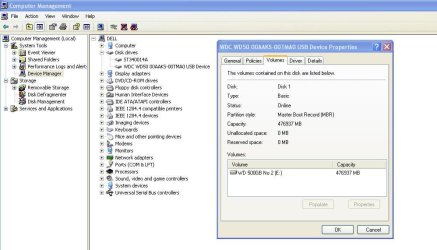
The most frustrating part of the process is the drive is not consistently recognized by Win 7, VM Player or XP Home. EASEUS Partition Manager failed several times to complete a move, format, delete partition.
Background:
I recently converted a Western Digital 500GB drive from Raw to NTFS. Saturday I used an Elevated Command to format it ~ F: /NTFS /Q. At that point Win 7 recognized the drive and I backup 140GB to this drive.
Sunday morning Win 7 could not recognize the drive.
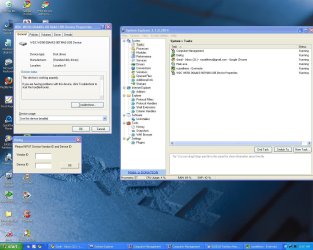
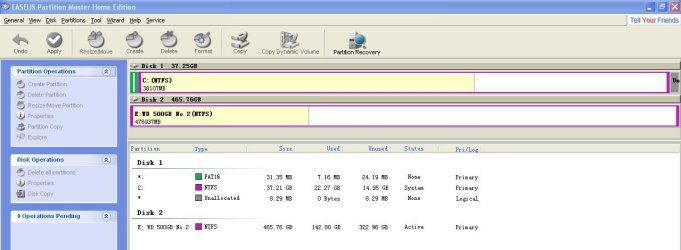
I then installed VM Player, XP Home Edition and ran EASEUS Partition Manager. PM found several Partition in front of the F drive. PM removed all of the partitions and formatted the drive.
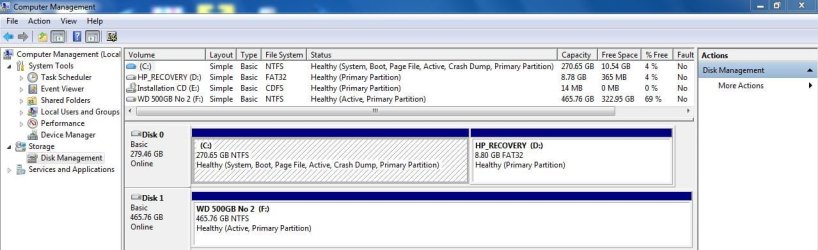
Win 7 currently recognizes the drive. Computer Manager reports it as:
F: Simple, Basic, NTFS Healthy (Active Primary Partition) 465.7 GB Free: 322.9
How do I test the drive?
Since it is formated as a primary drive does that mean it must on when I power up my computer?
What happens if I turn it off and on again.
Should I convert it to a Logical drive?
The most frustrating part of the process is the drive is not consistently recognized by Win 7, VM Player or XP Home. EASEUS Partition Manager failed several times to complete a move, format, delete partition.
Background:
I recently converted a Western Digital 500GB drive from Raw to NTFS. Saturday I used an Elevated Command to format it ~ F: /NTFS /Q. At that point Win 7 recognized the drive and I backup 140GB to this drive.
Sunday morning Win 7 could not recognize the drive.
I then installed VM Player, XP Home Edition and ran EASEUS Partition Manager. PM found several Partition in front of the F drive. PM removed all of the partitions and formatted the drive.
Win 7 currently recognizes the drive. Computer Manager reports it as:
F: Simple, Basic, NTFS Healthy (Active Primary Partition) 465.7 GB Free: 322.9
My Computer
- Computer type
- PC/Desktop
- Computer Manufacturer/Model Number
- HP Pavillion
- OS
- OS Name Microsoft Windows 7 Home Premium OS Version 6.1.7601
- CPU
- AMD Athlon II x4 630 Processor
- Motherboard
- Aloe Foxconn
- Memory
- 6GB 1066Mhz
- Graphics Card(s)
- ATI Radeon HD 4200
- Sound Card
- Realtek High Definition Audio
- Monitor(s) Displays
- HP w2338h Wide LCD Monitor
- Screen Resolution
- 1080x1920