
Hi
Here are the attachtments.
1.JPG
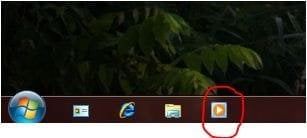
I want to delete this shortcut on the quicklaunch.
2.JPG
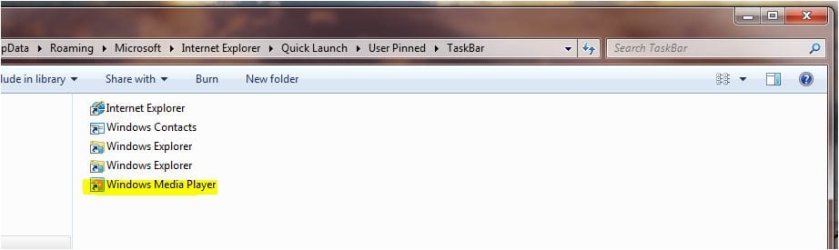
I navigate to the stored path, C:\users\username\appdata\roaming\microsoft\internet explorer\quick launch\user pinned\taskbar
In this path i remove the shortcut i'd like to remove. (in this case Windows Media Player)
3.JPG
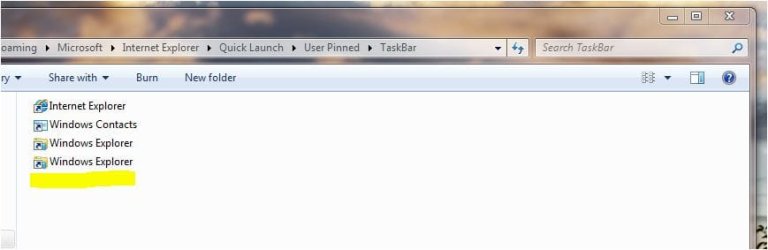
You see, that WMP is removed
4.JPG
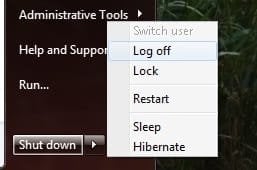
After this, i logoff and logon again.
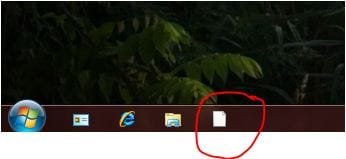
5.JPG
After the logon the icon disappeard but the shortcut is still here.
...
We want to remove this shortcut for all users in the domain. So i thought to remove this shortcut on the users roaming profile with group policies.
If anyone has another idea, please help me to resolve this trouble. I've been fighting with this issue for 2weeks.
If anyone knows a GPO to resolve this, i'll appreciate all possibilites.
Thanks for your help
HugePan
Here are the attachtments.
1.JPG
I want to delete this shortcut on the quicklaunch.
2.JPG
I navigate to the stored path, C:\users\username\appdata\roaming\microsoft\internet explorer\quick launch\user pinned\taskbar
In this path i remove the shortcut i'd like to remove. (in this case Windows Media Player)
3.JPG
You see, that WMP is removed
4.JPG
After this, i logoff and logon again.
5.JPG
After the logon the icon disappeard but the shortcut is still here.
...
We want to remove this shortcut for all users in the domain. So i thought to remove this shortcut on the users roaming profile with group policies.
If anyone has another idea, please help me to resolve this trouble. I've been fighting with this issue for 2weeks.
If anyone knows a GPO to resolve this, i'll appreciate all possibilites.
Thanks for your help
HugePan
Attachments
My Computer
- OS
- Windows 7
