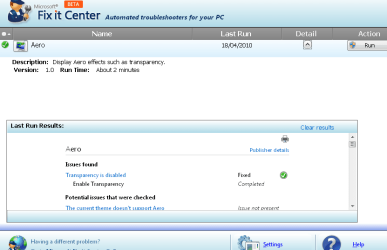
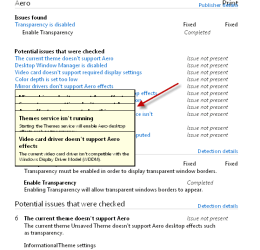
I installed it and played with it some.
I agree with Derek and Hubris; it is very similar to the built in troubleshooter found in the control panel; but it seems to be a little more advanced and more thorough.
I ran the HomeGroup, Performance and Shared Folders modules. Since I am not experiencing any actual problem, I opted for FixIt to show me solutions and let me choose rather than automatically fix problems.
I think the HomeGroup module is pretty good. I wish I had this when I was struggling to get HomeGroup working. I believe it would have diagnosed most of the problems I was having. The module looked at the services affecting HomeGroups and that would have solved a couple of problems of posters here that I have read.
The performance module did not seem much different to me that what is found in the control panel's Performance, Information, and Tools. Since I am not having any performance problems, it basically took me to Startup Programs and suggested that I uncheck any startup programs not needed to run at startup. I am not sure a noob would know what needs to run at startup and what doesn't. However, I know a lot of new users are not aware of the startup programs option and so many programs install themselves to run at startup. So I think this is a good thing.
Overall, I think Fixit is on the right track and will be a good, useful tool for less experienced folks.
Don't use this if you don't feel confident in having to go over all your settings to get back to where your system was set up to your liking.!!
I endorse this 100%. I recommend that FixIt automatically create a restore point before any changes are made.