Hi!
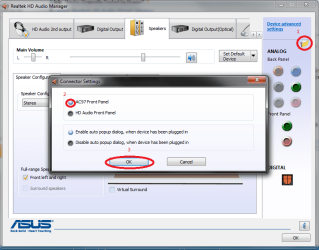
First time poster here looking for a bit of help. I want to pipe separate audio through my front jack which I use for headphones and back jack which I use for speakers. I have an on-board Realtek ALC888/1200 (according to everest). What I want is this:
http://www.sevenforums.com/attachme...hanging-jack-output-reassignments-fix-ado.jpg
Right now on my computer I have one option, speakers which encompass all the back jacks and the front audio jack. While under recording I do have separate mics. How can I separate the front jack into it's own option?
I'm using win7 home premium and I'm not sure if anything else is important, ask away if it is!
Thanks ,
,
BoggyP
edit: Here's the issue:

First time poster here looking for a bit of help. I want to pipe separate audio through my front jack which I use for headphones and back jack which I use for speakers. I have an on-board Realtek ALC888/1200 (according to everest). What I want is this:
http://www.sevenforums.com/attachme...hanging-jack-output-reassignments-fix-ado.jpg
Right now on my computer I have one option, speakers which encompass all the back jacks and the front audio jack. While under recording I do have separate mics. How can I separate the front jack into it's own option?
I'm using win7 home premium and I'm not sure if anything else is important, ask away if it is!
Thanks
,BoggyP
edit: Here's the issue:
Last edited:
My Computer
At a glance
Windows 7 Home Premium 64 bitCore i& 920 2.67 GHz12gbRadion 4850 1gb
- Computer Manufacturer/Model Number
- Acer M7720
- OS
- Windows 7 Home Premium 64 bit
- CPU
- Core i& 920 2.67 GHz
- Motherboard
- Acer FX58M (a variant of the X58)
- Memory
- 12gb
- Graphics Card(s)
- Radion 4850 1gb
- Sound Card
- Onoard Realtek ALC888
- Monitor(s) Displays
- Acer H233H
- Screen Resolution
- 1920*1080