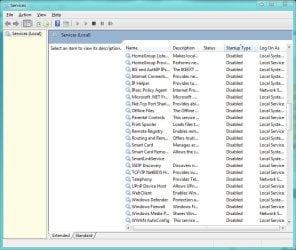
can i disable ReadyBoost ?

I'm sorry, but that's horrible advice. There are so many extra services that the average, or even advanced, user doesn't need that letting them have any sort of activity is just ridiculous. Do I have a server? Do I encrypt my drives? Do I have a HomeGroup? Do I have any Bluetooth devices? No, so why should I enable any of those services?

@stereo: Read a little about the Superfetch service, and see if you are ok with disabling everything it does. If so, go ahead and do it.
 

My Computer My Computer

Computer Manufacturer/Model Number
Dell Dimension 3100, iMac G3, Custom built
OS
7 Ultimate, Debian Squeeze, #! Statler
CPU
AMD 4450e 2.4GHz, Intel P4 3.0GHz, PowerPC 400MHz
i'm not agree with you.
it's ok if you don't want to use the service.
but if you just think that's the service is not use..so the simple think,for what you use the OS win 7??
other services have function, and that's is the feature of the OS. if you don't want the service so you can run on windows 95 or other one. that's it.
and the other point is, not all services you can disable, that's have the effect.
 

My Computer My Computer

Computer Manufacturer/Model Number
built up
OS
windows 7
CPU
Phenom II AMD Dragon 3.5Ghz
Memory
DDR3 4GB
Graphics Card(s)
ATI Radeon 512Mb
Monitor(s) Displays
HP L1506
Screen Resolution
1152 x 864
Hard Drives
WDC 1 TB SATA-II Green Power
Keyboard
HP wireless keyboard
Mouse
HP Optic
Internet Speed
1GB
I'm sorry, but that's horrible advice. There are so many extra services that the average, or even advanced, user doesn't need that letting them have any sort of activity is just ridiculous. Do I have a server? Do I encrypt my drives? Do I have a HomeGroup? Do I have any Bluetooth devices? No, so why should I enable any of those services?
.

Contrary to popular belief, No. But, in agreement with most here, some services are set to manual and never see the light of day or if they do they're shutdown fairly quick. Personally, I don't care it's my comp and I disabled quite a few with no ill effects. If you want to experiment, firstly have some sort of backup/image in place or an ISR app for quick restore or at the very least write down the default setting for a service. BlackVipre used to be the go to on this type of stuff but again, personally I don't like it either. Another contrary to popular belief, don't rely on a registry backup/export/import. Personal expreince is they don't work well.

Untitled.jpg
 

My Computer My Computer

Computer Manufacturer/Model Number
Averatec 6130HS-20
OS
Windows 7 Professional 32-bit (6.1, Build 7600)
CPU
Intel(R) Pentium(R) 4 3.00 GHz HT
Memory
2.0 GB
Graphics Card(s)
ATI Mobility Radeon 9600 64MB
Sound Card
Realtek AC'97 Audio
Screen Resolution
1280 x 800
Hard Drives
Seagate 96023A 60GB 7200RPM -
Seagate FreeAgentDesktop 250GB
Cooling
20 Inch Box Fan
Mouse
Targus PAWM10 Wireless Optical Laptop Mouse
Well, all I can say is that I've disabled plenty of services in XP and 7 and have never experienced anything bad, or at the very least unfixable. One of those services is Superfetch, for what it's worth.
 

My Computer My Computer

Computer Manufacturer/Model Number
Dell Dimension 3100, iMac G3, Custom built
OS
7 Ultimate, Debian Squeeze, #! Statler
CPU
AMD 4450e 2.4GHz, Intel P4 3.0GHz, PowerPC 400MHz
Here's my two cents:

1. ReadyBoost is actually helpful if you can't install more RAM. If you can, then RAM would be the way to go.

2. If you do not use ReadyBoost, then you don't. There is no reason to disable it at all. If you think that your USB drive is being used that way against your will, just go to settings as described in this thread and disable the possibility for this device to be used for ReadyBoost.

3. It is clear that disabling services will not gain you any advantage.

4. It's true that there are some services that your PC is not going to use. Good examples are smart card services, tabletPC services, bluetooth, and so on - if you do not have these devices, then these services are not needed. I do disable them, but basically out of paranoia. Same way I disable Remote Desktop and other remote features I know I will never use. This causes no problems I am aware of. At the same time this also does not gain any other advantage besides satisfying my paranoia.

5. I would not recommend disabling any service (such as Superfetch) which is actually used by the system. Same way, don't disable everything that says Remote - some of them are actually important.

6. Finally, I repeat what many said before - Windows 7 works well out of the box. One gains nothing by fiddling with it, but one may run into trouble. As the old saying goes - if it ain't broken, don't fix it.
 

My Computer My Computer

Computer Manufacturer/Model Number
Dell Inspiron 530
OS
Windows 7 Ultimate (x64)
CPU
Q6600
Memory
8 GB
Graphics Card(s)
ATI Radeon HD 2600 XT
Monitor(s) Displays
Samsung Syncmaster P2450
Screen Resolution
1920x1080
Hard Drives
Samsung HD103UJ
Samsung HD501LJ
Internet Speed
25 Mb/s
More like, if it ain't broken, back everything up and see what you can do to make it better.

One gains understanding by fiddling with it.
 

My Computer My Computer

Computer Manufacturer/Model Number
Dell Dimension 3100, iMac G3, Custom built
OS
7 Ultimate, Debian Squeeze, #! Statler
CPU
AMD 4450e 2.4GHz, Intel P4 3.0GHz, PowerPC 400MHz
Well, all I can say is that I've disabled plenty of services in XP and 7 and have never experienced anything bad, or at the very least unfixable. One of those services is Superfetch, for what it's worth.
And you tell others that we are giving horrible advice? If you did any reading on what SuperFetch is and does...you'd NEVER disable it.

As for your other points, I can't even begin to describe the flaws in your logic. I've never been struck by lightning, but that doesn't mean it is safe to run through a field during a storm holding up a golf club.

My point being, what you want to do with your own personal system is your business, but ignoring all logic and good computing practices and being lucky to escape any issues...doesn't mean that you should be telling others to do so.

My suggestion, go do some reading on services, especially SuperFetch. Here's a quick hint to get you started...those services you feel can be disabled because you aren't using them....aren't in use anyway. An example would be the "tweak in XP to disable wireless zero config service". Many people would disable this, saying it isn't needed because they don't have any wireless adapters. Guess what? It wasn't running anyway, even though it was set to enabled. Simple research brings you facts.
More like, if it ain't broken, back everything up and see what you can do to make it better.

One gains understanding by fiddling with it.
Absolutely, but that's what test systems and VMs are for. Furthermore, if you want to fiddle, go for it...but you HAVE to understand you can't go giving bad advice to others on their main, everyday systems. That's where you need to separate your own fiddling with advice you give others.
 

My Computer My Computer

OS
Windows 7 Ultimate x64 SP1
CPU
Intel Core i7-2600
Motherboard
Gigabyte GA-P67A-UD3P-B3
Memory
12 GB Patriot Extreme DDR3-1333
Graphics Card(s)
Nvidia GTX 470
Monitor(s) Displays
Dell UltraSharp 2209WA
Hard Drives
OCZ Agility3 240 GB, WD5001AALS, WD7501AALS
PSU
OCZ ModStream 700W
Case
CoolerMaster HAF 912 Advanced
Cooling
CoolerMaster Hyper 212 Plus
Your argument is, "If it's not in use, why disable it?" Mine is, "If it's not in use, why leave it enabled?" I hope you see that this debate can't be resolved, and as such I'm not going to continue after this.

And so you know, I DID read about SuperFetch. Don't assume I didn't. Just as you probably know a lot more about computers than I give you credit for, I know more than you give me credit for.
 

My Computer My Computer

Computer Manufacturer/Model Number
Dell Dimension 3100, iMac G3, Custom built
OS
7 Ultimate, Debian Squeeze, #! Statler
CPU
AMD 4450e 2.4GHz, Intel P4 3.0GHz, PowerPC 400MHz
Your argument is, "If it's not in use, why disable it?" Mine is, "If it's not in use, why leave it enabled?"
Because it isn't in used, and therefore, acts as if it is disabled. The only difference is...should that service ever be needed down the road, you won't have any issues if you simply leave it alone. If you disable it, and it is needed, you have an issue. Add in the fact there's nothing to be gained (proven for years) by disabling it...it becomes common sense.
I hope you see that this debate can't be resolved.
It's been resolved....a few years ago. Ever hear the term QuackViper? If so, google it. That's what lead to the "debate" and then the resolution that disabling unneeded services is pointless.
Just as you probably know a lot more about computers than I give you credit for, I know more than you give me credit for.
If this is true, then I'd expect your advice to prove it. I could post all kinds of stats about my experience, length of time working professionally in the computer field, who I worked for the past, etc, but all of that doesn't matter on a forum board. All that does matter is common sense and accuracy with advice. Fact is, disabling unneeded services is/was old news, and has been refuted several years ago. All you are doing is increasing your chance of an unstable system. It is common sense once you do the appropriate reading. If you want me to believe you read about SuperFetch, don't tell us that you disable it...because that proves the contrary. If you want me/us to respect your computer knowledge, don't spout the wonders of disabling services and expect to be taken seriously. Give advice that is factual, logical, and "tried and true".

Do I sound cranky? Yeah, probably, but I didn't have my coffee yet today. I'm also growing extremely weary of seeing this "debate" brought back up time and time again, only to yield the same results. Those results are, "leave it alone". It can't be said enough.

 

My Computer My Computer

OS
Windows 7 Ultimate x64 SP1
CPU
Intel Core i7-2600
Motherboard
Gigabyte GA-P67A-UD3P-B3
Memory
12 GB Patriot Extreme DDR3-1333
Graphics Card(s)
Nvidia GTX 470
Monitor(s) Displays
Dell UltraSharp 2209WA
Hard Drives
OCZ Agility3 240 GB, WD5001AALS, WD7501AALS
PSU
OCZ ModStream 700W
Case
CoolerMaster HAF 912 Advanced
Cooling
CoolerMaster Hyper 212 Plus
Guys, today is buddy day - please be nice to each other.
 

My Computer My Computer

Computer Manufacturer/Model Number
HP, Dell, Gateway, Toshiba - 4 laptops and 2 desktops
OS
Vista, Windows7, Mint Mate, Zorin, Windows 8
CPU
from 1.6GHz Duo to i7
Monitor(s) Displays
2x HP w2207
Hard Drives
5x HDD, 7x SSD, 12x Externals
Keyboard
with trackball - no mices
Mouse
Trackball mice
Internet Speed
DSL 6000
Your argument is, "If it's not in use, why disable it?" Mine is, "If it's not in use, why leave it enabled?" I hope you see that this debate can't be resolved, and as such I'm not going to continue after this.

And so you know, I DID read about SuperFetch. Don't assume I didn't. Just as you probably know a lot more about computers than I give you credit for, I know more than you give me credit for.

Best to leave it enable for if you need it, It isn't using any CPU Resources and Hardly any Ram


Best Regards,
Josh
 

My Computer My Computer

Computer type
PC/Desktop
Computer Manufacturer/Model Number
Custom Built
OS
Windows 7 Professional x64 SP1 ; Windows Server 2012 R2 Standard
CPU
Intel Core i5 2400 @ 3.10GHz
Motherboard
Foxconn H67MP-S/-V/H67MP
Memory
8.0GB DDR3 @ 665MHz (2GBx4)
Graphics Card(s)
AMD Radeon HD 6870
Sound Card
Realtek High Definition Audio
Monitor(s) Displays
AOC 2243W & SMB1930NW
Screen Resolution
1440x900 & 1920x1080
Hard Drives
977GB Seagate ST31000524AS ATA Drive (SATA)
250GB WD iSCSI attached Drive
PSU
750W Gaming PSU
Case
Novatech Night
Cooling
Fan
Keyboard
Dell Standard PS/2 Keyboard
Mouse
R.A.T 07 Gaming Mouse
Internet Speed
Download: 10 Mbps Ping: 30ms Upload: 0.81 Mbps
Browser
Google Chrome
Other Info
Optiarc DVD RW AD-5260S ATA Device
Guys, today is buddy day - please be nice to each other.
Is that a German holiday? If so, I'll be nice, drink a German beer, drive my German car, and celebrate my German heritage!
 

My Computer My Computer

OS
Windows 7 Ultimate x64 SP1
CPU
Intel Core i7-2600
Motherboard
Gigabyte GA-P67A-UD3P-B3
Memory
12 GB Patriot Extreme DDR3-1333
Graphics Card(s)
Nvidia GTX 470
Monitor(s) Displays
Dell UltraSharp 2209WA
Hard Drives
OCZ Agility3 240 GB, WD5001AALS, WD7501AALS
PSU
OCZ ModStream 700W
Case
CoolerMaster HAF 912 Advanced
Cooling
CoolerMaster Hyper 212 Plus

My Computer My Computer

Computer Manufacturer/Model Number
HP, Dell, Gateway, Toshiba - 4 laptops and 2 desktops
OS
Vista, Windows7, Mint Mate, Zorin, Windows 8
CPU
from 1.6GHz Duo to i7
Monitor(s) Displays
2x HP w2207
Hard Drives
5x HDD, 7x SSD, 12x Externals
Keyboard
with trackball - no mices
Mouse
Trackball mice
Internet Speed
DSL 6000
Why do you feel you need to disable it. Its not used until you enable readyboost when you put in a compatible flash drive. Simplest solution would be to ignore it.
 

My Computer My Computer

Computer Manufacturer/Model Number
self built
OS
Windows 7 Professional 64-bit
CPU
Intel E8400 3GHz
Motherboard
Intel DX48BT2
Memory
Kingston PC3-10700H 4Gb
Graphics Card(s)
XFX Radeon HD 5850 BlackEd.
Sound Card
Asus Xonar DG
Monitor(s) Displays
2x Samsung SM-T220HD 22"
Screen Resolution
1680x1050 on two monitors
Hard Drives
OCZ Vertex 2 120gb 3.5" (OS)
Seagate Momentus XT 500gb
Samsung F3 1Tb (games)
2x Samsung F1 1Tb
PSU
Thermaltake ToughPower 850w
Case
Thermaltake Armor
Cooling
Scythe Mugen II
Keyboard
Microsoft Comfort Curve USB
Mouse
Razer Diamondback 3G
Internet Speed
8128/443
Back
Top