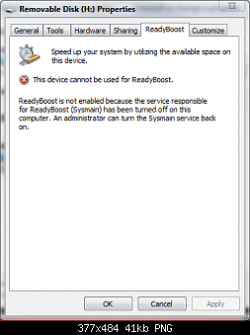
Second, do not disable ReadyBoost. It includes something called ReadyBoot, which aids in optimizing boot processes and times.
^^^^^^^
take it from somebody who is an obsessed tweaker , if your disabling for extra/faster performance forget it , disabling any running windows service will have zero effect on performance , ive tweaked , disabled , and turned off everything you
think you dont need and have then tested every game and benchmark to destruction and gained absolutely bugger all

and one day you'll run somthing or install something and it wont work , and you'll spend HOURS trying to figure out why , then when you re-eanble those windows services you'll finally find out why , as long as you think to do it in the first place.........ive been there

Ok guys,i know you right. I will leave alone the services, but there are still some "parts" and i have to say,i don't need at startup "java / ym/ skype" and so many more.
Maybe,the best i could do,is to purchase 2 GB RAM,but for the moment i'm happy with my 3 gb ddr3. SSD would be better,i think.
I'm new with OS Windows 7,and i need some time to understand this OS
That's why i'm here on this forum.
PS : I can't understand why Microsoft removed the option in windows explorer to turn off auto arrange ( folders )