Specific pros and cons of system reserved partition for me

RoseRodent

New member
Local time
3:28 PM
Messages
16
I have read around various sites and tutorials and all for the Windows 7 system reserved partition, but I am still not entirely clear on what are the pros and cons of having them. I have heard many arguments each way, but all from each person's own individual perspective, and would really like someone to clear up what I don't understand. Hopefully this doesn't come over like I haven't bothered searching for myself, I did, but I still don't quite get it.

OK. If I delete the system reserved partition, can I extend the other partition into the space using Windows 7 own tools? (No third party for partition management for me, it always, always totally wrecks my machine, leaving me having to nuke the drive and reinstall). I can't see the point of deleting it otherwise, but nobody has so far said you do anything other than delete it and then run the startup repair.

What is in that partition - I mean, other than "recovery environment" - I've read that, but what is it? I don't carry the drive with my system images on it when I am outside the house anyway, so no benefit in being able to run recovery without the disc. I can get into the restore tools from my Win7 installation disc, is there anything on the system partition that is not on the upgrade version of the installation DVD for W7 Pro Student Upgrade 32 bit?

If I get rid of the system partition, does W7's native system image creation tool still work as before? (obviously you only image one partition, but does it still work?)

Is there any situation where Windows will get upset about the absence of this partition? I don't want to do anything which is essentially a "hack" I want W7 to be running as closely as possible to the tried and tested, stable methods, as I have had a lot of trouble with hacks and third party software making a mess of my system.

Does this process ever go wrong for people? I currently have a working system, and on the old adage "if it aint broke, don't fix it" I don't really feel like faffing with the system. OTOH I find it hard to correctly image and restore this setup with Acronis True Image Home 2009, and that's my primary backup and restore method, so I would rather take the risk now so that Acronis will work well in future. Is it a "risky" thing to delete this partition or does it always work that startup recovery will put the boot files back? Did anyone try it and find that didn't happen?

Bear in mind that I have a special relationship with the impossible - I used to have a Windows machine whose mouse didn't work until I loaded a particular building society's mortgage calculator web page, which I could then shut down and the mouse continued working, but would stop working again at next reboot until I loaded that mortgage calculator. That level of impossible happens to me all the time! :shock:

I have a single boot W7 laptop, 250GB sata drive, no other OS, no GRUB, no anything complex and don't intend installing any other OS on here in the future. It's a Packard Bell Easynote LJ61 in case that helps, but the manufacturer partition has been nuked, so it's just W7 main and W7 system reserved on here now.
 
Last edited:

My Computer My Computer

At a glance

Windows 7
Computer Manufacturer/Model Number
Packard Bell Easynote LJ61 Vista model **now with W7**
OS
Windows 7
Hard Drives
External is 2.5in Western Digital Passport 250GB
Hello RoseRodent, welcome to Seven Forums!


The program in the tutorial at the link below does an excellent job deleting the system reserved partition and then resizing the Windows 7 partition into that space, Windows will not do it natively; I have not heard of any issues with it so far; have a look at Option Two.

Just be aware: that you will need to run a startup repair as many as 3 separate times with system restarts between the repairs to write the boot files to the Windows 7 partition.
Be sure to keep us informed.


Partition Wizard : Use the Bootable CD
 

My Computer My Computer

At a glance

W 7 64-bit UltimateIntel Q9550 Yorkfield8GB Dominator 8500C5DATI : XFX 5870
Computer Manufacturer/Model Number
* BFK Customs *
OS
W 7 64-bit Ultimate
CPU
Intel Q9550 Yorkfield
Motherboard
ASUS P5Q Pro
Memory
8GB Dominator 8500C5D
Graphics Card(s)
ATI : XFX 5870
Sound Card
Realtek HD Audio 7-1
Monitor(s) Displays
1x 47" LCD HDMI & 3x 26" LCD HDMI
Screen Resolution
1920x1080P & 1920x1200
Hard Drives
1x 80GB Intel X25-M G2 SSD : 1x 500GB & 1x 640GB WD Caviar Black(s)
PSU
Corsair 620HX
Case
Cooler Master RC-690
Cooling
Tuniq Tower 120, 2x 140mm and 3x 120mm case fans
Keyboard
Microsoft 500
Mouse
Razer Diamondback 3G
Internet Speed
14 Mb/s
Other Info
1x Koutech 3Gb/s SATA HDD Hot Swap Rack
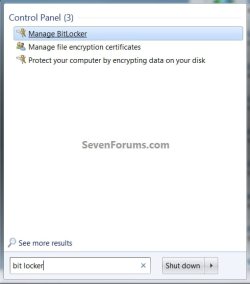
I always thought the main advantage of the little partition was to protect the MBR. There are some other functions that use the partition like BitLocker. But that is only of interest to owners of the Ultimate edition.
 

My Computer My Computer

At a glance

Vista, Windows7, Mint Mate, Zorin, Windows 8from 1.6GHz Duo to i7
Computer Manufacturer/Model Number
HP, Dell, Gateway, Toshiba - 4 laptops and 2 desktops
OS
Vista, Windows7, Mint Mate, Zorin, Windows 8
CPU
from 1.6GHz Duo to i7
Monitor(s) Displays
2x HP w2207
Hard Drives
5x HDD, 7x SSD, 12x Externals
Keyboard
with trackball - no mices
Mouse
Trackball mice
Internet Speed
DSL 6000
I always thought the main advantage of the little partition was to protect the MBR. There are some other functions that use the partition like BitLocker. But that is only of interest to owners of the Ultimate edition.


But it's not needed though, right.


BitLocker.jpg
 

My Computer My Computer

At a glance

W 7 64-bit UltimateIntel Q9550 Yorkfield8GB Dominator 8500C5DATI : XFX 5870
Computer Manufacturer/Model Number
* BFK Customs *
OS
W 7 64-bit Ultimate
CPU
Intel Q9550 Yorkfield
Motherboard
ASUS P5Q Pro
Memory
8GB Dominator 8500C5D
Graphics Card(s)
ATI : XFX 5870
Sound Card
Realtek HD Audio 7-1
Monitor(s) Displays
1x 47" LCD HDMI & 3x 26" LCD HDMI
Screen Resolution
1920x1080P & 1920x1200
Hard Drives
1x 80GB Intel X25-M G2 SSD : 1x 500GB & 1x 640GB WD Caviar Black(s)
PSU
Corsair 620HX
Case
Cooler Master RC-690
Cooling
Tuniq Tower 120, 2x 140mm and 3x 120mm case fans
Keyboard
Microsoft 500
Mouse
Razer Diamondback 3G
Internet Speed
14 Mb/s
Other Info
1x Koutech 3Gb/s SATA HDD Hot Swap Rack
I have found no need for that partition and always eliminate same. Null Problemo.
 

My Computer My Computer

At a glance

MS Windows 7 Ultimate SP1 64-bitAMD A10-4600M6.00 GB Dual-Channel DDR3 @ 798MHz (11-11-12-28)AMD Radeon HD 7660G
Computer Manufacturer/Model Number
Toshiba Satellite S875D-S7239 laptop
OS
MS Windows 7 Ultimate SP1 64-bit
CPU
AMD A10-4600M
Motherboard
AMD Pumori (Socket FT1)
Memory
6.00 GB Dual-Channel DDR3 @ 798MHz (11-11-12-28)
Graphics Card(s)
AMD Radeon HD 7660G
Sound Card
High Definition Audio Device
Monitor(s) Displays
Generic PnP Monitor (1600x900@60Hz)
Screen Resolution
1600x900@60Hz
Hard Drives
SSD 119GB Corsair CSSD-V128GB2 ATA Device
Keyboard
Standard PS/2 Keyboard
Mouse
HP Wireless Optical Mobile Mouse Model FHA-3410
Internet Speed
What the local pub, local coffee shop offers.
Other Info
Optical Drive:MATSHITA BD-CMB UJ160B ATA Device


Also have an Asus ha1002xp netbook with Win 7 Ultimate installed.
System Reserved contains all the boot files and what not for Windows 7, if you delete it the system cannot boot.

If you do not want the System Reserved you should partition the hard drive using DISKPART from the command line (SHIFT + F10) when installing Windows 7. (Before picking the drive to install to.) Instead of doing it after the fact. Less problematic that way.

Or just leave it be. It won't harm anything by being there. As for Acronis, image both partitions together and restore both.
 

My Computer My Computer

At a glance

Windows 10 Pro (x64)Intel Core i7-3930K (3.2GHz - 4.5GHz)4x Samsung 4GB PC3-12800 DDR3 (16GB 1600MHz)Nvidia Geforce GTX 690
Computer type
PC/Desktop
Computer Manufacturer/Model Number
Alienware Aurora ALX R4
OS
Windows 10 Pro (x64)
CPU
Intel Core i7-3930K (3.2GHz - 4.5GHz)
Motherboard
Alienware Aurora-R4 x79
Memory
4x Samsung 4GB PC3-12800 DDR3 (16GB 1600MHz)
Graphics Card(s)
Nvidia Geforce GTX 690
Sound Card
SteelSeries Siberia Elite
Monitor(s) Displays
Dell UltraSharp U3011
Screen Resolution
2560x1600
Hard Drives
Samsung 850 Pro 256 GB, Seagate 1TB Desktop Hybrid HDD, 2x Western Digital 4TB Green HDD
PSU
875W Some Dell PSU <.<
Case
Alienware Aurora ALX
Cooling
Custom Liquid Cooling (EK CPU & GPU blocks) dual EK 480RAD
Keyboard
Logitech G710+ Mechanical
Mouse
Logitech G700s
Internet Speed
Verizon Fios (50 mbps average)
Other Info
Server: Intel NUC D54250WYK: i5-4250U, 16GB, 256 GB mSATA, Windows Server 2012 R2
System Reserved contains all the boot files and what not for Windows 7, if you delete it the system cannot boot.

If you do not want the System Reserved you should partition the hard drive using DISKPART from the command line (SHIFT + F10) when installing Windows 7. (Before picking the drive to install to.) Instead of doing it after the fact. Less problematic that way.

Or just leave it be. It won't harm anything by being there. As for Acronis, image both partitions together and restore both.


In the tutorial at the link below at Step Two are instructions for this.


SSD / HDD : Optimize for Windows Reinstallation
 

My Computer My Computer

At a glance

W 7 64-bit UltimateIntel Q9550 Yorkfield8GB Dominator 8500C5DATI : XFX 5870
Computer Manufacturer/Model Number
* BFK Customs *
OS
W 7 64-bit Ultimate
CPU
Intel Q9550 Yorkfield
Motherboard
ASUS P5Q Pro
Memory
8GB Dominator 8500C5D
Graphics Card(s)
ATI : XFX 5870
Sound Card
Realtek HD Audio 7-1
Monitor(s) Displays
1x 47" LCD HDMI & 3x 26" LCD HDMI
Screen Resolution
1920x1080P & 1920x1200
Hard Drives
1x 80GB Intel X25-M G2 SSD : 1x 500GB & 1x 640GB WD Caviar Black(s)
PSU
Corsair 620HX
Case
Cooler Master RC-690
Cooling
Tuniq Tower 120, 2x 140mm and 3x 120mm case fans
Keyboard
Microsoft 500
Mouse
Razer Diamondback 3G
Internet Speed
14 Mb/s
Other Info
1x Koutech 3Gb/s SATA HDD Hot Swap Rack
System Reserved contains all the boot files and what not for Windows 7, if you delete it the system cannot boot.

I do not have a System Reserved partition.

My computers always boot.
 

My Computer My Computer

At a glance

MS Windows 7 Ultimate SP1 64-bitAMD A10-4600M6.00 GB Dual-Channel DDR3 @ 798MHz (11-11-12-28)AMD Radeon HD 7660G
Computer Manufacturer/Model Number
Toshiba Satellite S875D-S7239 laptop
OS
MS Windows 7 Ultimate SP1 64-bit
CPU
AMD A10-4600M
Motherboard
AMD Pumori (Socket FT1)
Memory
6.00 GB Dual-Channel DDR3 @ 798MHz (11-11-12-28)
Graphics Card(s)
AMD Radeon HD 7660G
Sound Card
High Definition Audio Device
Monitor(s) Displays
Generic PnP Monitor (1600x900@60Hz)
Screen Resolution
1600x900@60Hz
Hard Drives
SSD 119GB Corsair CSSD-V128GB2 ATA Device
Keyboard
Standard PS/2 Keyboard
Mouse
HP Wireless Optical Mobile Mouse Model FHA-3410
Internet Speed
What the local pub, local coffee shop offers.
Other Info
Optical Drive:MATSHITA BD-CMB UJ160B ATA Device


Also have an Asus ha1002xp netbook with Win 7 Ultimate installed.
I do not have a System Reserved partition.

My computers always boot.

On default installations when configuring partitions from the GUI in the Windows 7 installer creates System Reserved. If the Hard Drive is setup prior to that moment it will not create a System Reserved partition it will use the existing "Active" partition.

System Reserved is not required to be there, it is just the default behavior of the installer to create it when setting partitions up though the GUI. The fact you do not have suggest the Hard Drive was already setup with an active partition before installation.
 

My Computer My Computer

At a glance

Windows 10 Pro (x64)Intel Core i7-3930K (3.2GHz - 4.5GHz)4x Samsung 4GB PC3-12800 DDR3 (16GB 1600MHz)Nvidia Geforce GTX 690
Computer type
PC/Desktop
Computer Manufacturer/Model Number
Alienware Aurora ALX R4
OS
Windows 10 Pro (x64)
CPU
Intel Core i7-3930K (3.2GHz - 4.5GHz)
Motherboard
Alienware Aurora-R4 x79
Memory
4x Samsung 4GB PC3-12800 DDR3 (16GB 1600MHz)
Graphics Card(s)
Nvidia Geforce GTX 690
Sound Card
SteelSeries Siberia Elite
Monitor(s) Displays
Dell UltraSharp U3011
Screen Resolution
2560x1600
Hard Drives
Samsung 850 Pro 256 GB, Seagate 1TB Desktop Hybrid HDD, 2x Western Digital 4TB Green HDD
PSU
875W Some Dell PSU <.<
Case
Alienware Aurora ALX
Cooling
Custom Liquid Cooling (EK CPU & GPU blocks) dual EK 480RAD
Keyboard
Logitech G710+ Mechanical
Mouse
Logitech G700s
Internet Speed
Verizon Fios (50 mbps average)
Other Info
Server: Intel NUC D54250WYK: i5-4250U, 16GB, 256 GB mSATA, Windows Server 2012 R2
System Reserved contains all the boot files and what not for Windows 7, if you delete it the system cannot boot.

I do not have a System Reserved partition.

My computers always boot.
karl, if you system never had this partition (e.g. if you installed it into a predefined partition), then your MBR is on C. But if you install on a "blank" disk or if it is an OEM installation, you often end up with the MBR in the system reserved partition. And if you delete that, the system will not boot. To cure that you have to create an MBR on C (there are various ways to do that).

Edit: I guess logicearth types faster - LOL.
 

My Computer My Computer

At a glance

Vista, Windows7, Mint Mate, Zorin, Windows 8from 1.6GHz Duo to i7
Computer Manufacturer/Model Number
HP, Dell, Gateway, Toshiba - 4 laptops and 2 desktops
OS
Vista, Windows7, Mint Mate, Zorin, Windows 8
CPU
from 1.6GHz Duo to i7
Monitor(s) Displays
2x HP w2207
Hard Drives
5x HDD, 7x SSD, 12x Externals
Keyboard
with trackball - no mices
Mouse
Trackball mice
Internet Speed
DSL 6000
System Reserved contains all the boot files and what not for Windows 7, if you delete it the system cannot boot.

I do not have a System Reserved partition.

My computers always boot.

What he means is that, if the system reserve partition is created, the MBR will be stored there. In that scenario, deleting the partition will render Windows unable to boot without running a startup repair 3 separate times. If the partition is not created in the first place, MBR is stored on the primary partition.
 

My Computer My Computer

At a glance

Windows 7 Professional SP1 64-bitIntel Core i5-2450M @2.5 GHz6 GB DDR3 1333MHzIntel HD 3000
Computer type
Laptop
Computer Manufacturer/Model Number
Toshiba P775-S7100
OS
Windows 7 Professional SP1 64-bit
CPU
Intel Core i5-2450M @2.5 GHz
Memory
6 GB DDR3 1333MHz
Graphics Card(s)
Intel HD 3000
Monitor(s) Displays
Built-in 17.3" LED; 22" Insignia NS-L22Q-10A
Screen Resolution
1600x900; 1360x768
Hard Drives
750 GB Hitachi
1TB Seagate FreeAgent External
Internet Speed
Verizon DSL Speed(Down/Up): 3360 Kbps / 800 Kbps
Antivirus
MSE and MBAM Pro
Browser
IE10
The SysReserved partition is recommended for Multi Boots so other OS's don't become unbootable if the System OS becomes disabled and cannot boot.

Other than that it places the Repair console on the Advanced Boot Tools menu accessed by tapping F8 at Startup which is a convenience.
 
Thanks, now just to be a touch clearer I am definitely not reinstalling, so no solutions for what I should have done if only I'd known last week I would have liked to have done it! ;) I might do it differently if I am forced to reinstall, but I generally prefer to have my toenails pulled off slowly with pliers than reinstall, so always turn to imaging first.

The problem I had with Acronis was that it doesn't, for whatever reason, allow me to tick the box for the whole disk, I can image as many partitions as I like, but when it comes to restoring it says which partition do you want to put the data back onto. So I would have to put the system reserved partition and the OS main partition into the space the OS parition came out of, and then it will still be trying to boot from the old system partition which is broken, ergo no boot of anything. I've got a trial version of a new Acronis and am in negotiations for whether I will have to pay for it given that the old version refuses to work, but for the time being all seems well and I can restore two partitions to one disk space and it will create the partitions as they were. If I have to pay to upgrade Acronis then that's when I have to choose delete the partition or stump up for a working copy. I have 189GB of free space so the size of the partition doesn't bother me, it's just to make image and restore work more smoothly.
 

My Computer My Computer

At a glance

Windows 7
Computer Manufacturer/Model Number
Packard Bell Easynote LJ61 Vista model **now with W7**
OS
Windows 7
Hard Drives
External is 2.5in Western Digital Passport 250GB
Why don't you use free Macrium for imaging. That will probably be easier. And read the "Warning" at the beginning of my tutorial. That will make it clear how to deal with the boot partition.

Btw: if you want to copy a whole disk volume, you will have to use "Cloning" - not imaging. But that is not possible with free Macrium, you would need the pro version.
 

My Computer My Computer

At a glance

Vista, Windows7, Mint Mate, Zorin, Windows 8from 1.6GHz Duo to i7
Computer Manufacturer/Model Number
HP, Dell, Gateway, Toshiba - 4 laptops and 2 desktops
OS
Vista, Windows7, Mint Mate, Zorin, Windows 8
CPU
from 1.6GHz Duo to i7
Monitor(s) Displays
2x HP w2207
Hard Drives
5x HDD, 7x SSD, 12x Externals
Keyboard
with trackball - no mices
Mouse
Trackball mice
Internet Speed
DSL 6000
Back
Top