No Internet Access on cable and wireless
Okay, I just want to start this thread off by saying I've been doing a lot of googling since yesterday (when I moved back in to campus). I've read a lot of info, but I've gotten confused and frustrated, so I'm making this thread to get a more personal response.
I got my new laptop during this past summer, where I spent my time at home on dial up. When I moved back in, I couldn't connect to wireless (any wireless) or use an internet cable connection. Last night, when I tried the wireless, it did work, probably from some fiddling I did. Only IPV4 Connectivity. IPv6 has no access.
My network adapters are:
Atheros AR9285 Wireless Network Adapter
Marvell Yukon 88E8059 Family PCI-E Gigabit Ethernet Controller
My laptop is a Samsung R580.
For the cable:
My Network and Sharing Center looks like this when the cable is plugged in and wireless is turned off (link goes to screenshot).
When I use "Diagnose" for the problems, I get this:
I also think I made things worse. I like to work on trial and error and saw that DHCP was not enabled, so I thought I would enable it and see what happened (I had to go to IPv4 connectivity and toggle "automatically get IPs" or something
Then when I diagnosed, I started receiving this message:
"Local Area Connection" doesn't have a valid IP configuration
HOWEVER, I couldn't connect to the internet prior to this message . . . so, yeah.
So. . . help, please?
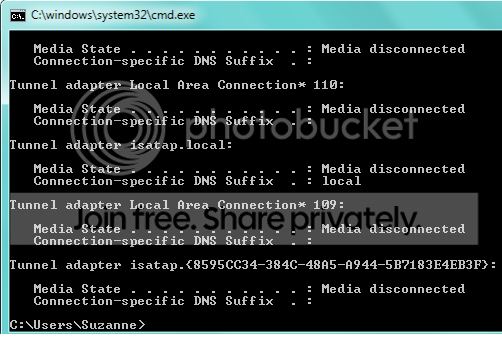
The following is the driver information and ipconfig.all:
Okay, I just want to start this thread off by saying I've been doing a lot of googling since yesterday (when I moved back in to campus). I've read a lot of info, but I've gotten confused and frustrated, so I'm making this thread to get a more personal response.
I got my new laptop during this past summer, where I spent my time at home on dial up. When I moved back in, I couldn't connect to wireless (any wireless) or use an internet cable connection. Last night, when I tried the wireless, it did work, probably from some fiddling I did. Only IPV4 Connectivity. IPv6 has no access.
My network adapters are:
Atheros AR9285 Wireless Network Adapter
Marvell Yukon 88E8059 Family PCI-E Gigabit Ethernet Controller
My laptop is a Samsung R580.
For the cable:
My Network and Sharing Center looks like this when the cable is plugged in and wireless is turned off (link goes to screenshot).
When I use "Diagnose" for the problems, I get this:
I don't know why. I went to the school's library and used a cord from another computer and the message was still the same. I also noticed that nothing lights up when a cable is plugged into my computer.Investigate router or broadband modem issues
If you're connected to a hotspot or domain network, contact the network administrator. Otherwise: 1. Unplug or turn off the device. 2. After all the lights on the device are off, wait at least 10 seconds. 3. Turn the device on or plug it back into the power outlet. To restart a router or modem that has a built-in battery, press and quickly release the Reset button
I also think I made things worse. I like to work on trial and error and saw that DHCP was not enabled, so I thought I would enable it and see what happened (I had to go to IPv4 connectivity and toggle "automatically get IPs" or something
Then when I diagnosed, I started receiving this message:
"Local Area Connection" doesn't have a valid IP configuration
HOWEVER, I couldn't connect to the internet prior to this message . . . so, yeah.
So. . . help, please?
The following is the driver information and ipconfig.all:
Description . . . . . . . . . . : Marvell Yukon 88E8059 Family PCI-E Gigabit Ethernet Controller
Manufacturer . . . . . . . . . : Marvell
Provider . . . . . . . . . . . : Marvell
Version . . . . . . . . . . . : 11.22.3.3
Inf File Name . . . . . . . . . : C:\windows\INF\oem9.inf
Inf File Date . . . . . . . . . : Monday, September 28, 2009 9:22:00 AM
Section Name . . . . . . . . . : SLYuk2CopGig_38CB86BF.ndi
Hardware ID . . . . . . . . . . : pci\ven_11ab&dev_4381
Instance Status Flags . . . . . : 0x180200a
Device Manager Status Code . . : 0
IfType . . . . . . . . . . . . : 6
Physical Media Type . . . . . . : 14
Windows IP Configuration
Host Name . . . . . . . . . . . . : Suzanne-PC
Primary Dns Suffix . . . . . . . :
Node Type . . . . . . . . . . . . : Hybrid
IP Routing Enabled. . . . . . . . : No
WINS Proxy Enabled. . . . . . . . : No
DNS Suffix Search List. . . . . . : local
Wireless LAN adapter Wireless Network Connection:
Connection-specific DNS Suffix . : local
Description . . . . . . . . . . . : Atheros AR9285 Wireless Network Adapter
Physical Address. . . . . . . . . : F0-7B-CB-5B-74-49
DHCP Enabled. . . . . . . . . . . : Yes
Autoconfiguration Enabled . . . . : Yes
Link-local IPv6 Address . . . . . : fe80::11e6:c8d8:17ea:2027%20(Preferred)
IPv4 Address. . . . . . . . . . . : 192.168.1.63(Preferred)
Subnet Mask . . . . . . . . . . . : 255.255.255.0
Lease Obtained. . . . . . . . . . : Monday, August 30, 2010 2:25:44 PM
Lease Expires . . . . . . . . . . : Monday, August 30, 2010 5:48:01 PM
Default Gateway . . . . . . . . . : fe80::224:1ff:fecc:ffc%20
192.168.1.1
DHCP Server . . . . . . . . . . . : 192.168.1.1
DNS Servers . . . . . . . . . . . : 192.168.1.2
NetBIOS over Tcpip. . . . . . . . : Enabled
Ethernet adapter Local Area Connection:
Connection-specific DNS Suffix . :
Description . . . . . . . . . . . : Marvell Yukon 88E8059 Family PCI-E Gigabit Ethernet Controller
Physical Address. . . . . . . . . : 00-24-54-83-F9-2F
DHCP Enabled. . . . . . . . . . . : Yes
Autoconfiguration Enabled . . . . : Yes
Link-local IPv6 Address . . . . . : fe80::5d3:bbe5:316:ed38%13(Preferred)
Autoconfiguration IPv4 Address. . : 169.254.237.56(Preferred)
Subnet Mask . . . . . . . . . . . : 255.255.0.0
Default Gateway . . . . . . . . . :
DHCPv6 IAID . . . . . . . . . . . : 285221972
DHCPv6 Client DUID. . . . . . . . : 00-01-00-01-12-FA-9F-49-00-24-54-39-E8-3B
DNS Servers . . . . . . . . . . . : fec0:0:0:ffff::1%2
fec0:0:0:ffff::2%2
fec0:0:0:ffff::3%2
NetBIOS over Tcpip. . . . . . . . : Enabled
Tunnel adapter Local Area Connection* 16:
Media State . . . . . . . . . . . : Media disconnected
Connection-specific DNS Suffix . :
Description . . . . . . . . . . . : Microsoft 6to4 Adapter #5
Physical Address. . . . . . . . . : 00-00-00-00-00-00-00-E0
DHCP Enabled. . . . . . . . . . . : No
Autoconfiguration Enabled . . . . : Yes
Tunnel adapter Local Area Connection* 15:
Media State . . . . . . . . . . . : Media disconnected
Connection-specific DNS Suffix . :
Description . . . . . . . . . . . : Microsoft 6to4 Adapter #4
Physical Address. . . . . . . . . : 00-00-00-00-00-00-00-E0
DHCP Enabled. . . . . . . . . . . : No
Autoconfiguration Enabled . . . . : Yes
Tunnel adapter Reusable Microsoft 6To4 Adapter:
Media State . . . . . . . . . . . : Media disconnected
Connection-specific DNS Suffix . :
Description . . . . . . . . . . . : Microsoft 6to4 Adapter #2
Physical Address. . . . . . . . . : 00-00-00-00-00-00-00-E0
DHCP Enabled. . . . . . . . . . . : No
Autoconfiguration Enabled . . . . : Yes
Tunnel adapter 6TO4 Adapter:
Media State . . . . . . . . . . . : Media disconnected
Connection-specific DNS Suffix . :
Description . . . . . . . . . . . : Microsoft 6to4 Adapter
Physical Address. . . . . . . . . : 00-00-00-00-00-00-00-E0
DHCP Enabled. . . . . . . . . . . : No
Autoconfiguration Enabled . . . . : Yes
Tunnel adapter Teredo Tunneling Pseudo-Interface:
Connection-specific DNS Suffix . :
Description . . . . . . . . . . . : Teredo Tunneling Pseudo-Interface
Physical Address. . . . . . . . . : 00-00-00-00-00-00-00-E0
DHCP Enabled. . . . . . . . . . . : No
Autoconfiguration Enabled . . . . : Yes
IPv6 Address. . . . . . . . . . . : 2001:0:4137:9e74:3839:3fad:3f57:fec0(Preferred)
Link-local IPv6 Address . . . . . : fe80::3839:3fad:3f57:fec0%22(Preferred)
Default Gateway . . . . . . . . . : ::
NetBIOS over Tcpip. . . . . . . . : Disabled
Tunnel adapter Local Area Connection* 14:
Media State . . . . . . . . . . . : Media disconnected
Connection-specific DNS Suffix . :
Description . . . . . . . . . . . : Microsoft 6to4 Adapter #3
Physical Address. . . . . . . . . : 00-00-00-00-00-00-00-E0
DHCP Enabled. . . . . . . . . . . : No
Autoconfiguration Enabled . . . . : Yes
Tunnel adapter Local Area Connection* 18:
Media State . . . . . . . . . . . : Media disconnected
Connection-specific DNS Suffix . :
Description . . . . . . . . . . . : Microsoft 6to4 Adapter #7
Physical Address. . . . . . . . . : 00-00-00-00-00-00-00-E0
DHCP Enabled. . . . . . . . . . . : No
Autoconfiguration Enabled . . . . : Yes
Tunnel adapter Local Area Connection* 20:
Media State . . . . . . . . . . . : Media disconnected
Connection-specific DNS Suffix . :
Description . . . . . . . . . . . : Microsoft 6to4 Adapter #9
Physical Address. . . . . . . . . : 00-00-00-00-00-00-00-E0
DHCP Enabled. . . . . . . . . . . : No
Autoconfiguration Enabled . . . . : Yes
Tunnel adapter Local Area Connection* 17:
Media State . . . . . . . . . . . : Media disconnected
Connection-specific DNS Suffix . :
Description . . . . . . . . . . . : Microsoft 6to4 Adapter #6
Physical Address. . . . . . . . . : 00-00-00-00-00-00-00-E0
DHCP Enabled. . . . . . . . . . . : No
Autoconfiguration Enabled . . . . : Yes
Tunnel adapter Local Area Connection* 22:
Media State . . . . . . . . . . . : Media disconnected
Connection-specific DNS Suffix . :
Description . . . . . . . . . . . : Microsoft 6to4 Adapter #11
Physical Address. . . . . . . . . : 00-00-00-00-00-00-00-E0
DHCP Enabled. . . . . . . . . . . : No
Autoconfiguration Enabled . . . . : Yes
Tunnel adapter Local Area Connection* 19:
Media State . . . . . . . . . . . : Media disconnected
Connection-specific DNS Suffix . :
Description . . . . . . . . . . . : Microsoft 6to4 Adapter #8
Physical Address. . . . . . . . . : 00-00-00-00-00-00-00-E0
DHCP Enabled. . . . . . . . . . . : No
Autoconfiguration Enabled . . . . : Yes
Tunnel adapter Local Area Connection* 25:
Media State . . . . . . . . . . . : Media disconnected
Connection-specific DNS Suffix . :
Description . . . . . . . . . . . : Microsoft 6to4 Adapter #14
Physical Address. . . . . . . . . : 00-00-00-00-00-00-00-E0
DHCP Enabled. . . . . . . . . . . : No
Autoconfiguration Enabled . . . . : Yes
Tunnel adapter Local Area Connection* 21:
Media State . . . . . . . . . . . : Media disconnected
Connection-specific DNS Suffix . :
Description . . . . . . . . . . . : Microsoft 6to4 Adapter #10
Physical Address. . . . . . . . . : 00-00-00-00-00-00-00-E0
DHCP Enabled. . . . . . . . . . . : No
Autoconfiguration Enabled . . . . : Yes
Tunnel adapter isatap.local:
Media State . . . . . . . . . . . : Media disconnected
Connection-specific DNS Suffix . : local
Description . . . . . . . . . . . : Microsoft ISATAP Adapter
Physical Address. . . . . . . . . : 00-00-00-00-00-00-00-E0
DHCP Enabled. . . . . . . . . . . : No
Autoconfiguration Enabled . . . . : Yes
Tunnel adapter Local Area Connection* 109:
Media State . . . . . . . . . . . : Media disconnected
Connection-specific DNS Suffix . :
Description . . . . . . . . . . . : Microsoft 6to4 Adapter #98
Physical Address. . . . . . . . . : 00-00-00-00-00-00-00-E0
DHCP Enabled. . . . . . . . . . . : No
Autoconfiguration Enabled . . . . : Yes
Tunnel adapter isatap.{8595CC34-384C-48A5-A944-5B7183E4EB3F}:
Media State . . . . . . . . . . . : Media disconnected
Connection-specific DNS Suffix . :
Description . . . . . . . . . . . : Microsoft ISATAP Adapter #2
Physical Address. . . . . . . . . : 00-00-00-00-00-00-00-E0
DHCP Enabled. . . . . . . . . . . : No
Autoconfiguration Enabled . . . . : Yes
Last edited:
My Computer
At a glance
Windows 7 Home 64 bit OEM
- OS
- Windows 7 Home 64 bit OEM