My Computer
At a glance
Windows 7 Home Premium x64
- OS
- Windows 7 Home Premium x64
Try the secondOk. It found the updates, but wont download them :S I did the first option you gave me
Unavailable repair files:
servicing\packages\Package_for_KB979916_RTM~31bf3856ad364e35~amd64~~6.1.1.0.mum
servicing\packages\Package_for_KB979916_RTM~31bf3856ad364e35~amd64~~6.1.1.0.cat


I don't know.I only specialize with fixing such kind of issuess.See some examples from our http://www.sevenforums.com/windows-updates-activation/106590-update-error-codes-800b0100-80073712-tried-everything-help.htmlWhat could this been caused by? Just woundering, while readiness is running
Wait at least 10 minutes more...Ok, it takes ages or it is suppost to take that long? Used around 20min + now.
Wait at least 10 more minutes...Ok, it takes ages or it is suppost to take that long? Used around 20min + now.
If this method fail,restart computer ,download again my Temp.zip unpack it on your desktopWait at least 10 more minutes...Ok, it takes ages or it is suppost to take that long? Used around 20min + now.
Ok. I was just woundering if something was wrong + SC2 is down xD
Have you tried method from post 19 too?It should pass.20 minutes now, and nothing have happend with the install thingy. Says "Copies the packets to the windows update cache"
Until you have damages in packages folder you can forget install SP1 beta too.It's not my fault it something hangs in your OS.Could it maby help to install SP1 beta?
If this method fail,restart computer ,download again my Temp.zip unpack it on your desktopWait at least 10 more minutes...
Ok. I was just woundering if something was wrong + SC2 is down xD
in your desktop>>Temp\CheckSur\Servicing\Packages you can find two files for substitute and replace corrupted files manually in following way.
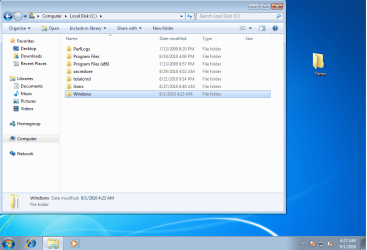
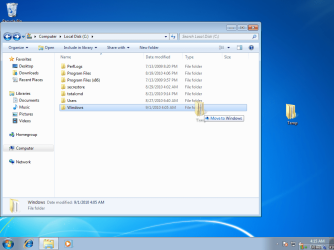
1.Navigate to C:\Windows\Servicing\Packages,takeownership of this folder and add your account to have full control
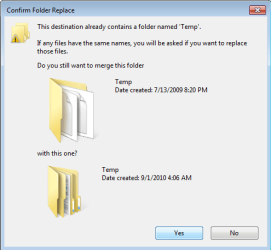
2.Copy my files to this folder -if you have already any file then replace it.
3.Remove your account from permissions to Packages folder
4.Restore ownership of Packages folder back to "NT Service\TrustedInstaller"
5.install Windows6.1-KB979916-x64.msu
Useful links (please read them):Take Ownership of file
TrustedInstaller - Restore as Owner
Folder Permissions
Still can't you raplace file or something another?[
Done ex that last part. It wont work :S