- Local time
- 4:26 AM
- Messages
- 46
Hi,
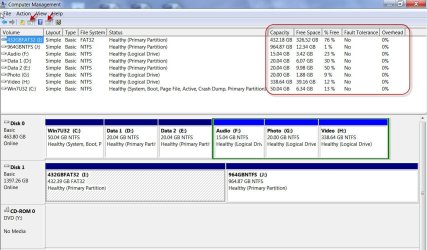
Run into an issue with a hard drive showing 3 partitions, but I can't assign a drive letter to it.
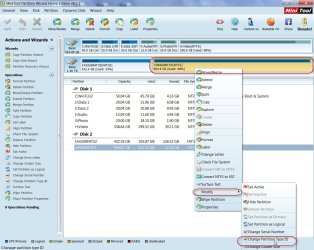
Background: It was running Win 7 Pro 64-bit, but was having occasional issues with blue screening. I've pulled the hard drive from that PC and have it hooked to my own (also Win 7 Pro 64) via USB external HD enclosure to run scan disks. The first two partitions I'm accessing fine, but the third one won't give me any options, no matter what I try. Any insight would be great.

EDIT: And sorry, right under where the submenu appears that says "Help", it says "Healthy (Recovery Partition)".
Run into an issue with a hard drive showing 3 partitions, but I can't assign a drive letter to it.
Background: It was running Win 7 Pro 64-bit, but was having occasional issues with blue screening. I've pulled the hard drive from that PC and have it hooked to my own (also Win 7 Pro 64) via USB external HD enclosure to run scan disks. The first two partitions I'm accessing fine, but the third one won't give me any options, no matter what I try. Any insight would be great.
EDIT: And sorry, right under where the submenu appears that says "Help", it says "Healthy (Recovery Partition)".
My Computer
At a glance
Microsoft Windows 7 Professional 64-bit 7601 ...Intel(R) Core(TM) i7-4810MQ CPU @ 2.80GHz16.00 GBNVIDIA Quadro K3100M
- Computer type
- Laptop
- Computer Manufacturer/Model Number
- HP ZBook 17 G2
- OS
- Microsoft Windows 7 Professional 64-bit 7601 Multiprocessor Free Service Pack 1
- CPU
- Intel(R) Core(TM) i7-4810MQ CPU @ 2.80GHz
- Motherboard
- Hewlett-Packard 2255
- Memory
- 16.00 GB
- Graphics Card(s)
- NVIDIA Quadro K3100M
- Sound Card
- Realtek High Definition Audio; NVIDIA High Definition Audio
- Monitor(s) Displays
- Samsung 24" + Acer 20"
- Hard Drives
- SanDisk SD6PP4M-256G-1006 ATA Device
HGST HTS721010A9E6300 SCSI Disk Device 1TB internal
HGST HTS721010A9E6300 SCSI Disk Device 1TB external (docking station)