2 x Radeon X1550 64 - 'Cannot find enough resources...'

mijk

New member
Local time
2:53 PM
Messages
4
Hi All,

I'm having problems getting my dual ATI Radeon x1550 64bit video cards working on windows 7. The second card always reports a resource problem saying...

"The device cannot find enough free resources that it can use.

if you want to use this device, you will need to disable one of the other devices on the system"


It was all working properly in XP so I guess its a hardware issue rather than software.

I've tried several driver versions ranging from the one shipped with the cards (8.36), 8.1 as was suggested on another forum and the latest available from ATI (not sure the version number).

There was a 'pre-release' version available via my windows update but for some reason it failed to update and now I cant see how to initiate the update again.

So, two questions really, first off does anyone know how to solve this problem or does anyone know how I can tell windows to try the failed update again as it does not appear in the list of available updates any more.

Thanks

mijk
 

My Computer My Computer

At a glance

win7 RC
OS
win7 RC
To answer #2 you can open your Windows Update applet and select "View Update History" This will show you the listed of installed updates.

As far as getting an update from ATI, I didn't even see the card listed under windows 7, only Vista... but I found a similar video card thread while Binging

http://www.sevenforums.com/drivers/16278-ati-x1550-opengl-problem.html

But I guess that was for something else, but it may provide some insight on the driver you need...

Who is the OEM of this card??

I guess ATI doesn't support that card on Windows 7 as of yet.... sad to say... since the card is so old.
 

My Computer My Computer

At a glance

Windows 7 7600.16384 x64Intel Core i7 OC'd to 3.20 GHz6GB GSkillz Triple Channel DDR3 OC'd to 1600 MHzNvidia GTX 280
Computer Manufacturer/Model Number
Built Myself
OS
Windows 7 7600.16384 x64
CPU
Intel Core i7 OC'd to 3.20 GHz
Motherboard
Gigabyte
Memory
6GB GSkillz Triple Channel DDR3 OC'd to 1600 MHz
Graphics Card(s)
Nvidia GTX 280
Sound Card
X-Fi Platinum
Monitor(s) Displays
Dual 2001FWP
Screen Resolution
1680x1050 x 2
Hard Drives
System - Dual 150GB Raptors Raid0
Doc Storage - 1TB SATA 32MB cache Samsung
TV Recordings - 1TB SATA 32MB cache Samsung
PSU
Gigawatt Antec
Case
Antec 900
Keyboard
Saitek
Mouse
logitech MX 10000
Internet Speed
30 mb/s
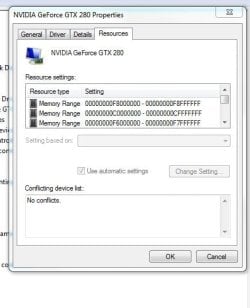
The resources part usually means it has run out of IRQs. Did you recently add any other peripherals or install more RAM or any other hardware at all?

If no, have you tried adjust the IRQ manually? Although not recommended. Windows Should be able to handle this by itself.

I'm going to be away from my PC for a bit but I'll check later. Hope this helps get you on track....
 

Attachments

  • irq.JPG
    irq.JPG
    34.3 KB · Views: 43

My Computer My Computer

At a glance

Windows 7 7600.16384 x64Intel Core i7 OC'd to 3.20 GHz6GB GSkillz Triple Channel DDR3 OC'd to 1600 MHzNvidia GTX 280
Computer Manufacturer/Model Number
Built Myself
OS
Windows 7 7600.16384 x64
CPU
Intel Core i7 OC'd to 3.20 GHz
Motherboard
Gigabyte
Memory
6GB GSkillz Triple Channel DDR3 OC'd to 1600 MHz
Graphics Card(s)
Nvidia GTX 280
Sound Card
X-Fi Platinum
Monitor(s) Displays
Dual 2001FWP
Screen Resolution
1680x1050 x 2
Hard Drives
System - Dual 150GB Raptors Raid0
Doc Storage - 1TB SATA 32MB cache Samsung
TV Recordings - 1TB SATA 32MB cache Samsung
PSU
Gigawatt Antec
Case
Antec 900
Keyboard
Saitek
Mouse
logitech MX 10000
Internet Speed
30 mb/s
thanks for the replies, yes it seems that ATI are just not quite there with the drivers yet, hopefully they update them for the older cards before long as I dont really want to have to buy 2 more video cards just to support windows 7.

I remember back in the good old days of win95 (the last time I had to deal with a resource conflict!) I was able to manually change the settings to clear them up but although I can view the active settings for the video card thats working I cant seem to change the settings (change settings button is greyed out), and the card that is not working simple says that there are not enough resources without the option to change them around.

As far as re-installing the failed update, I am still not clear on how to do this, I can see it the failed update in the update history but there are no options to try the udpate again (see screenshot).

I'm not sure who the OEM of the card is, I purchased the cards separately a couple of years ago when I built the system.

I've not added anything new to the system, it was all working fine in XP but and since the Win7 install I've not been able to get it working, I dont really have anything else on the machine apart from a printer plugged into the USB. Audio is onboard, no onboard video, DVD writer and SATA HDD.

I'm going to have a look through that link you provided and see if I can find anything on there.

Thanks again for the help
 

My Computer My Computer

At a glance

win7 RC
OS
win7 RC
still no joy, tried 9.1 which I believe is the latest driver released for x1550 but still the same problem and cant see any way of changing the resources manually (options all greyed out).

Pending any further suggestions I think I'm going to look at getting a couple of replacement cards ordered. Bit of a pain but never mind.
 

My Computer My Computer

At a glance

win7 RC
OS
win7 RC
Sorry I couldn't be of more help. THe more I look thru the forums, the more disappointed I am with ATI. It seems like ATI video cards own like 90% of the unresolved/weird video issues.
 

My Computer My Computer

At a glance

Windows 7 7600.16384 x64Intel Core i7 OC'd to 3.20 GHz6GB GSkillz Triple Channel DDR3 OC'd to 1600 MHzNvidia GTX 280
Computer Manufacturer/Model Number
Built Myself
OS
Windows 7 7600.16384 x64
CPU
Intel Core i7 OC'd to 3.20 GHz
Motherboard
Gigabyte
Memory
6GB GSkillz Triple Channel DDR3 OC'd to 1600 MHz
Graphics Card(s)
Nvidia GTX 280
Sound Card
X-Fi Platinum
Monitor(s) Displays
Dual 2001FWP
Screen Resolution
1680x1050 x 2
Hard Drives
System - Dual 150GB Raptors Raid0
Doc Storage - 1TB SATA 32MB cache Samsung
TV Recordings - 1TB SATA 32MB cache Samsung
PSU
Gigawatt Antec
Case
Antec 900
Keyboard
Saitek
Mouse
logitech MX 10000
Internet Speed
30 mb/s
no probs.. i've actually just finished installing 2x nvidia 7200gs cards.. not the most high spec of cards but they both work together on win7 without any problems and only cost me about 50 pounds so its not the end of the world.

I'm now back to my lovely dual screen setup which is so much nicer than being limited to 1 :) thanks for trying to help, I hope ATI manage to get their act together before long as there seems to be quite a few people out there with similar problems.
 

My Computer My Computer

At a glance

win7 RC
OS
win7 RC
It's getting disheartening to see post after post of folks with "older" card (and yeah, I'm one of those people), who are holding out for ATI to publish new drivers for their cards.

So, this needs to be clear: THEY ARE NOT GOING TO DO THIS! Period.

They said back when they brought out Catalyst 9.4 that they were discontinuing support for a bunch of cards and that they would no longer be providing driver updates for those cards. They did not, as some have alleged, say that they would be providing driver updates for the older cards on a quarterly basis.

So, the only options now are (1) install an older working driver in compatibility mode (this is what I did for my X1600, with Catalyst 9.3.1, and it works fine), or (2) install a newer card that is supported, or (3) switch over to an Nvidia chipset card.
 

My Computer My Computer

At a glance

Win7 Pro 32-bit, Win8 Pro 32-bitAMD Phenom II X6 1090T4GB ddr3 1300AMD HD 4290 onboard
Computer type
PC/Desktop
Computer Manufacturer/Model Number
Custom
OS
Win7 Pro 32-bit, Win8 Pro 32-bit
CPU
AMD Phenom II X6 1090T
Motherboard
Gigabyte
Memory
4GB ddr3 1300
Graphics Card(s)
AMD HD 4290 onboard
Sound Card
Builtin Realtek HD Audio
Monitor(s) Displays
Samsung 24" widescreen, LG 23" widescreen
Screen Resolution
1920x1200/1920x1080
Hard Drives
Kingston 256GB SSD
Keyboard
Logitech Illuminated Keyboard
Mouse
Logitech M705 wireless mouse
Antivirus
Norton Av 2013
Browser
IE v10
Back
Top