

Hello. I have two desktop computers with Windows 7. On one of them, the CBS folder is about 22MB. On the other computer, the CBS folder is more than 33GB, and it keeps getting bigger and bigger like the blob. Is that normal? This is the PC with Windows 7 Ultimate 64-bit. Windows was installed in December, 2013, but the oldest CbsPersist file was created in February, 2016.
I did searches elsewhere online and at Seven Forums including the terms, huge and CBS folder. In one thread at Seven Forums from years ago, someone who has posted thousands of times wrote to the OP, "Hey, there is a known issue with a recent Windows Update (KB3022345), it causes an irrepairable corruption warning (which is a false report, the files are not corrupt in reality). If you have this update installed then do one of the following:
- Uninstall this update (it is Windows 10 preparation update) or
- Run the fix from http://thetechcookbook.com/windows-7-update-kb3022345-causing-corrupt-files/"
I thought it seemed okay to uninstall the update after reading that, so I did. The web page linked to did not open for me.
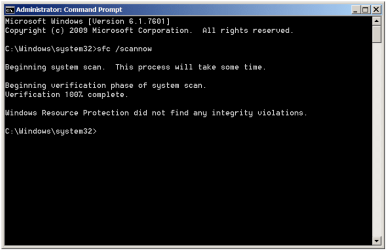
But I don't know what to think or do about this. I don't know what information might be useful to view. Before posting this, I ran MBSA without "Advanced Update Services Options" selected and again with "Scan using offline catalog only" selected. The only updates it said were missing are 2018-03 Security Quality Monthly Rollup, 2018-03 Security Only Quality Update (both of which wouldn't install last month, and I was advised here to wait for April to try again), and KB4096040 Cumulative Security Update for IE 11, which I installed after seeing that (It wasn't listed in Windows Update). I also ran sfc /scannow, which said "Windows Resource Protection did not find any integrity violations", and I ran SURT, the results of which list two errors. The CheckSUR.log is attached. Avast was uninstalled before this scan. I will not be reinstalling Avast. I attached a screenshot of my CBS folder contents.
I did searches elsewhere online and at Seven Forums including the terms, huge and CBS folder. In one thread at Seven Forums from years ago, someone who has posted thousands of times wrote to the OP, "Hey, there is a known issue with a recent Windows Update (KB3022345), it causes an irrepairable corruption warning (which is a false report, the files are not corrupt in reality). If you have this update installed then do one of the following:
- Uninstall this update (it is Windows 10 preparation update) or
- Run the fix from http://thetechcookbook.com/windows-7-update-kb3022345-causing-corrupt-files/"
I thought it seemed okay to uninstall the update after reading that, so I did. The web page linked to did not open for me.
But I don't know what to think or do about this. I don't know what information might be useful to view. Before posting this, I ran MBSA without "Advanced Update Services Options" selected and again with "Scan using offline catalog only" selected. The only updates it said were missing are 2018-03 Security Quality Monthly Rollup, 2018-03 Security Only Quality Update (both of which wouldn't install last month, and I was advised here to wait for April to try again), and KB4096040 Cumulative Security Update for IE 11, which I installed after seeing that (It wasn't listed in Windows Update). I also ran sfc /scannow, which said "Windows Resource Protection did not find any integrity violations", and I ran SURT, the results of which list two errors. The CheckSUR.log is attached. Avast was uninstalled before this scan. I will not be reinstalling Avast. I attached a screenshot of my CBS folder contents.
Attachments
My Computer
At a glance
Windows 7 Ultimate 64-bit SP1Intel Core i5-3570KCorsair Vengeance Blue 4x8 GBNvidia GTX 1060
- Computer type
- PC/Desktop
- Computer Manufacturer/Model Number
- I do not know. It was put together with separately purchased parts.
- OS
- Windows 7 Ultimate 64-bit SP1
- CPU
- Intel Core i5-3570K
- Motherboard
- ASUS P8Z77-V PRO
- Memory
- Corsair Vengeance Blue 4x8 GB
- Graphics Card(s)
- Nvidia GTX 1060
- Sound Card
- M-Audio Delta 1010LT
- Monitor(s) Displays
- 2 Asus VS247H-P 23.6-Inch LED-Lit LCD monitors
- Screen Resolution
- 1920x1080
- Hard Drives
- Western Digital WD1002FAEX Caviar Black 1TB SATA III
(no SSD)
My Passport Ultra external hard drive 2TB
- PSU
- CORSAIR RM650 650W 80 PLUS GOLD Full Modular PSU
- Case
- Corsair Obsidian Series Black 550D Mid Tower
- Cooling
- Zalman CNPS9500AT CPU Cooler
- Keyboard
- Azio Large Print Tri-Color Backlit Wired Keyboard (KB505U)
- Mouse
- Logitech Gaming Mouse G300
- Internet Speed
- 6-8Mbps down, 2Mbps up
- Antivirus
- Malwarebytes Premium
- Browser
- IE, Firefox, Chrome
- Other Info
- 2nd PC: Dell Dimension 4600
OS: Windows 7 Home Premium 32-bit SP1
PSU: EVGA 500W 80+ thingo
CPU: Intel Pentium 4
RAM: 3.00 GB Dual Channel DDR @ 199MHz
MB: Dell 02Y832
GPU: 512MB Nvidia GeForce 6200
HDD: 465GB WDC WD5000AAKS-00A7B2 ATA (SATA)
Opt Drive: HL-DT-ST DVD-ROM GDR8162B ATA Device
Opt Drive: TSSTcorp CD-RW TS-H292C ATA Device
Audio: Creative SB Live
Monitor: Asus-VS247H-P


