Hey everyone,
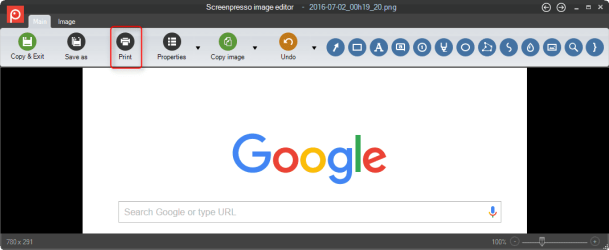
Just wondering, in Windows 7, there is no option on the snipping tool to allow it to print directly from the snipping tool. You have to snip what you want, then copy it to a paint document or something of the sort, then print from there. That seems like such a waste to me. In Windows 10 for sure you can snip what you want, go to file, and select Print, then you're good to go. Is there any way to add this feature to the Snipping Tool or is there any other programs that are very much like the snipping tool that I can use, that give you the print function right in the tool?
Thanks
Just wondering, in Windows 7, there is no option on the snipping tool to allow it to print directly from the snipping tool. You have to snip what you want, then copy it to a paint document or something of the sort, then print from there. That seems like such a waste to me. In Windows 10 for sure you can snip what you want, go to file, and select Print, then you're good to go. Is there any way to add this feature to the Snipping Tool or is there any other programs that are very much like the snipping tool that I can use, that give you the print function right in the tool?
Thanks
My Computer
At a glance
Microsoft Windows 10 Professional 64-bitIntel(R) Core(TM) i7-4790 CPU @ 3.60GHz8.00 GBNVIDIA GeForce GT 720
- Computer type
- PC/Desktop
- Computer Manufacturer/Model Number
- Dell XPS 8700
- OS
- Microsoft Windows 10 Professional 64-bit
- CPU
- Intel(R) Core(TM) i7-4790 CPU @ 3.60GHz
- Motherboard
- Dell Inc.
- Memory
- 8.00 GB
- Graphics Card(s)
- NVIDIA GeForce GT 720
- Monitor(s) Displays
- 3 x LG Flatron E2350
- Screen Resolution
- 1920 x 1080 x 32 bits (4294967296 colors) @ 60 Hz
- Hard Drives
- 1 TB Seagate
- Keyboard
- Dell Wired Keyboard
- Mouse
- Logitech M705
- Antivirus
- Trend Micro