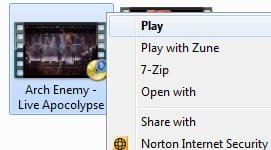
In our digital age the problems still persist.Browsed internet,no one really explained how to add "Play to" context menu items to right click.Even "qualified" geeks from Microsoft didn`t told anything of use.Similar posts with "how to" lies posted in various forums for over 3 years,including this one.Not long ago i bought Samsung smart 3d TV set,connected to home network and started to experiment with video files.Obviously,like many people, i noticed that "Play to" appears only on files associated with windows media player,not on all thou.As posts are without answer i started to dig deeper in my rigs registry and i found some interesting stuff.
As windows media player (WMP) is build in app in windows,it has its own default registry keys which tells how right click menu behaves.Also it has Digital Media Controller (DMC) to which "Play to" is assigned.If WMP network service has detected Digital Living Network Alliance (DLNA) compatible devices in network,"Play to" appears in context with drop down list with all available DLNA devices currently online.But here magic ends.
For example,by default avi is supported extension by WMP.When TV is online,right clicking avi file "Play to" appears.Yet windows media video file (WMV) is native to WMP but do not have any "Play to" menu. (at least in my case).Also popular HD video format MKV is supported and recognized in WMP after codec installation,yet do not have "Play to" feature.So the thing is that in registry,not all file association keys have line which is responsible for "Play to" feature.This CAN be corrected,at least hard way by editing registry directly.Start regedit.exe and expand HKEY_CLASSES_ROOT key.For WMP associated files look WMP11.AssocFile.<extension>.Example,for famous MKV file look WMP11.AssocFile.MKV.Expand it,there can be keys DefaultIcon which,i think,is responsible how the file icon looks like when you associate file with WMP,Shell which tells what items appear when right click,in my case Enqueue,Open and Play.Command lines tells what to do when item is clicked.Next key under WMP11.AssocFile.MKV is our target of interest,its shellex.Expand it and you`l probably see one key,something like {8895b1c6-b41f-4c1c-a562-0d564250836f}
which have String value:Name (Default) Type REG_SZ Data {031EE060-67BC-460d-8847-E4A7C5E45A27}.That`s it,nothing more.So lets find file which have "Play to" feature.In my case that would be AVI,so lets look for WMP11.AssocFile.AVI.Lets expand it and look for keys under shellex.Notice the key ContextMenuHandlers.Expanded it has a key named PlayTo whitch has a value something like:Name (Default) Type REG_SZ Data {7AD84985-87B4-4a16-BE58-8B72A5B390F7}.What i think is that Context menu handlers along with PlayTo key with value is missing part.So simply copy missing part to WMP11.AssocFile.MKV.The path should look like HKEY_CLASSES_ROOT\WMP11.AssocFile.MKV\shellex\ContextMenuHandlers\PlayTo.Thats it.After PC restart files associated with WMP and edited in registry should have "Play to" feature under right click.Trick is the same for files associated,lets say,with VLC player.Just look for VLC.<extension> under HKEY_CLASSES_ROOT.Windows media player classic is mplayerc.<extension>.If any of them don`t have shellex,just add whole missing part shellex\ContextMenuHandlers\PlayTo.
I must stress that PlayTo value must be copied exactly as it is in supported files associated with WMP.I think its probably different from system to system so what i just written is an example how it looks on my PC.Also i`m running Windows 7 Enterprise 64Bit so i don`t know how the registry looks like in other systems.WMP11,as you noticed,on WMP12 keys probably will look like WMP12.AssocFile.<extension>.But its just my guess.After all it is just a bit of research that you can perform by yourselves.

P.S WMP is buggy,"qualified"

geeks cannot help you with player unability to play mkv files directly from DMC.It will just pop a error message "Error,cannot initialize playlist".Also player unable play MKV from library.Geeks just keep telling "it is not native file type to WMP,its not supported".Now for the funny part.I personally have installed Samsung app "AllShare" whitch creates its own library.This foreign library is recognized in WMP as Other Library.Clicking Play To on any MKV file from this foreign library,DMC works perfectly.Click it from outside library and you will get a message "Error,cannot initialize playlist".Qualified

geeks patching up existing windows or creating a new ones,like Windows 9

while "qualified"
geeks just telling "its just not supported".Also there is a bug when even supported files sometimes pops out error message and sometimes works perfectly.Well,this kind of mystery is currently unsolvable.