Dan Mitchell
New member
- Local time
- 1:06 PM
- Messages
- 3
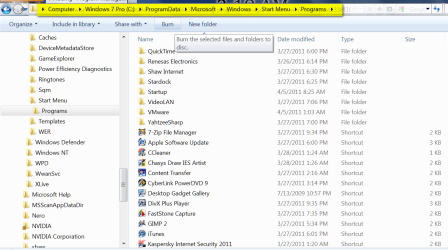
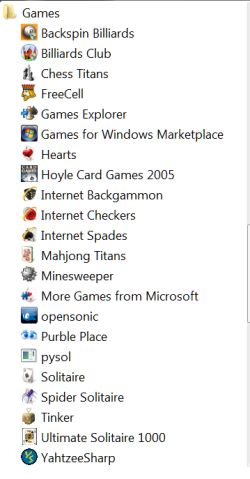
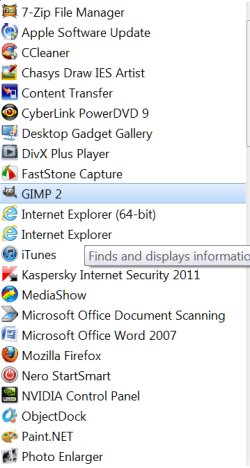
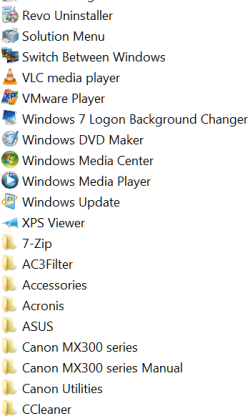
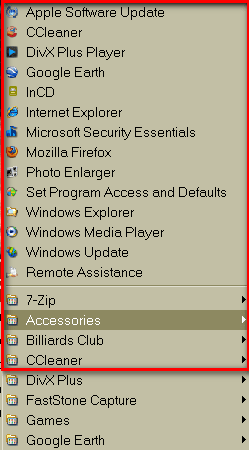
Been running Win 7 on a new build. I'm not nuts about it. Been using Windows since 3.1, and I always liked "program manager". I like having a window I can toggle to with all my APP shortcut cons, sorted by application, etc. I used to just set up a folder for this in XP, but in XP you could have the right side folder bar showing or not, which you can't do in Win7 (as far as I know). Is there any way to get rid of that frame and not have it affect ALL folders (like in WE) or is there any other way I could have a box/window/frame to hold sorted icons which I can toggle to. I hope this is clear, and great forum!
Of course, I know I can put them on the desktop, but I prefer this
TIA,
Dan
Of course, I know I can put them on the desktop, but I prefer this
TIA,
Dan
My Computer
- OS
- Windows 7 Home Premium 64bit.
- CPU
- Intel Core i7-950 Bloomfield 3.06GHz 4 x 256KB L2 Cache 8MB
- Motherboard
- GIGABYTE GA-X58A-UD3R LGA 1366 Intel X58 SATA 6Gb/s USB 3.0
- Memory
- CORSAIR XMS3 6GB (3 x 2GB) 240-Pin DDR3 SDRAM DDR3 1333 (PC3
- Graphics Card(s)
- MSI R5450-MD1GD3H/LP Radeon HD 5450 1GB 64-bit DDR3
- Sound Card
- On MOBO
- Monitor(s) Displays
- Hanns G LCD on desktop, 58" Panasonic Plasma remotely
- Hard Drives
- HITACHI Deskstar 5K3000 HDS5C3020ALA632 (0F12117) 2TB 32MB Cache SATA 6.0Gb/s
And 6 other SATAs, (2) 1TB (2) 500gig) (2) 320 Gig
- PSU
- Thermaltake Black Widow W0319RU 850W CrossFire Certified 80
- Case
- Antec Performance One P180B ATX Mid Tower Computer Case