mahmoudmoosa
New member
- Local time
- 3:50 AM
- Messages
- 23
Hello everybody, 
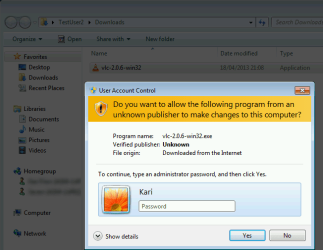
There is one user in a school i created for her local user account.
She called me today to install a program because she doesn't have administration privilege.
I logged in using her account and below what i did:
1. right click on the program which she wants to install.
2. i chose run as administrator
3. i typed computer name \ administrator and then the password
My problem is, a message appear that either username or password is wrong.
i am sure 100 % the info above is correct, but still showing me that message.
Please any idea what am i missing ?
Thank you for all support you do.
There is one user in a school i created for her local user account.
She called me today to install a program because she doesn't have administration privilege.
I logged in using her account and below what i did:
1. right click on the program which she wants to install.
2. i chose run as administrator
3. i typed computer name \ administrator and then the password
My problem is, a message appear that either username or password is wrong.
i am sure 100 % the info above is correct, but still showing me that message.
Please any idea what am i missing ?
Thank you for all support you do.
My Computer
- OS
- Windows 7 Professional 32 bit


 rb: type in CMD inside Search programs and files box. Once CMD comes up underneath Programs (1) right click on CMD and choose Run as Administrator . Inside the User Access Control window input your Password ( if you are the Administrator on the PC ) then click on OK OR click on the Yes button if there is no password needed. Inside the Command Prompt the path should open up to C:\Windows\System32>_ . Type in the command below