Advice on choosing new laptop

gbu

New member
Member
VIP
Local time
11:43 PM
Messages
144
My dad has an old Acer running XP 1Gb Ram slow CPU and now support has come to an end hes looking to buy a new one hes seen a couple but i just thought id ask if theres any preference.

Now we are in the UK so not sure if that helps or hinders the choices if you going to suggest places to buy.

Now few of things to know first, dads mainly a web browser, checking emails, downloads occasional films and songs and sometimes burns them to disc, does a little bit of MS word mainly just notes nothing fancy, pays utility bills online etc

Now £450 is the upper limit he wants to spend.

These are the 2 hes seen so far:-
Currys | TVs, Washing Machines, Cookers, Cameras, Laptops

The spec of the more expensive one looks better to me RAM HDD CPU but that's running Windows 8 and the other has 8.1 so im guessing ones an older model if only Win8 is installed.
Can the one running 8 be updated to 8.1(cant see any reason why it cant but just checking)
 

My Computer My Computer

Computer type
PC/Desktop
OS
Windows 7 Ultimate x64 SP1
CPU
INTEL Core 2 Quad Q8400 2.66GHz 4Mb LGA775 FSB1333
Motherboard
Gigabyte GA-G41MT-S2PT
Memory
Crucial 8GB Kit (4GBx2), 240-pin DIMM, DDR3-1333 • 1.5V
Graphics Card(s)
ASUS EAH4350 Silent 1GB
Hard Drives
x2 640GB Western Digital WD6400AARS Caviar Green, SATA 3Gb/s, 5400rpm, 32MB Cache

SEAGATE ST500DM005 BARRACUDA SPINPOINT 500GB 3.5IN 7200RPM SATA HD502HJ IN OS Windows 7 Installed
PSU
Corsair CMPSU-600CX 600W
Case
Zalman Z9-Plus Mid Tower Case
Cooling
Arctic Cooling Freezer 7 Pro Rev2 Quiet CPU Cooler
Offhand, I wouldn't think he needs an i5 processor for his modest needs, but it's certainly fine if he wants to spend that much.

Do you know for a fact that he is going to be comfortable with Windows 8 or 8.1, rather than 7? Is he a mouse guy or does he want to use a touchscreen?

Is Curry's your only possible source?

Look around Curry's for brands like Asus or Toshiba--something other than Acer.
 

My Computer My Computer

Computer type
PC/Desktop
Computer Manufacturer/Model Number
Ignatz Special; 4 speed manual gearbox; factory air conditioning; one of one
OS
Windows 7 Home Premium SP1, 64-bit
CPU
Intel Skylake i5-6600K, not overclocked
Motherboard
AsRock Z170M Extreme 4, micro ATX
Memory
8 GB HyperX DDR4-2666 (2 x 4 GB)
Graphics Card(s)
none; graphics are integrated on CPU
Sound Card
onboard: Realtek ALC1150; external: USB Behringer UF0-202
Monitor(s) Displays
Dell S2340M 23 inch IPS
Screen Resolution
1600 x 900
Hard Drives
System: Crucial MX100 series SSD, 128 GB;
Data: Samsung Spinpoint 103SJ, 1 TB;
Backup: WD Caviar Green WD30EZRX-00D8PB0, 3 TB
PSU
Rosewill SilentNight 500 watt fanless, semi-modular
Case
Antec Solo II
Cooling
Noctua NH-U12S; Noctua F12 intake, Noctua S12A exhaust
Keyboard
Microsoft 200 6JH-00001 USB
Mouse
Dell or Microsoft optical wired; USB
Antivirus
Microsoft Security Essentials and Malwarebytes Premium
Browser
Pale Moon
Other Info
All fans PWM; speeds at idle: CPU circa 500 rpm; intake circa 600 rpm; exhaust circa 600 rpm; CPU temps 27 idle and 47 C load in a warm room (27 C/81 F) when running Intel Extreme Tuning Utility stress test.
Well he's constantly on the phone to me asking how to do stuff on XP lol
Im on Windows 7 so not sure how much help ill b to him when the questions come flying through on how to do this that and the other.
But i thought all new laptops would have 8 installed rather then 7 but 7 would be handy cos i know my way around that(well enough to help my Dad anyway)
Hes always had a laptop and never used touchscreen and i know one of those is touchscreen but im not sure if u have to use that or u can use just the laptop mouse/pad thing which im guessing it has also?

Currys arent the only source but there quite a main shop u can go to rather then buying online.

Acer not that good a make then or just Asus and Toshiba better?
 

My Computer My Computer

Computer type
PC/Desktop
OS
Windows 7 Ultimate x64 SP1
CPU
INTEL Core 2 Quad Q8400 2.66GHz 4Mb LGA775 FSB1333
Motherboard
Gigabyte GA-G41MT-S2PT
Memory
Crucial 8GB Kit (4GBx2), 240-pin DIMM, DDR3-1333 • 1.5V
Graphics Card(s)
ASUS EAH4350 Silent 1GB
Hard Drives
x2 640GB Western Digital WD6400AARS Caviar Green, SATA 3Gb/s, 5400rpm, 32MB Cache

SEAGATE ST500DM005 BARRACUDA SPINPOINT 500GB 3.5IN 7200RPM SATA HD502HJ IN OS Windows 7 Installed
PSU
Corsair CMPSU-600CX 600W
Case
Zalman Z9-Plus Mid Tower Case
Cooling
Arctic Cooling Freezer 7 Pro Rev2 Quiet CPU Cooler
I wouldn't restrict myself to Acer. You can have bad luck with any of them, but my general opinion is that Acer is average at best and that their customer support if you need it is below average.

Are you unwilling to buy online?

Post links to sources other than Curry's UNLESS you MUST buy from Curry's.

He's liable to be annoyed by 8 or 8.1 if he's a mouse guy. It's more useful for touchscreen people. Maybe highly annoyed. You can get a free or very cheap downloadable app that will make 8 or 8.1 resemble 7 if you can't get 7.

He can use a mouse, but he's not going to find much in the locations he's used to on XP.

But 7 will likely be hard to find. So get 8.1 rather than 8 if possible, and plan on having to download or buy the cheap add-on that will make it look more familiar to him and you.
 

My Computer My Computer

Computer type
PC/Desktop
Computer Manufacturer/Model Number
Ignatz Special; 4 speed manual gearbox; factory air conditioning; one of one
OS
Windows 7 Home Premium SP1, 64-bit
CPU
Intel Skylake i5-6600K, not overclocked
Motherboard
AsRock Z170M Extreme 4, micro ATX
Memory
8 GB HyperX DDR4-2666 (2 x 4 GB)
Graphics Card(s)
none; graphics are integrated on CPU
Sound Card
onboard: Realtek ALC1150; external: USB Behringer UF0-202
Monitor(s) Displays
Dell S2340M 23 inch IPS
Screen Resolution
1600 x 900
Hard Drives
System: Crucial MX100 series SSD, 128 GB;
Data: Samsung Spinpoint 103SJ, 1 TB;
Backup: WD Caviar Green WD30EZRX-00D8PB0, 3 TB
PSU
Rosewill SilentNight 500 watt fanless, semi-modular
Case
Antec Solo II
Cooling
Noctua NH-U12S; Noctua F12 intake, Noctua S12A exhaust
Keyboard
Microsoft 200 6JH-00001 USB
Mouse
Dell or Microsoft optical wired; USB
Antivirus
Microsoft Security Essentials and Malwarebytes Premium
Browser
Pale Moon
Other Info
All fans PWM; speeds at idle: CPU circa 500 rpm; intake circa 600 rpm; exhaust circa 600 rpm; CPU temps 27 idle and 47 C load in a warm room (27 C/81 F) when running Intel Extreme Tuning Utility stress test.
For his needs I would go with I3. Acer makes good laptops but do some research and look at reviews of other brands.
I have had good luck with HP but not recommending them. If you can get one with W7 that would be better.
 

My Computer My Computer

Computer Manufacturer/Model Number
self built
OS
windows 7
CPU
AMD
Motherboard
Gagabyte
Memory
8 gigs Kinkston hyper x
Graphics Card(s)
9800 GTX
Hard Drives
80 gig ssd
PSU
corsar
I just scanned Curry's list of laptops near 400, to 450 pounds max.

Avoiding Acer, HP, Sony, I came up with these 2 possibilities. One is Intel i3 (2.4 GHz) ; one is Intel i5 (1.8 GHz):

Buy LENOVO G500 15.6" Laptop | Free Delivery | Currys


Buy ASUS X550CA-XX249H 15.6" Laptop | Free Delivery | Currys

The i3 2.4 has 8 GB of RAM; the i5 1.8 has only 4 GB of RAM;

Both have a 15.6 inch screen;

Here's the Passmark benchmarks for those 2 CPUs:

i5-3337u: 3253; this is the Asus; 360 pounds; normally 430

i3-3110M: 3076; this is the Lenovo; 400 pounds;

Not enough of a difference to worry about.

Look at the product details on Curry's and see if one or the other has something you really need.

All else being equal, I'd probably choose the Asus i5; it's 40 pounds cheaper, slightly stronger CPU. Having only 4 GB of RAM isn't likely to be an issue given your dad's requirements.

Other than that, I'd pound Google to see what bad news I might be able to dig up on either one of them.

Looks like both have Win 8, not 8.1.
 

My Computer My Computer

Computer type
PC/Desktop
Computer Manufacturer/Model Number
Ignatz Special; 4 speed manual gearbox; factory air conditioning; one of one
OS
Windows 7 Home Premium SP1, 64-bit
CPU
Intel Skylake i5-6600K, not overclocked
Motherboard
AsRock Z170M Extreme 4, micro ATX
Memory
8 GB HyperX DDR4-2666 (2 x 4 GB)
Graphics Card(s)
none; graphics are integrated on CPU
Sound Card
onboard: Realtek ALC1150; external: USB Behringer UF0-202
Monitor(s) Displays
Dell S2340M 23 inch IPS
Screen Resolution
1600 x 900
Hard Drives
System: Crucial MX100 series SSD, 128 GB;
Data: Samsung Spinpoint 103SJ, 1 TB;
Backup: WD Caviar Green WD30EZRX-00D8PB0, 3 TB
PSU
Rosewill SilentNight 500 watt fanless, semi-modular
Case
Antec Solo II
Cooling
Noctua NH-U12S; Noctua F12 intake, Noctua S12A exhaust
Keyboard
Microsoft 200 6JH-00001 USB
Mouse
Dell or Microsoft optical wired; USB
Antivirus
Microsoft Security Essentials and Malwarebytes Premium
Browser
Pale Moon
Other Info
All fans PWM; speeds at idle: CPU circa 500 rpm; intake circa 600 rpm; exhaust circa 600 rpm; CPU temps 27 idle and 47 C load in a warm room (27 C/81 F) when running Intel Extreme Tuning Utility stress test.
Been looking at your ASUS link that does seem like a good deal and should suit my dads needs, at the moment hes only got 1Gb RAM so upgrading to 4GB should see a big improvement.
Cant think what CPU he has but i know its nowhere near this one its 5-7 years old i think ACER.

Just want to clear something up, when you talk about the mouse im guessing your referring to the mouse pad on the laptop rather then a wired desktop mouse like i have on my desktop PC?

This ASUS one you linked to isnt touchscreen is it so he will only use the mousepad is that correct?

That ASUS has Win8 installed so would he have to update via windows update to 8.1?

Also whats this app to make it look like Win7 that sounds interesting?
*EDIT*
Had a quick search and found this changing the WIn8 theme to Win7
http://download.cnet.com/Classic-Shell/3000-2072_4-75553853.html
 

My Computer My Computer

Computer type
PC/Desktop
OS
Windows 7 Ultimate x64 SP1
CPU
INTEL Core 2 Quad Q8400 2.66GHz 4Mb LGA775 FSB1333
Motherboard
Gigabyte GA-G41MT-S2PT
Memory
Crucial 8GB Kit (4GBx2), 240-pin DIMM, DDR3-1333 • 1.5V
Graphics Card(s)
ASUS EAH4350 Silent 1GB
Hard Drives
x2 640GB Western Digital WD6400AARS Caviar Green, SATA 3Gb/s, 5400rpm, 32MB Cache

SEAGATE ST500DM005 BARRACUDA SPINPOINT 500GB 3.5IN 7200RPM SATA HD502HJ IN OS Windows 7 Installed
PSU
Corsair CMPSU-600CX 600W
Case
Zalman Z9-Plus Mid Tower Case
Cooling
Arctic Cooling Freezer 7 Pro Rev2 Quiet CPU Cooler
see comments in bold:

Just want to clear something up, when you talk about the mouse im guessing your referring to the mouse pad on the laptop rather then a wired desktop mouse like i have on my desktop PC?

I meant mouse in the ordinary sense of the word. Wired or wireless. Desktop or laptop. I don't know if that Asus has a built-in mouse, but I'd assume you can attach an ordinary wired mouse through a port if desired. Check the specs yourself.

This ASUS one you linked to isnt touchscreen is it so he will only use the mousepad is that correct?

I don't use laptops or touchscreens. If the Asus does not state touchscreen, I'd assume it's mouse only.


That ASUS has Win8 installed so would he have to update via windows update to 8.1?

I use 7 and am not sure how the upgrade from 8 to 8.1 is done, but I'll bet there is a tutorial either on this forum or the sister Windows 8 forum that explains the procedure.

Also whats this app to make it look like Win7 that sounds interesting?
*EDIT*
Had a quick search and found this changing the WIn8 theme to Win7
Classic Shell - Free download and software reviews - CNET Download.com

Yeah, Classic Shell is one of the apps I was referring to. There is another one I can't think of right now.

BUT: I'm not sure I would download it from Cnet as they have a bad habit of including other stuff in their downloads that you probably wouldn't want. I'd try to see if I can find another source--maybe filehippo or majorgeeks or maybe even from the developer directly.
 

My Computer My Computer

Computer type
PC/Desktop
Computer Manufacturer/Model Number
Ignatz Special; 4 speed manual gearbox; factory air conditioning; one of one
OS
Windows 7 Home Premium SP1, 64-bit
CPU
Intel Skylake i5-6600K, not overclocked
Motherboard
AsRock Z170M Extreme 4, micro ATX
Memory
8 GB HyperX DDR4-2666 (2 x 4 GB)
Graphics Card(s)
none; graphics are integrated on CPU
Sound Card
onboard: Realtek ALC1150; external: USB Behringer UF0-202
Monitor(s) Displays
Dell S2340M 23 inch IPS
Screen Resolution
1600 x 900
Hard Drives
System: Crucial MX100 series SSD, 128 GB;
Data: Samsung Spinpoint 103SJ, 1 TB;
Backup: WD Caviar Green WD30EZRX-00D8PB0, 3 TB
PSU
Rosewill SilentNight 500 watt fanless, semi-modular
Case
Antec Solo II
Cooling
Noctua NH-U12S; Noctua F12 intake, Noctua S12A exhaust
Keyboard
Microsoft 200 6JH-00001 USB
Mouse
Dell or Microsoft optical wired; USB
Antivirus
Microsoft Security Essentials and Malwarebytes Premium
Browser
Pale Moon
Other Info
All fans PWM; speeds at idle: CPU circa 500 rpm; intake circa 600 rpm; exhaust circa 600 rpm; CPU temps 27 idle and 47 C load in a warm room (27 C/81 F) when running Intel Extreme Tuning Utility stress test.

My Computer My Computer

Computer type
PC/Desktop
Computer Manufacturer/Model Number
Ignatz Special; 4 speed manual gearbox; factory air conditioning; one of one
OS
Windows 7 Home Premium SP1, 64-bit
CPU
Intel Skylake i5-6600K, not overclocked
Motherboard
AsRock Z170M Extreme 4, micro ATX
Memory
8 GB HyperX DDR4-2666 (2 x 4 GB)
Graphics Card(s)
none; graphics are integrated on CPU
Sound Card
onboard: Realtek ALC1150; external: USB Behringer UF0-202
Monitor(s) Displays
Dell S2340M 23 inch IPS
Screen Resolution
1600 x 900
Hard Drives
System: Crucial MX100 series SSD, 128 GB;
Data: Samsung Spinpoint 103SJ, 1 TB;
Backup: WD Caviar Green WD30EZRX-00D8PB0, 3 TB
PSU
Rosewill SilentNight 500 watt fanless, semi-modular
Case
Antec Solo II
Cooling
Noctua NH-U12S; Noctua F12 intake, Noctua S12A exhaust
Keyboard
Microsoft 200 6JH-00001 USB
Mouse
Dell or Microsoft optical wired; USB
Antivirus
Microsoft Security Essentials and Malwarebytes Premium
Browser
Pale Moon
Other Info
All fans PWM; speeds at idle: CPU circa 500 rpm; intake circa 600 rpm; exhaust circa 600 rpm; CPU temps 27 idle and 47 C load in a warm room (27 C/81 F) when running Intel Extreme Tuning Utility stress test.
Ah thats great thanks for that makes me feel a little better now if i can help navigate over the phone if its a shell/theme im used to lol
 

My Computer My Computer

Computer type
PC/Desktop
OS
Windows 7 Ultimate x64 SP1
CPU
INTEL Core 2 Quad Q8400 2.66GHz 4Mb LGA775 FSB1333
Motherboard
Gigabyte GA-G41MT-S2PT
Memory
Crucial 8GB Kit (4GBx2), 240-pin DIMM, DDR3-1333 • 1.5V
Graphics Card(s)
ASUS EAH4350 Silent 1GB
Hard Drives
x2 640GB Western Digital WD6400AARS Caviar Green, SATA 3Gb/s, 5400rpm, 32MB Cache

SEAGATE ST500DM005 BARRACUDA SPINPOINT 500GB 3.5IN 7200RPM SATA HD502HJ IN OS Windows 7 Installed
PSU
Corsair CMPSU-600CX 600W
Case
Zalman Z9-Plus Mid Tower Case
Cooling
Arctic Cooling Freezer 7 Pro Rev2 Quiet CPU Cooler
Ah thats great thanks for that makes me feel a little better now if i can help navigate over the phone if its a shell/theme im used to lol

You can get a wireless mouse very cheap. That is what I use on my laptop. If you want to get Windows 7 on the laptop, you won't find any new laptops with it, but there are a lot of refurbished laptops with Win 7 and also a good price.
 

My Computer My Computer

Computer type
PC/Desktop
Computer Manufacturer/Model Number
Custom Build
OS
Windows 7 Home Premium 32-Bit - Build 7600 SP1
CPU
Intel Core i3-2120 3.30Ghz
Motherboard
Asus P8Z68-V LX Intel Z68 Socket H2 ATX
Memory
Kingston 4 GB DDR3 1333 mhz
Graphics Card(s)
AMD Radeon HD6670
Sound Card
Sound Blaster Audigy SE 24-Bit
Monitor(s) Displays
Asus VE228
Screen Resolution
1440 X 900
Hard Drives
OCZ Vertex 3 120 GB Sata 3 SSD ==
Kingston SH103/S3 120 G Hyper X 120 GB SSD ==
Western Digital 500 GB Caviar Green 7200 RPM ==
PSU
Corsair CX600M == 600 Watt
Case
NZXT Apollo - Silver with Clear Side Panel
Cooling
Three 120 mm Fans
Keyboard
Microsoft Natural 4000
Mouse
Microsoft Custom Optical 3000
Internet Speed
AT&T Fiber Optic Wireless Network
Antivirus
Microsoft Security Essentials
Browser
Chrome
Other Info
120 mm Blue LED Fan -- Three Blue LED Lazer Light Sticks
Ah thats great thanks for that makes me feel a little better now if i can help navigate over the phone if its a shell/theme im used to lol

You can get a wireless mouse very cheap. That is what I use on my laptop. If you want to get Windows 7 on the laptop, you won't find any new laptops with it, but there are a lot of refurbished laptops with Win 7 and also a good price.


Your post got me thinking, would i be able to install Windows 7 on the laptop or is downgrade not possible or recommended?
 

My Computer My Computer

Computer type
PC/Desktop
OS
Windows 7 Ultimate x64 SP1
CPU
INTEL Core 2 Quad Q8400 2.66GHz 4Mb LGA775 FSB1333
Motherboard
Gigabyte GA-G41MT-S2PT
Memory
Crucial 8GB Kit (4GBx2), 240-pin DIMM, DDR3-1333 • 1.5V
Graphics Card(s)
ASUS EAH4350 Silent 1GB
Hard Drives
x2 640GB Western Digital WD6400AARS Caviar Green, SATA 3Gb/s, 5400rpm, 32MB Cache

SEAGATE ST500DM005 BARRACUDA SPINPOINT 500GB 3.5IN 7200RPM SATA HD502HJ IN OS Windows 7 Installed
PSU
Corsair CMPSU-600CX 600W
Case
Zalman Z9-Plus Mid Tower Case
Cooling
Arctic Cooling Freezer 7 Pro Rev2 Quiet CPU Cooler
Hi there
Go for an INTEL rather than an AMD one -- you should go for a minimum of 8GB RAM and an i5 (preferably at 2.0G or higher).
For portability I'd go for the smaller screens such as 14 inch --the 17 inch screen monsters are really HIDEOUS to carry around. You can always plug the smaller screen laptops into an external monitor.

HP have some passable laptops as do lenovo --Touch screens on a laptop is a personal choice -- I wouldn't bother with them - makes the laptop HEAVIER and more expensive.

Also in the UK unless you want to collect the computer IMMEDIATELY I'd AVOID CURRY's / PC WORLD / DIXON's (all the same chain).

Get an SSD if you can.

I know this is the W7 Forum - so I hesitate in this piece of advice - but good though it is unless you particularly NEED W7 such as for compatibilty with some work applications install W8.1 update 1 --it's a lot better than the original W8 and W9 (coming shortly or W8.1 update 2) should bring menu back etc.

W8.1 update1 now boots by default direct to desktop so you don't have to bother with the new GUI if you don't want to.

Cheers
jimbo
 

My Computer My Computer

Computer type
PC/Desktop
Computer Manufacturer/Model Number
Custom built, several laptops HP/ASUS
OS
Linux CENTOS 7 / various Windows OS'es and servers
CPU
Intel i7 Intel i5
Memory
8GB, 16GB
Graphics Card(s)
On Motherboard
Sound Card
Realtek HD audio
Monitor(s) Displays
Apple Cinema display, Samsung LCD
Screen Resolution
1920 X 1080
Hard Drives
4 X 1TB SATA
Mouse
Toshiba wireless laser
Internet Speed
> 20MB up
I've had two Acer netbooks, an Acer desktop, and Acer keyboard, and an Acer mouse. All but the keyboard were pure garbage (I know more accurate words to describe them but Mama told me not to use those words); the keyboard, at best, was meh.
 

My Computer My Computer

Computer type
PC/Desktop
Computer Manufacturer/Model Number
Custom Build
OS
Win 7 Ultimate 64 bit
CPU
Intel i7-3930K
Motherboard
ASUS P9X79 WS
Memory
Kingston HyperX Genesis 32GB Kit (8x4GB Modules) 1600MHz DDR
Graphics Card(s)
MSI R7850 Twin Frozr 2GD5/OC Radeon HD 7850 2GB 256-bit GDDR
Sound Card
Asus Xonar Essence STX
Monitor(s) Displays
3x Asus VG248QE 24", Vizio 32" TV
Screen Resolution
1920 x 1080, ?
Hard Drives
Samsung 128GB 840 Pro SSD (1),
Samsung 4TB 850 EVO SSDs (4)
Samsung 4TB 850 EVO SSDs (16) external backup drives used in 2.5" hot swap bays in the computer.
PSU
Corsair HX750w
Case
Antec Two Hundred v2 (modified)
Cooling
Cooler Master GeminII S524 120mm (fan replaced with a 140mm)
Keyboard
Logitech G510s
Mouse
Logitech M525 (two in use)
Internet Speed
=< 32Mbps down, 8Mbps up
Antivirus
AVAST!, MBAM, SAS, Spybot S&D (all but MBAM free) Glary Util
Browser
IE11
Other Info
LSI 9211-8i HBA card (8 SATA III ports), 2.5" & 3.5" Hot Swap Bays, HooToo HT-CR001 PCI-E to USB 3.0 Internal Hub + 6 Slot Card Reader, and LG Model CH12LS28 BD-ROM Optical Drive. Also, ScanSnap S1500 ADF duplexing scanner, Canon 9000F flat bed scanner, Corsair SP2500 2.1 speakers, Samsung CLP 415nw laser color printer, Cyberpower PP2200SW UPS
I've had two Acer netbooks, an Acer desktop, and Acer keyboard, and an Acer mouse. All but the keyboard were pure garbage (I know more accurate words to describe them but Mama told me not to use those words); the keyboard, at best, was meh.


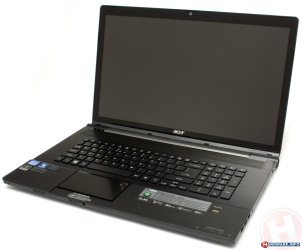
Strangely (or maybe not) I've had the exact opposite experience with Acer stuff in the 8-10 years I've been using them.

Both my desktop machines (P4 2.8Ghz) and both laptops are Acers, and I've not had a bit of trouble with any of them, although none are 'entry-level' cheapies, in fact this Sandy-Bridge i7 Quad-core laptop was top of the range when purchased two years ago and can still kick a lot of more 'modern' machines to the kerb.

The first P4 had an iffy DVD-RW drive from new (it would read, but not write), it was replaced under warranty without question while I waited. So I don't consider that an issue, really.

And I've found Acer's driver support to be second to none.

I'd happily buy another, and have no hesitation in recommending them to others.


Wenda.
 

Attachments

  • acer_aspire_ethos_8951g2418g75bn.jpg
    acer_aspire_ethos_8951g2418g75bn.jpg
    86 KB · Views: 0

My Computer My Computer

Computer type
Laptop
Computer Manufacturer/Model Number
Acer AS5735
OS
Windows 7 Ultimate SP1 32-bit; Windows 7 Home Premium 64-bit (VM).
CPU
Intel T6500 Core 2 Duo@2Ghz.
Motherboard
Acer
Memory
3GB DDR2
Graphics Card(s)
Intel 4500MHD
Sound Card
Realtek onboard
Monitor(s) Displays
Built-in, no touch
Screen Resolution
1366x768
Hard Drives
250GB SATA in two equal partitions.
PSU
Stock
Case
Laptop
Cooling
Stock
Keyboard
Full 101-key
Mouse
USB cordless IR
Antivirus
MSE
Browser
IE9, Firefox.
Other Info
A top little machine that hasn't let me down once since the day I removed it from its packaging over four years ago. It's done everything I could want, and more, all without a single issue. 10/10, Acer!!
My first Acer netbook died one month out of warranty; the second was still in warranty when it died but I was so disgusted with Acer by then, I replaced it with an Asus. Both Acer netbooks had problems with keyboard bounce shortly after I got them.

The Acer desktop was frequently breaking down once the warranty was up. The PSU was too small to allow me to add a second HDD even though there was room for one. Even the case design was poor. Air flow was hampered by the front panel, probably one reason it ate HDDs (although the first HDD was one of the now infamous Seagate 7200.11s). HDDs and the optical drive could only have mounting screws installed on one side. While probably not a problem, it just seemed cheap to me. The optical drive frequently acted up. The RAM failed shortly out of warranty.

The dial-up modem failed after two years. I got cable internet shortly after that.

The idiots who designed the MOBO (Acer brand) and case had four USB ports on the back and four on the front. How many people need that many ports on the front? I didn't and I did need more ports on the back. Even stupider was the computer had two PS/2 ports and it shipped with a USB mouse and a USB keyboard that ate up two of the four rear USB ports. After getting frustrated with the stupid mouse (that didn't take long) and having to snake a couple of USB cables to the front ports (which just looked tacky), I replaced the Acer mouse and keyboard with the PS/2 mouse and keyboard from my seven year old Gateway. I later replaced them with a wireless keyboard and mouse that I could run off a micro USB receiver in a front USB port (I had plenty to choose from!).

The mouse was useless. It's flimsy construction had me "palm clicking" frequently; the right and left click buttons would be activated just by the weight of my palm on the top of the mouse. I've owned many mice and that was the only one I ever had problems like that.
 

My Computer My Computer

Computer type
PC/Desktop
Computer Manufacturer/Model Number
Custom Build
OS
Win 7 Ultimate 64 bit
CPU
Intel i7-3930K
Motherboard
ASUS P9X79 WS
Memory
Kingston HyperX Genesis 32GB Kit (8x4GB Modules) 1600MHz DDR
Graphics Card(s)
MSI R7850 Twin Frozr 2GD5/OC Radeon HD 7850 2GB 256-bit GDDR
Sound Card
Asus Xonar Essence STX
Monitor(s) Displays
3x Asus VG248QE 24", Vizio 32" TV
Screen Resolution
1920 x 1080, ?
Hard Drives
Samsung 128GB 840 Pro SSD (1),
Samsung 4TB 850 EVO SSDs (4)
Samsung 4TB 850 EVO SSDs (16) external backup drives used in 2.5" hot swap bays in the computer.
PSU
Corsair HX750w
Case
Antec Two Hundred v2 (modified)
Cooling
Cooler Master GeminII S524 120mm (fan replaced with a 140mm)
Keyboard
Logitech G510s
Mouse
Logitech M525 (two in use)
Internet Speed
=< 32Mbps down, 8Mbps up
Antivirus
AVAST!, MBAM, SAS, Spybot S&D (all but MBAM free) Glary Util
Browser
IE11
Other Info
LSI 9211-8i HBA card (8 SATA III ports), 2.5" & 3.5" Hot Swap Bays, HooToo HT-CR001 PCI-E to USB 3.0 Internal Hub + 6 Slot Card Reader, and LG Model CH12LS28 BD-ROM Optical Drive. Also, ScanSnap S1500 ADF duplexing scanner, Canon 9000F flat bed scanner, Corsair SP2500 2.1 speakers, Samsung CLP 415nw laser color printer, Cyberpower PP2200SW UPS
Geez, you did get a couple of lemons, didn't you?

As I said, we seem to be at opposite ends of the spectrum with our experiences. My oldest is a T310 desktop from 2004 (the one that had the iffy DVD burner) and it's still going strong running XP Home. It's in pretty-much standard configuration. The other desktop is an SA10 from 2005, it runs Vista and controls my printer/scanner etc. It has five HDDs in it, and I run various other OSes off it in that way, by simply swapping drive cables.

Neither of the laptops (5yo AS5735 running Win 7 Ultimate 32-bit, and this one with Win 8.1 and all the VM OSes) have ever given a hint of trouble, although this one does get very warm on the (rare) occasions when it's working hard.

I do have to agree with you re their mice and keyboards... not the greatest, I replaced them early in the piece, the desktops now share a wireless keyboard and mouse. My laptop keyboards/touch-pads are excellent. This one can even be removed and used as a remote when using the machine as a media center. :huh::eek::cool:

Not trying to convert you to them or anything, just saying... :)


Wenda.
 

My Computer My Computer

Computer type
Laptop
Computer Manufacturer/Model Number
Acer AS5735
OS
Windows 7 Ultimate SP1 32-bit; Windows 7 Home Premium 64-bit (VM).
CPU
Intel T6500 Core 2 Duo@2Ghz.
Motherboard
Acer
Memory
3GB DDR2
Graphics Card(s)
Intel 4500MHD
Sound Card
Realtek onboard
Monitor(s) Displays
Built-in, no touch
Screen Resolution
1366x768
Hard Drives
250GB SATA in two equal partitions.
PSU
Stock
Case
Laptop
Cooling
Stock
Keyboard
Full 101-key
Mouse
USB cordless IR
Antivirus
MSE
Browser
IE9, Firefox.
Other Info
A top little machine that hasn't let me down once since the day I removed it from its packaging over four years ago. It's done everything I could want, and more, all without a single issue. 10/10, Acer!!
Back
Top