
suryabalaji
New member
- Local time
- 4:02 PM
- Messages
- 5
Sorry for the double post.
Posting this on the General Discussion forum since that seems to have more on the Aero display issue.
I recently got a Dell Studio 1555 laptop and installed Windows 7 on it.
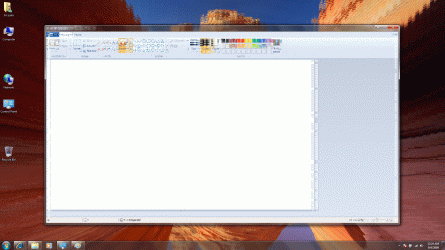
The Aero theme background really becomes funky and full of lines as seen in the attached images. Sometimes application window displays also get messed up as in the attached Paint window.
I installed the latest Driver for the Video from Dell site but that doesnt seem to solve the issue.
Following is the configuration of my laptop:
Intel® Pentium™ Dual Core T4200 (2.0GHz/800Mhz FSB/1MB cache)
3GB Shared Dual Channel DDR2 at 800MHz
15.6” Full High Definition (1080p) High Brightness LED Display with TrueLife™ and Camera
Intel Graphics Media Accelerator 4500MHD
Can you please help?
Posting this on the General Discussion forum since that seems to have more on the Aero display issue.
I recently got a Dell Studio 1555 laptop and installed Windows 7 on it.
The Aero theme background really becomes funky and full of lines as seen in the attached images. Sometimes application window displays also get messed up as in the attached Paint window.
I installed the latest Driver for the Video from Dell site but that doesnt seem to solve the issue.
Following is the configuration of my laptop:
Intel® Pentium™ Dual Core T4200 (2.0GHz/800Mhz FSB/1MB cache)
3GB Shared Dual Channel DDR2 at 800MHz
15.6” Full High Definition (1080p) High Brightness LED Display with TrueLife™ and Camera
Intel Graphics Media Accelerator 4500MHD
Can you please help?
Attachments

My Computer
- Computer Manufacturer/Model Number
- Dell Studio 1555
- OS
- Windows 7
- CPU
- Pentium Dual Core
- Memory
- 3 GB
- Graphics Card(s)
- Intel Graphics Media Accelerator
- Sound Card
- High Definition Audio
- Monitor(s) Displays
- 15.6" Full High Definition (1080p) High Brightness LED
- Hard Drives
- 250 GB SATA Harddrive


