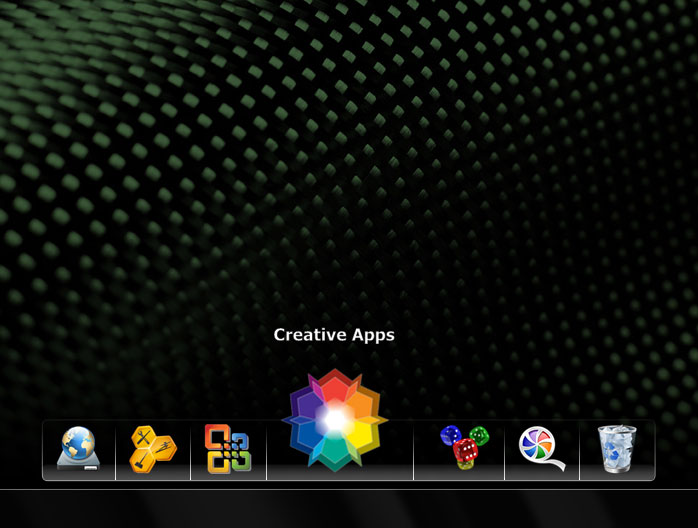
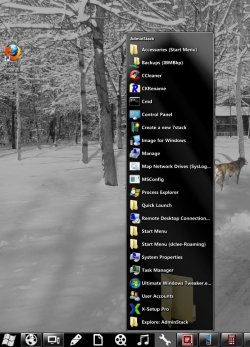
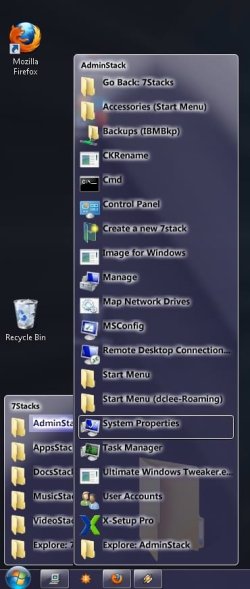
Announcing: 7stacks - stacks for 7 (freeware)

@jassonaxz

I too have this problem and emailed the author. He mentioned he knew about this problem and was working on the new version to fix it, but it was last year reply. Seems like there is no any news or update from him in the official site until now, I guess we can just forget about this software, unfortunately.

thx for your reply, hope the new vision will come soon...
 

My Computer My Computer

At a glance

win 7
OS
win 7
I love this app!... I'm using it in conjunction with Rocket Dock. Pretty darn slick!

Pidl2.jpg


I've seen some complaining about it NOT sorting alphebetically, but I'd actual like to see a way to order the menu fly-outs to my liking, out of alphebetical order. For instance, I have a 7Stack for my local drives, as well as my HTPC's networked media drives.

71D2N.jpg


It would be nice to be able to order these so that my System, Data and Scratch drives were first, then the others decending to my personal preference...

Anyone out there aware of a way to do this?
 

My Computer My Computer

At a glance

Windows 7 Enterprise 32-bitP4 3 GHz4 GB DDR 800 (Mushkin)nVidia 9800GTX+ (EVGA)
Computer Manufacturer/Model Number
Dell Dimension 8400
OS
Windows 7 Enterprise 32-bit
CPU
P4 3 GHz
Motherboard
Dell (Foxconn OEM)
Memory
4 GB DDR 800 (Mushkin)
Graphics Card(s)
nVidia 9800GTX+ (EVGA)
Sound Card
SBLive! 24 (Creative)
Monitor(s) Displays
Dell 19" CRT
Hard Drives
1x SATA II 80 GB (Hitachi)
2x SATA II 250 GB (Samsung)
PSU
Dell (PC Power & Cooling OEM)
Case
Dell (Clamshell)
Cooling
OEM Fans
Hi...
thanks for link
I am looking for it
I am wok good for me
I have windows 7 32 bits.

have nice day:)
 

My Computer My Computer

At a glance

microsoft windows 7 ultimate1.94GB
Computer Manufacturer/Model Number
Hp
OS
microsoft windows 7 ultimate
Memory
1.94GB
Monitor(s) Displays
wide screen 17"
Love this application, and I'm pretty bummed that it hasn't been updated in over a year.

Primarily because of a bug that I sometimes get when using it. Sometimes it will just stop working until I restart my computer. I will click the task bar icon but nothing ever launches. The process is still running, it's just not doing anything. I think the problem is tied with aero in some way, but I'm not entirely sure. It only seems to happen after exiting some video games. (The games I noticed trigger it either disable desktop composition or use lower resolutions)

It would just be nice to see a fix to this bug, or perhaps a temporary solution that doesn't involve restarting my PC every time I exit one of the above mentioned games.
 

My Computer My Computer

At a glance

Windows 7 Ultimate 64 bit
OS
Windows 7 Ultimate 64 bit
This one is similar and easy to configure. Plus it doesn't hang like 7stacks. It uses the same libraries as RocketDock stacks:

Chris'n'Soft » StandaloneStack

I've been using it I think at least 6 months now on both W7 32 bit and Vista64. Works fine.
The only thing on Windows 7 is sometimes I get the "paper icon" instead of the program's icon. I think it's a W7 bug. Instead of messing with it I just make a quickie custom icon for the program and change icon to it. From then on it seems to work with that app.
 

My Computer My Computer

At a glance

Windows 7 32 bitAMD 5200+ dual core2 GBNVidia GeForce 6150SE 128 MB
Computer Manufacturer/Model Number
HP Media Center
OS
Windows 7 32 bit
CPU
AMD 5200+ dual core
Memory
2 GB
Graphics Card(s)
NVidia GeForce 6150SE 128 MB
Monitor(s) Displays
CRT
Screen Resolution
1280x1024
Hard Drives
500 GB Sata internal :

SIIG USB 3.0 docking stations w/WD Caviar Black 6 Gb/s drives
Keyboard
PS/2
Mouse
PS/2 Wheel Mouse
Other Info
SIIG USB 3.0 PCIexpress card.
This one is similar and easy to configure. Plus it doesn't hang like 7stacks. It uses the same libraries as RocketDock stacks:

Chris'n'Soft » StandaloneStack

I've been using it I think at least 6 months now on both W7 32 bit and Vista64. Works fine.
The only thing on Windows 7 is sometimes I get the "paper icon" instead of the program's icon. I think it's a W7 bug. Instead of messing with it I just make a quickie custom icon for the program and change icon to it. From then on it seems to work with that app.
I don't really like it. :/
The stacking seems too clunky, the fan looks god awful, and the grid just didn't feel right. I'd like to be able to have 2 columns after it gets a certain amount of icons or something.

It does what I want, but I'm just more accustomed to 7stacks. I like how 7stacks is integrated into Aero--making the color match my taskbar. It also just feels smoother somehow, I don't know.
 

My Computer My Computer

At a glance

Windows 7 Ultimate 64 bit
OS
Windows 7 Ultimate 64 bit
Try softpedia. Maybe there's something else out there.

btw you can set it to use a grid rather than a stack

7stacks just hangs too often for me to continue using it
 

My Computer My Computer

At a glance

Windows 7 32 bitAMD 5200+ dual core2 GBNVidia GeForce 6150SE 128 MB
Computer Manufacturer/Model Number
HP Media Center
OS
Windows 7 32 bit
CPU
AMD 5200+ dual core
Memory
2 GB
Graphics Card(s)
NVidia GeForce 6150SE 128 MB
Monitor(s) Displays
CRT
Screen Resolution
1280x1024
Hard Drives
500 GB Sata internal :

SIIG USB 3.0 docking stations w/WD Caviar Black 6 Gb/s drives
Keyboard
PS/2
Mouse
PS/2 Wheel Mouse
Other Info
SIIG USB 3.0 PCIexpress card.
Like the poster back a few...

I also find that at times the programs don't run after clicking on the icons. It seems to affect particular ones...sometimes they work, sometimes they don't. Frustrating, and makes me wonder if I should be looking at other options...
 

My Computer My Computer

At a glance

Windows 7 64x
OS
Windows 7 64x
Stops working soon after installation.

Stops working soon after installation. It works when I click on it as far as expanding the menu (or grid or stack or whatever), but the old thing where you right click for options doesn't work. Which I could live without, if it weren't for the following:

Suddenly (every time) it no longer works, it just hangs there with a spinning cursor after i click.
I've played around with it for two days now and can't seem to keep it working.
 

My Computer My Computer

At a glance

Windows 7 Home Premium 64 bit
OS
Windows 7 Home Premium 64 bit
Well I have just discovered this program and although I like the idea behind it I'm finding it a bit clumsy to use. It seems to suffer from a fatal flaw -

I'm on Windows 7 32bit. If the stack contains enough items that it reaches from the bottom of the screen to the top, then the last few items at the bottom disappear behind the taskbar (superbar). So I cannot select the bottom few items. Making it impossible for me to use. I can't believe nobody has noticed this problem. As long as there aren't too many items, it seems to place itself above the taskbar. But like I said, too many items and suddenly the list drops below and behind the taskbar.

And since Windows 7 took away the ability to choose if you want the taskbar to be "always on top", there is no way for me to bring the stack forward. So I can't use this because of this issue. Shame that it appears to be abandoned.

I also had it stop working like somebody above has mentioned. All of a sudden, it wouldn't work any more, and I had to restart my computer before it would work again. If you open a stack you can see it in the task manager running, but the stack never appears. If you try to open the stack multiple times, you see it multiple times in the task manager. But no stack appears. Even if you end all the processes, and try again, it still doesn't work. For these reasons, I cannot rely on this at the moment. If these important issues can get resolved, I'd happily check it out again. While there are probably some more nice options that could be added, I think the ones I mentioned are extremely important. Eye candy is nice, but not much good if it crashes or has deal-breaking bugs.

 

My Computer My Computer

At a glance

Windows 7 32bit Home PremiumIntel Core I7 920 Bloomfield3 GB Corsair DDR3 (3x1GB)NVidia GTX 570 (1 GB RAM)
Computer type
PC/Desktop
Computer Manufacturer/Model Number
custom build
OS
Windows 7 32bit Home Premium
CPU
Intel Core I7 920 Bloomfield
Motherboard
Asus P6T Deluxe v1
Memory
3 GB Corsair DDR3 (3x1GB)
Graphics Card(s)
NVidia GTX 570 (1 GB RAM)
Sound Card
on board
Monitor(s) Displays
Dell P2314H
Screen Resolution
1920x1080
Hard Drives
Western Digital Black 1TB (main OS)
PSU
XION Supernova XON-800R14N 800W
Case
Antec 1200
Cooling
Arctic Freezer 7 Pro Rev. 2
Keyboard
AZIO Prism
Mouse
Logitech G700S
Internet Speed
Verizon FiOS 85/85
Antivirus
Avast
Browser
Firefox/Chrome
Other Info
SansDigital rr622 RocketRaid (with non-raid Driver)
Renesas USB 3.0 card
7Stacks Network Issue

I have been using 7Stacks on several computers for awhile, but I am now faced with a network-related problem. When I try to open a local-network resident executable, the Windows prompt "Open File - Security Warning" window is displayed briefly and then disappears.

If I run the actual shortcut (outside of 7Stacks), the Open File - Security Warning" appears, I click OK and the executable runs fine. This happen on two Windows 7 x86 PCs, but the problem doesn't occur on a PC running X64.

I have done some rudimentary testing, disabling options within AVG and Zone Alarm, but the problem persists. Has anyone encountered this situation. Everything else works fine and I like 7Stacks a lot, with the exception of the nagging problems described above.
 

My Computer My Computer

At a glance

Windows 7 Ultimate 64, Windows 7 Professional...
OS
Windows 7 Ultimate 64, Windows 7 Professional 32bit
I almost have the same problem with JuanDeaux

To elaborate more... shortcuts in the stack that are ticked as "Run As Administrator" aren't opening...
The UAC just prompts and after I click yes, nothing happens...

But if I access the shortcut directly from the folder, the UAC prompts and when I click yes, the application runs...
 

My Computer My Computer

At a glance

Windows 7 ProfessionalIntel Core 2 Quad Q94002 x 2G Kingston 800 MhzGTX 260
OS
Windows 7 Professional
CPU
Intel Core 2 Quad Q9400
Motherboard
Asus P5Q
Memory
2 x 2G Kingston 800 Mhz
Graphics Card(s)
GTX 260
Hard Drives
Seagate 500G
PSU
Corsair HX620
Case
Antec 300
Are you guys running beta2 from the devs website? He said it is or believes it is a problem with chrome.
 

My Computer My Computer

At a glance

Windows 7 Ultimate x64 RTMIntel Core i7 8602x2GB G.Skill RipjawsSapphire Raedon HD 4890
OS
Windows 7 Ultimate x64 RTM
CPU
Intel Core i7 860
Motherboard
MSI P55-GD64
Memory
2x2GB G.Skill Ripjaws
Graphics Card(s)
Sapphire Raedon HD 4890
Monitor(s) Displays
Dell 2208 WFP
Screen Resolution
1680x1050
Hard Drives
2x80 GB Intel X25M G2 SSDs RAID0
1x1 TB WD Caviar Black
1x1 TB WD Caviar Green
1x2 TB Caviar Black
1x2 TB Caviar Green
PSU
Corsair HX520
Case
Thermaltake Mozart TX
Keyboard
Saitek Cyborg
Mouse
Razer Copperhead
Internet Speed
6 Mb/s
I am running v1.5 beta 1.

The workaround I settled on (for the problem PCs) was to nest the individual stacks within a single task bar-resident main stack. That technique has worked fine and I haven't had any issues with it.

I have attached a couple of screen shots; the first shows the Individual Task Bar Stacks and the second shows the Nested Stacks.

I didn't think there was going to be any more development of the application and was not aware of the beta 2 version. What are the main changes (Link ?)? Since I am stable with beta 1, I probably would not switch to the newer version unless there are some significant enhancements.
 

Attachments

  • Taskbar.jpg
    Taskbar.jpg
    96.3 KB · Views: 9
  • Nested.jpg
    Nested.jpg
    41.6 KB · Views: 11

My Computer My Computer

At a glance

Windows 7 Ultimate 64, Windows 7 Professional...
OS
Windows 7 Ultimate 64, Windows 7 Professional 32bit
Can someone explain why they would use this program over the Toolbar functionality already built-in to Windows since Win 2000? It seems to me this program duplicates that functionality.
 

My Computer My Computer

At a glance

W10 Pro desktop, W11 laptop, W11 Pro tablet (...3.7Ghz 8700K i7, i7-11800H, i7-1065G716G desktop, 16G laptop, 4G tabletAMD Radeon RX580, RTX 3060, Intel Iris Plus
Computer type
PC/Desktop
Computer Manufacturer/Model Number
Home Built desktop, Dell G15 5511 Gaming laptop,MS Surface Pro 7 tablet
OS
W10 Pro desktop, W11 laptop, W11 Pro tablet (all 64-bit)
CPU
3.7Ghz 8700K i7, i7-11800H, i7-1065G7
Motherboard
ASUS TUF Z370-Pro Gaming in desktop
Memory
16G desktop, 16G laptop, 4G tablet
Graphics Card(s)
AMD Radeon RX580, RTX 3060, Intel Iris Plus
Sound Card
High Definition Audio (Built-in to mobo)
Monitor(s) Displays
Samsung U32J59 32" (2x), 15.6", 12"
Screen Resolution
3840x2160, 3840x2160, 1920x1080, 2160x1440
Hard Drives
500G SSD for OS; 2T, 10T & 15T HDDs for Data on Desktop, 1TB SSD laptop, 128G SSD tablet.
PSU
Corsair CX 750M
Case
Antec 100
Cooling
CM 212+
Keyboard
IBM Model M - used continuously since 1986
Mouse
Microsoft Pro IntelliMouse
Internet Speed
400M down 8M up
Antivirus
Windows Defender
Browser
FireFox
Other Info
Built my first computer (8Mhz 8088cpu, 640K RAM, 20MB HDD, 2 360K floppy drives) in 1985 and have been building them for myself, relatives and friends ever since.
Have you used 7Stacks?

I like it for the following reasons:

  • It provides a method for directly accessing (executing) applications without having to drill down through the Start Menu.

  • Under W2K and XP, I organized applications using a combination of Quick Launch and folders containing shortcuts at the top level of the Start Menu. I also maintained 'clean' Start Menus by organizing shortcuts in Programs sub-folders; General Apps, Audio-Video, Admin Utilities, etc. I initially took the same approach with Windows 7, but doing so requires security changes and the process proved to be somewhat tedious. When I came across 7Stacks, I realized that I could simplify keeping things orderly and easy to access, and pretty much ignore the Start Menu.

  • My experience is that 7Stacks is straightforward and relatively easy to deal with. Windows 7 Jump List feature may provide similar functionality, but I prefer to deal with a third-party app such as 7Stacks (KISS Principle). I also use Locate32, instead of Windows Search. When I need to find something, I actually want to find it, whether it's on a network drive, \System32 or parts unknown.
Just my opinions, I could be wrong.
 

My Computer My Computer

At a glance

Windows 7 Ultimate 64, Windows 7 Professional...
OS
Windows 7 Ultimate 64, Windows 7 Professional 32bit
Yes, I tried 7Stacks and, again, it appears to duplicate the functionality of the Toolbars in Windows (I never mentioned jumplists). All the functionality you listed in your subpoints is available thru Toolbars (right-click on Task Bar, select Toolbars) in Windows since Win 2000.
 

My Computer My Computer

At a glance

W10 Pro desktop, W11 laptop, W11 Pro tablet (...3.7Ghz 8700K i7, i7-11800H, i7-1065G716G desktop, 16G laptop, 4G tabletAMD Radeon RX580, RTX 3060, Intel Iris Plus
Computer type
PC/Desktop
Computer Manufacturer/Model Number
Home Built desktop, Dell G15 5511 Gaming laptop,MS Surface Pro 7 tablet
OS
W10 Pro desktop, W11 laptop, W11 Pro tablet (all 64-bit)
CPU
3.7Ghz 8700K i7, i7-11800H, i7-1065G7
Motherboard
ASUS TUF Z370-Pro Gaming in desktop
Memory
16G desktop, 16G laptop, 4G tablet
Graphics Card(s)
AMD Radeon RX580, RTX 3060, Intel Iris Plus
Sound Card
High Definition Audio (Built-in to mobo)
Monitor(s) Displays
Samsung U32J59 32" (2x), 15.6", 12"
Screen Resolution
3840x2160, 3840x2160, 1920x1080, 2160x1440
Hard Drives
500G SSD for OS; 2T, 10T & 15T HDDs for Data on Desktop, 1TB SSD laptop, 128G SSD tablet.
PSU
Corsair CX 750M
Case
Antec 100
Cooling
CM 212+
Keyboard
IBM Model M - used continuously since 1986
Mouse
Microsoft Pro IntelliMouse
Internet Speed
400M down 8M up
Antivirus
Windows Defender
Browser
FireFox
Other Info
Built my first computer (8Mhz 8088cpu, 640K RAM, 20MB HDD, 2 360K floppy drives) in 1985 and have been building them for myself, relatives and friends ever since.
I just played around with Toolbar and and that approach does indeed seem to be simpler. Maybe I have too much time on my hands, dohhh! I like 7Stacks, but I might have to rethink using it in the future.

What about the built-in Windows Search, is there an option to permit indexing of network drives? I definitely miss the Search interface of the previous Windows versions. I like Locate32 because it only uses 6-8MB of memory, has a user-friendly interface and permits indexing/searches of user selected locations.
 

My Computer My Computer

At a glance

Windows 7 Ultimate 64, Windows 7 Professional...
OS
Windows 7 Ultimate 64, Windows 7 Professional 32bit
Yes, I tried 7Stacks and, again, it appears to duplicate the functionality of the Toolbars in Windows (I never mentioned jumplists). All the functionality you listed in your subpoints is available thru Toolbars (right-click on Task Bar, select Toolbars) in Windows since Win 2000.

I tried 7Stacks for a bit. But issues made me look for something similar. I use RocketDock so I noticed StandAlone Stacks 2 which uses the same stack library as RD. I'm pretty happy with it. I have a machine with W7 and one with Vista. By using SAS2 I get the same behavior on both PCs.

The only side-effect I noticed on W7 is sometimes a program will get a paper icon in the stack instead of the icon from the exe. When you go in properties and Change Icon it shows the correct icon but it won't show in the stack. Seems like it happens one out of 10. My work-around is to use an icon editor to pull the icon from the exe and add it to a folder under Documents. Then when I use Change Icon to use that icon, it "sticks." On Vista it seems to work normally.
 

My Computer My Computer

At a glance

Windows 7 32 bitAMD 5200+ dual core2 GBNVidia GeForce 6150SE 128 MB
Computer Manufacturer/Model Number
HP Media Center
OS
Windows 7 32 bit
CPU
AMD 5200+ dual core
Memory
2 GB
Graphics Card(s)
NVidia GeForce 6150SE 128 MB
Monitor(s) Displays
CRT
Screen Resolution
1280x1024
Hard Drives
500 GB Sata internal :

SIIG USB 3.0 docking stations w/WD Caviar Black 6 Gb/s drives
Keyboard
PS/2
Mouse
PS/2 Wheel Mouse
Other Info
SIIG USB 3.0 PCIexpress card.
Back
Top