Annoyed by system hangs

Shuichiro

New member
Local time
9:31 AM
Messages
15
Hi there everyone; I've read lots of useful info here and need some help to fix a very constant problem. While watching video, on youtube or outside of my browser, I get a lag hang up about once every 30 sec. to several minutes. This is very annoying and has been going on for some time but I can't find a solution.

So I have used "DPC Latency Checker" and found that it goes into the red at least once every 30 seconds. I disabled all of my unessacary drivers and the latency remains the same. I can submit any needed info upon request but please help!!
 

My Computer

OS
Windows 7 32bit
Hi there everyone; I've read lots of useful info here and need some help to fix a very constant problem. While watching video, on youtube or outside of my browser, I get a lag hang up about once every 30 sec. to several minutes. This is very annoying and has been going on for some time but I can't find a solution.

So I have used "DPC Latency Checker" and found that it goes into the red at least once every 30 seconds. I disabled all of my unessacary drivers and the latency remains the same. I can submit any needed info upon request but please help!!

Not a question of disabling un-needed drivers but updating (repairing) the ones you do. what is the highest red peak number? If over 1000, I would update the network, video, and sound drivers for starters.

We could use more info on networking.


Ken J
 

My Computer

Computer Manufacturer/Model Number
HP Pavillion dv-7 1005 Tx
OS
Win 8 Release candidate 8400
CPU
[email protected]
Memory
4 gigs
Graphics Card(s)
Nvidia 9600M
Sound Card
HD built-in
Monitor(s) Displays
17" Wxga
Screen Resolution
1440x900
Cooling
none
Internet Speed
45Mb down 5Mb up
need more of your system info maybe able to help solve issue quicker if we know what we are looking at.
 

My Computer

Computer Manufacturer/Model Number
ACER ASPIRE AX1301 DESKTOP
OS
WINDOWS 7 ULTIMATE X64
CPU
AMD ATHLON II X2 215 DUAL CORE PROCESSOR
Motherboard
ACER WMCP78M (SOCKET AM2)
Memory
4GB DDR2
Graphics Card(s)
NVIDIA GEFORCE 9200 INTERGRATED
Sound Card
NVIDIA HIGH DEF AUDIO
Monitor(s) Displays
X223W - ACER
Screen Resolution
1680X1050
Hard Drives
HDD 1TB DDR2

ODD DVD SUPER MULTI DRIVE
Keyboard
MICROSOFT INTELI PRO COMFORT
Mouse
MICROSOFT INTELI PRO
Internet Speed
16.9MB
Looks like this is a laptop you ever try updating the driver through windows ?
or seeing if there is a updated version

Also if it is lagging on youtube it is probally a browser issue maybe update the flash player or see if the browser needs updated plugins

connection speed may have something to do with it might want to check you're adapter for the latest driver
 

My Computer

Computer type
PC/Desktop
Computer Manufacturer/Model Number
CoreI7-6700K MrFingerIII Special Builds
OS
Windows 10 Home Premium 64bit sp1
CPU
Intel I7-6700K @ 4.6 Ghz 1.344 volts everyday OC
Motherboard
Asrock Fatality K6 Z170 Socket 1151
Memory
32GB G-Skill TridentZ 3200mhz 16-18-18-38 DDR4
Graphics Card(s)
Sli Gigabyte Windforce GTX 980 G1
Sound Card
AC97 Creative Rage Tactic 3D Headphones Bluetooth
Monitor(s) Displays
27" Asus ROG Swift PG278Q G-Sync 48" Vizio Smart HD TV
Screen Resolution
2560x1440p 27"- 48" Currently Gaming at 2560x1440p Res 2K
Hard Drives
250GB Samsung Evo840SSD Seagate baracuda 500 GB WD Mybook 500Gb 1TB Seagate Barracuda
PSU
HX1050w Corsair Silver 80plus certified crosfire/sli
Case
Enthod Pro Full Tower
Cooling
Corsair H110i GT 280 mm High Performance WaterBlock
Keyboard
Logitech wireless keyboard
Mouse
Logitech wireless mouse
Internet Speed
Cox Cable 100+ mb
Antivirus
WebRoot Spysweeper with Antivirus
Browser
IE-10, Chrome, Opera
Other Info
My Other Rig is a AMD FX8320E @4.6Ghz 16GB Ballistic Sport Ram
Mobo Asrock Fatality 990FX 120GB OCZ SSD 1TB Seagate Barracuda Corsair H75 Cooling PSU Corsair CX750
GPU GTX Gigabyte 970G1

My Computer

Computer Manufacturer/Model Number
ACER ASPIRE AX1301 DESKTOP
OS
WINDOWS 7 ULTIMATE X64
CPU
AMD ATHLON II X2 215 DUAL CORE PROCESSOR
Motherboard
ACER WMCP78M (SOCKET AM2)
Memory
4GB DDR2
Graphics Card(s)
NVIDIA GEFORCE 9200 INTERGRATED
Sound Card
NVIDIA HIGH DEF AUDIO
Monitor(s) Displays
X223W - ACER
Screen Resolution
1680X1050
Hard Drives
HDD 1TB DDR2

ODD DVD SUPER MULTI DRIVE
Keyboard
MICROSOFT INTELI PRO COMFORT
Mouse
MICROSOFT INTELI PRO
Internet Speed
16.9MB
I have checked for updates for all my drivers through Win7 and still problem persists.

The problem is not limited to online video, so browser or connection speed is likely out.

Any other thoughts?
 

My Computer

OS
Windows 7 32bit
I have checked for updates for all my drivers through Win7 and still problem persists.

The problem is not limited to online video, so browser or connection speed is likely out.

Any other thoughts?


how long have you had the problem, when did it start, it might be something as simple as a program you installed that is eating up your resources.
 

My Computer

Computer Manufacturer/Model Number
ACER ASPIRE AX1301 DESKTOP
OS
WINDOWS 7 ULTIMATE X64
CPU
AMD ATHLON II X2 215 DUAL CORE PROCESSOR
Motherboard
ACER WMCP78M (SOCKET AM2)
Memory
4GB DDR2
Graphics Card(s)
NVIDIA GEFORCE 9200 INTERGRATED
Sound Card
NVIDIA HIGH DEF AUDIO
Monitor(s) Displays
X223W - ACER
Screen Resolution
1680X1050
Hard Drives
HDD 1TB DDR2

ODD DVD SUPER MULTI DRIVE
Keyboard
MICROSOFT INTELI PRO COMFORT
Mouse
MICROSOFT INTELI PRO
Internet Speed
16.9MB
Connection speed can definitely cause this problem ... youtube is constantly buffering when I watch a video on my computer. I have DSL/Broadband connection, but it isn't very good :(

Also, what anti-virus program are you using? Some can slow down web pages.
 

My Computer

Computer type
PC/Desktop
Computer Manufacturer/Model Number
Bruce ... somewhere in his 40's
OS
Windows 7 Ultimate 32bit SP1
CPU
Intel(R) Core(TM)2 Quad CPU @ 2.40GHz, 2400 MHz
Motherboard
INTEL/D975XBX2
Memory
4 GB
Graphics Card(s)
ATI Radeon HD 2600 Pro
Monitor(s) Displays
Samsung SyncMaster 914v
Screen Resolution
1280 x 1024
Hard Drives
2/500GB each ... ST3500630AS ATA Device.
One is not connected
PSU
Rocketfish 700 W
Case
G.Skill Gigabyte Chassis
Keyboard
Standard PS/2 Keyboard
Mouse
Microsoft PS/2 Mouse
Internet Speed
DSL
Antivirus
Avira Internet Security
Browser
IE 11
Other Info
ATI HDMI Audio
The problem has been ongoing for quite sometime, which had me watching my system resources for memory hogs, which nothing has become obvious enough to raise a red flag.

Lag also occurs outside of browsing, when watching regular video and when running programs without the browser.
 

My Computer

OS
Windows 7 32bit

My Computer

Computer Manufacturer/Model Number
ACER ASPIRE AX1301 DESKTOP
OS
WINDOWS 7 ULTIMATE X64
CPU
AMD ATHLON II X2 215 DUAL CORE PROCESSOR
Motherboard
ACER WMCP78M (SOCKET AM2)
Memory
4GB DDR2
Graphics Card(s)
NVIDIA GEFORCE 9200 INTERGRATED
Sound Card
NVIDIA HIGH DEF AUDIO
Monitor(s) Displays
X223W - ACER
Screen Resolution
1680X1050
Hard Drives
HDD 1TB DDR2

ODD DVD SUPER MULTI DRIVE
Keyboard
MICROSOFT INTELI PRO COMFORT
Mouse
MICROSOFT INTELI PRO
Internet Speed
16.9MB
I would also check for a virus or something!
 

My Computer

Computer Manufacturer/Model Number
ACER ASPIRE AX1301 DESKTOP
OS
WINDOWS 7 ULTIMATE X64
CPU
AMD ATHLON II X2 215 DUAL CORE PROCESSOR
Motherboard
ACER WMCP78M (SOCKET AM2)
Memory
4GB DDR2
Graphics Card(s)
NVIDIA GEFORCE 9200 INTERGRATED
Sound Card
NVIDIA HIGH DEF AUDIO
Monitor(s) Displays
X223W - ACER
Screen Resolution
1680X1050
Hard Drives
HDD 1TB DDR2

ODD DVD SUPER MULTI DRIVE
Keyboard
MICROSOFT INTELI PRO COMFORT
Mouse
MICROSOFT INTELI PRO
Internet Speed
16.9MB
The problem has been ongoing for quite sometime, which had me watching my system resources for memory hogs, which nothing has become obvious enough to raise a red flag.

Lag also occurs outside of browsing, when watching regular video and when running programs without the browser.


See if anything is logged in event viewer. usually with lags there will be critical errors revolving around an app hanging.

There are several ways to find what the problem is. The best is to go into event viewer (type eventvwr in search). Go to the windows log>application tab.

You want to look for critical errors (they have red in the left column ).

When you find them you want to look for critical errors that say app hang, app crash, or anything that relates to the problem.

When you find them please note the event ID, and the source codes and tell us what they are.

Let us know if you need help with any of this.

Ken
 

My Computer

Computer Manufacturer/Model Number
HP Pavillion dv-7 1005 Tx
OS
Win 8 Release candidate 8400
CPU
[email protected]
Memory
4 gigs
Graphics Card(s)
Nvidia 9600M
Sound Card
HD built-in
Monitor(s) Displays
17" Wxga
Screen Resolution
1440x900
Cooling
none
Internet Speed
45Mb down 5Mb up

My Computer

Computer Manufacturer/Model Number
ACER ASPIRE AX1301 DESKTOP
OS
WINDOWS 7 ULTIMATE X64
CPU
AMD ATHLON II X2 215 DUAL CORE PROCESSOR
Motherboard
ACER WMCP78M (SOCKET AM2)
Memory
4GB DDR2
Graphics Card(s)
NVIDIA GEFORCE 9200 INTERGRATED
Sound Card
NVIDIA HIGH DEF AUDIO
Monitor(s) Displays
X223W - ACER
Screen Resolution
1680X1050
Hard Drives
HDD 1TB DDR2

ODD DVD SUPER MULTI DRIVE
Keyboard
MICROSOFT INTELI PRO COMFORT
Mouse
MICROSOFT INTELI PRO
Internet Speed
16.9MB
It was 2 crits each several weeks apart. Problem is much more often than that.
 

My Computer

OS
Windows 7 32bit
Lag spikes on the DPC latency checker is a connection problem for certain. It sounds like you tried getting recent drivers already but have you attempted to update the firmware on your router yet?
 

My Computer

Computer type
PC/Desktop
Computer Manufacturer/Model Number
Home built
OS
Windows 7 Ult, Windows 8.1 Pro,
CPU
Q9650-4.275GHz, E8600 4.5GHz, E6750-3.8GHz
Motherboard
Evga 780i FTW
Memory
G.Skill PC2 9600 1200Mhz 5 5 5 15 2T
Graphics Card(s)
GTX480
Sound Card
Asus Xonar D2
Monitor(s) Displays
HannsG
Screen Resolution
1680X1050
Hard Drives
GSkill Phoenix Pro 120GB SSD
PSU
ThermalTake Toughpower 1000Watt modular
Case
ThermalTake XaserV
Cooling
Xigmatek S1283
Keyboard
Logitech G15
Mouse
Logitech G9
Internet Speed
T1
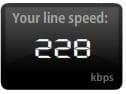
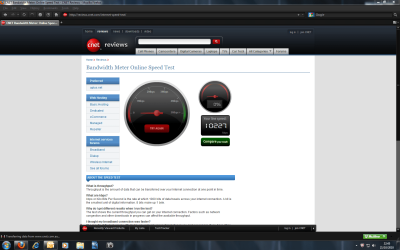
Shuichiro, I'll trade you speeds :p
 

Attachments

  • speed test.jpg
    speed test.jpg
    2.5 KB · Views: 93

My Computer

Computer type
PC/Desktop
Computer Manufacturer/Model Number
Bruce ... somewhere in his 40's
OS
Windows 7 Ultimate 32bit SP1
CPU
Intel(R) Core(TM)2 Quad CPU @ 2.40GHz, 2400 MHz
Motherboard
INTEL/D975XBX2
Memory
4 GB
Graphics Card(s)
ATI Radeon HD 2600 Pro
Monitor(s) Displays
Samsung SyncMaster 914v
Screen Resolution
1280 x 1024
Hard Drives
2/500GB each ... ST3500630AS ATA Device.
One is not connected
PSU
Rocketfish 700 W
Case
G.Skill Gigabyte Chassis
Keyboard
Standard PS/2 Keyboard
Mouse
Microsoft PS/2 Mouse
Internet Speed
DSL
Antivirus
Avira Internet Security
Browser
IE 11
Other Info
ATI HDMI Audio

Attachments

  • SnapShot_103322.png
    SnapShot_103322.png
    93.1 KB · Views: 7

My Computer

Computer Manufacturer/Model Number
ACER ASPIRE AX1301 DESKTOP
OS
WINDOWS 7 ULTIMATE X64
CPU
AMD ATHLON II X2 215 DUAL CORE PROCESSOR
Motherboard
ACER WMCP78M (SOCKET AM2)
Memory
4GB DDR2
Graphics Card(s)
NVIDIA GEFORCE 9200 INTERGRATED
Sound Card
NVIDIA HIGH DEF AUDIO
Monitor(s) Displays
X223W - ACER
Screen Resolution
1680X1050
Hard Drives
HDD 1TB DDR2

ODD DVD SUPER MULTI DRIVE
Keyboard
MICROSOFT INTELI PRO COMFORT
Mouse
MICROSOFT INTELI PRO
Internet Speed
16.9MB
Back
Top