hi, this is very annoying since the invention of windows.
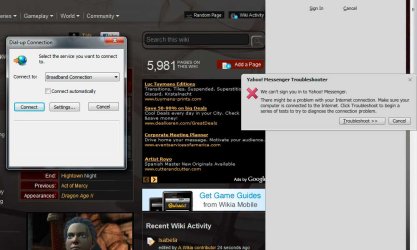
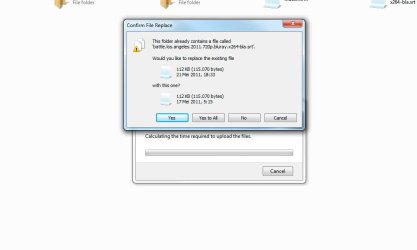
programs have their own notifications/dialog boxes that pop up undesirably (i.e. copy fails, Y!M gets disconnected, broadband connection is lost).
like when i am typing, they pop up and steal the focus, then suddenly i don't know what command i issue.
or when i am playing some games in full screen. suddenly they pop up, bring me back to windows, and i lose the battle.
these are very very annoying. do you guys know how to switch these off or make them pop up in background?
programs have their own notifications/dialog boxes that pop up undesirably (i.e. copy fails, Y!M gets disconnected, broadband connection is lost).
like when i am typing, they pop up and steal the focus, then suddenly i don't know what command i issue.
or when i am playing some games in full screen. suddenly they pop up, bring me back to windows, and i lose the battle.
these are very very annoying. do you guys know how to switch these off or make them pop up in background?
Last edited:
My Computer
At a glance
Windows 7 Professional x64Intel i5 2500k @4.6GHz2x4GB Corsair Vengeance 8CMSI GTX 760 TF
- Computer type
- PC/Desktop
- OS
- Windows 7 Professional x64
- CPU
- Intel i5 2500k @4.6GHz
- Motherboard
- Asus P6P67 Pro (B3 revision)
- Memory
- 2x4GB Corsair Vengeance 8C
- Graphics Card(s)
- MSI GTX 760 TF
- Sound Card
- X-Fi Fatal1ty
- Monitor(s) Displays
- Viewsonic XV-2245
- Screen Resolution
- 1680 x 1050
- Hard Drives
- Primary: WDC 320GB
- PSU
- Corsair AX750
- Case
- Thermaltake Element-S VK6000
- Cooling
- Hydro H60
- Keyboard
- MX3200
- Mouse
- Performance MX
- Antivirus
- Microsoft Security Essentials