Hello all, I am here in a desperate attempt to beg for help. I rarely ask for help so this is hard for me to do.
I will try to give as much information as I can (I may give too much). I have also taken all the screen shots I can in the hope it can speed this up.
I have also listed all the things I have tried to fix this over the last 2 days (And failed... Ouch)
Tech info:
Monitor: Link
Computer: Link
Processor
AMD Phenom X4 9550
Processor external bus
200MHz (1.8GHz HyperTransport)
Processor multiplier
x11
Graphics card(s)
ATI Radeon X1200
Graphics/video ports
VGA
Viewable size
19 in
Screen model
Advent X19W
Native resolution
1,440x900
Screen inputs
DVI, VGA
Processor clock speed
2.2GHz
Processor socket
AM2+
Level 1 cache
128KB
Level 2 cache
2,048KB
Memory
4.000000
Memory type
PC2-5300
Maximum memory
4GB
Motherboard
Foxconn A6VMX
Motherboard chipset
AMD 690V
So, when I did this instalation I had the same issues. When half way through the instalation and you reboot you get "OUT OF RANGE" come up on the screen (not a Windows message but a monitor message) and you get a blank screen. Windows 7 is working. To fix this is rebooted into Safe mode and got into cmd promt and disabled the ATI x1200 drivers so Windows used the basic one. Then all installed fine.
The new (BIG) issues:
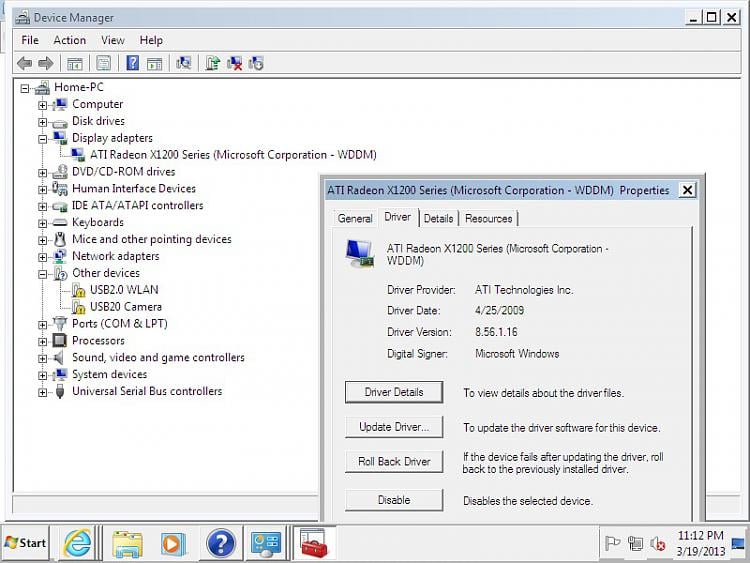
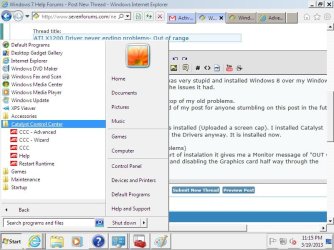
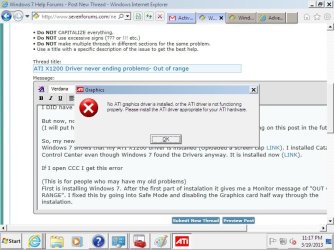
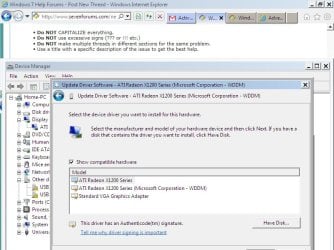
Now unlike before after I tried to install ATI CCC with the driver and software it all went odd. I rebooted into Safe Mode like before but when I went into Display I got this (Link to image) all looks great right? Looks perfect. But when I go into CCC (To show it is installed) I get this (link to image).
So I am unable to get into the settings. And it is telling me that no ATI driver is installed... But as you see it is. The one it is using is the one that Windows 7 put on. So I switched to the CCC version as shown here (Link) but the same problems happen... No difference. I have also rebooted in both versions in normal and safe mode but nothing.
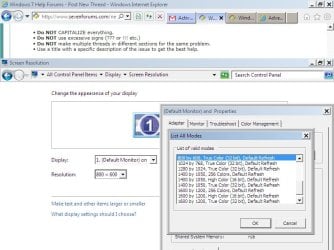
Now if I go into my display settings I get this (Link) which sadly none of the resolutions work with this monitor (It tells me to use 1440x900). If I use ANY of these even the lowest (800x600) in normal mode I get "OUT OF RANGE" again.
Just to note. On my old Windows 7 it came up with ATI x1200 as my display. It had all the settings for it on the display tab.
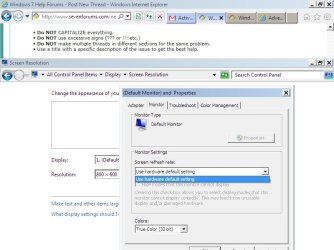
I think one of the issues with the "OUT OF RANGE" is the refresh rate. I am unable to change it as shown here (Link)
Please help. I have searched all over the internet for 2 days now hoping I can do this without asking for help (I sort of enjoy problems but its gone of way to long now and the family are starting to stare at me funny now)
I have reinstalled Windows 7 twice now. All times it has done this same thing.
Thanks again, any questions are welcome!
EDIT: The version of CCC I am using is: 10-02_legacy_vista32-64_dd_ccc incase it is needed
EDIT 2: Just to note. For my family I am going to install Windows XP for now. I have a copy some place. So to save my pride I do hope some of you can help me.
EDIT 3: If needed please move this to Drivers as thinking about it it may be the best place... but I am not 100% sure.
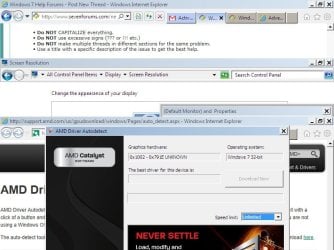
EDIT 4: I also used the ATI AutoDetect and it came back with this (Link)
I will try to give as much information as I can (I may give too much). I have also taken all the screen shots I can in the hope it can speed this up.
I have also listed all the things I have tried to fix this over the last 2 days (And failed... Ouch)
Tech info:
Monitor: Link
Computer: Link
Processor
AMD Phenom X4 9550
Processor external bus
200MHz (1.8GHz HyperTransport)
Processor multiplier
x11
Graphics card(s)
ATI Radeon X1200
Graphics/video ports
VGA
Viewable size
19 in
Screen model
Advent X19W
Native resolution
1,440x900
Screen inputs
DVI, VGA
Processor clock speed
2.2GHz
Processor socket
AM2+
Level 1 cache
128KB
Level 2 cache
2,048KB
Memory
4.000000
Memory type
PC2-5300
Maximum memory
4GB
Motherboard
Foxconn A6VMX
Motherboard chipset
AMD 690V
The issues solved:
I had Windows 7 working until I thought it would be a good idea to wipe it and put on a fresh Windows 8. I hated Windows 8 and thought I would go back to Windows 7.
When I LAST installed Windows 7 I had issues with the screen before. I had to go into safe mode and adjust the settings and then it all worked with no issues. So, when I did this instalation I had the same issues. When half way through the instalation and you reboot you get "OUT OF RANGE" come up on the screen (not a Windows message but a monitor message) and you get a blank screen. Windows 7 is working. To fix this is rebooted into Safe mode and got into cmd promt and disabled the ATI x1200 drivers so Windows used the basic one. Then all installed fine.
The new (BIG) issues:
Now unlike before after I tried to install ATI CCC with the driver and software it all went odd. I rebooted into Safe Mode like before but when I went into Display I got this (Link to image) all looks great right? Looks perfect. But when I go into CCC (To show it is installed) I get this (link to image).
So I am unable to get into the settings. And it is telling me that no ATI driver is installed... But as you see it is. The one it is using is the one that Windows 7 put on. So I switched to the CCC version as shown here (Link) but the same problems happen... No difference. I have also rebooted in both versions in normal and safe mode but nothing.
Now if I go into my display settings I get this (Link) which sadly none of the resolutions work with this monitor (It tells me to use 1440x900). If I use ANY of these even the lowest (800x600) in normal mode I get "OUT OF RANGE" again.
Just to note. On my old Windows 7 it came up with ATI x1200 as my display. It had all the settings for it on the display tab.
I think one of the issues with the "OUT OF RANGE" is the refresh rate. I am unable to change it as shown here (Link)
Please help. I have searched all over the internet for 2 days now hoping I can do this without asking for help (I sort of enjoy problems but its gone of way to long now and the family are starting to stare at me funny now)
I have reinstalled Windows 7 twice now. All times it has done this same thing.
Thanks again, any questions are welcome!
EDIT: The version of CCC I am using is: 10-02_legacy_vista32-64_dd_ccc incase it is needed
EDIT 2: Just to note. For my family I am going to install Windows XP for now. I have a copy some place. So to save my pride I do hope some of you can help me.
EDIT 3: If needed please move this to Drivers as thinking about it it may be the best place... but I am not 100% sure.
EDIT 4: I also used the ATI AutoDetect and it came back with this (Link)
Attachments
Last edited:
My Computer
At a glance
Windows 7 Ultimate 32BitAMD Phenom X4 95502GBATI Radeon X1200
- Computer type
- PC/Desktop
- Computer Manufacturer/Model Number
- Advent PQD5002
- OS
- Windows 7 Ultimate 32Bit
- CPU
- AMD Phenom X4 9550
- Motherboard
- Foxconn A6VMX
- Memory
- 2GB
- Graphics Card(s)
- ATI Radeon X1200