Audio cracking during video playback

brandough

New member
Local time
12:46 PM
Messages
31
This has been happening for a long time, but it's really starting to drive me insane now.
I noticed it happens more often the longer the computer has been on for. It happens whether I'm playing a downloaded video or streaming something through a browser. I suddenly hear the audio make a crack sound.. sometimes it can go about a minute without making it, but more often it happens every 10-20 seconds.
Through googling I think it's called a DPC latency problem?

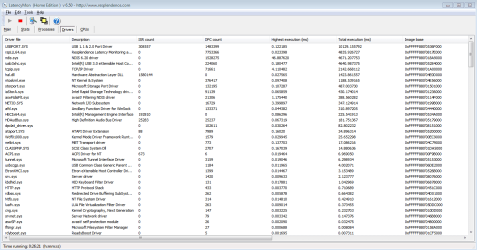
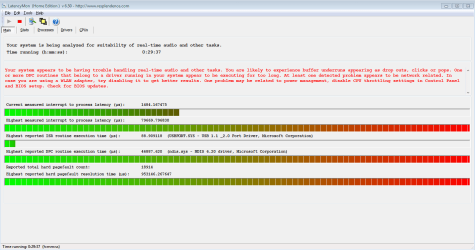
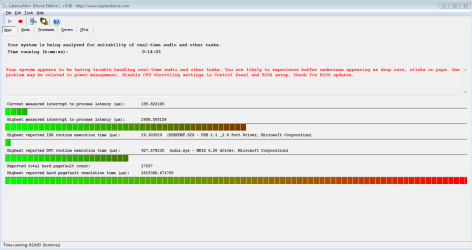
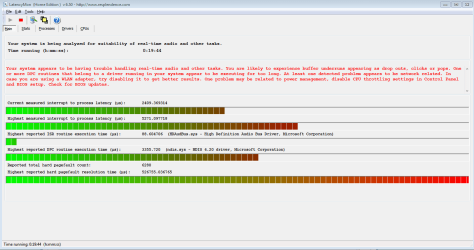
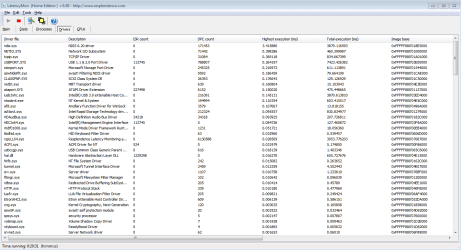
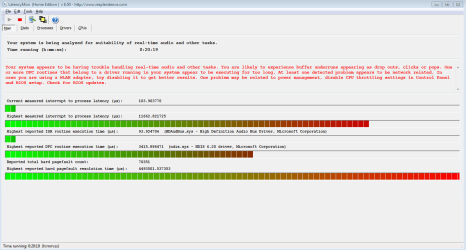
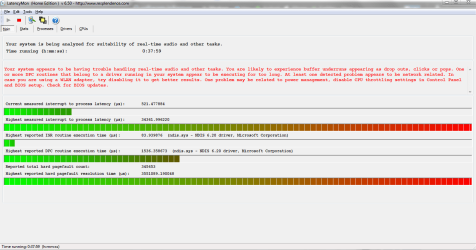
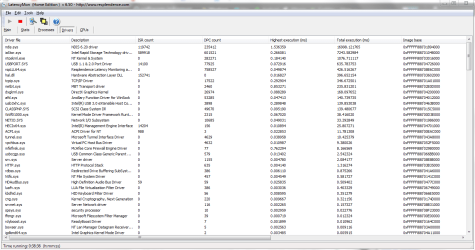
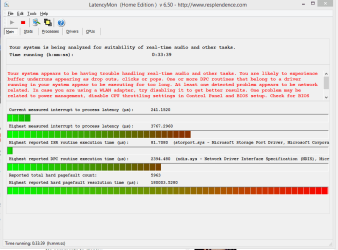
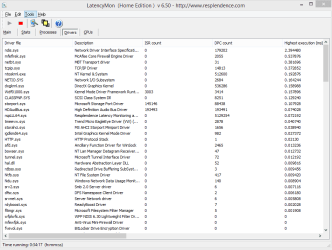
Through my google searches I saw people were trying to figure out the problem through a program called LatencyMon, so I downloaded it and ran that and Latency Checker. I've included some screenshots after running both of these programs for some time in the attachments along with my DxDiag information. I tried to understand what LatencyMon was saying, but I couldn't really get it except for that "USBPORT.sys" and the others at the top could be the sources of my problems (I think?).
Please let me know if you need any other information to help solve this problem.

Thank you so much for any help! :D
 

Attachments

  • Latencymon.PNG
    Latencymon.PNG
    41.2 KB · Views: 2
  • DxDiag.txt
    DxDiag.txt
    24.2 KB · Views: 0
  • Checker.PNG
    Checker.PNG
    9.7 KB · Views: 15
  • LatencyMon2.PNG
    LatencyMon2.PNG
    38.2 KB · Views: 2

My Computer

Computer type
PC/Desktop
OS
Windows 7 64 bit
hmmm... do you use USB headphones or speakers? if so, the USBPORT.sys reference makes sense.
 

My Computer

Computer type
Laptop
Computer Manufacturer/Model Number
Dell
OS
Windows 7 Enterprise x64
CPU
Intel i5 Dual Core
Screen Resolution
1366x768
Keyboard
built in Keyboard
Antivirus
System Centre Endpoint Protection
Browser
Google Chrome, Firefox and Internet Explorer
hmmm... do you use USB headphones or speakers? if so, the USBPORT.sys reference makes sense.

I use speakers.
I mostly use a soundbar which is connected from my computer with an optical cable. I also have computer speakers connected, but mostly use my soundbar as I have my computer set up to my TV with an HDMI cable for watching shows/movies.
 

My Computer

Computer type
PC/Desktop
OS
Windows 7 64 bit
ok, even so, try updating USBPORT.sys, just in case, it might also save you some big trouble later.
 

My Computer

Computer type
Laptop
Computer Manufacturer/Model Number
Dell
OS
Windows 7 Enterprise x64
CPU
Intel i5 Dual Core
Screen Resolution
1366x768
Keyboard
built in Keyboard
Antivirus
System Centre Endpoint Protection
Browser
Google Chrome, Firefox and Internet Explorer
ok, even so, try updating USBPORT.sys, just in case, it might also save you some big trouble later.


Probably a dumb question, but how do I go about doing that? Would it be with the windows updates? I just went through all of them and updated everything that was in there.

Also, I changed my power plan setting to "High Performance" and it seemed to help a little bit. It's still high, but it's lower than it was before. Here's a screenshot of what LatencyMon looks like now.

EDIT: Nevermind. The longer my computer is on the worse it's getting. Within in an hour it will probably be back to where it was originally.
 

Attachments

  • LatencyMon3.PNG
    LatencyMon3.PNG
    30.4 KB · Views: 0
Last edited:

My Computer

Computer type
PC/Desktop
OS
Windows 7 64 bit
Here's what it looks like an hour later...
 

Attachments

  • LatencyMon4.PNG
    LatencyMon4.PNG
    37.7 KB · Views: 1

My Computer

Computer type
PC/Desktop
OS
Windows 7 64 bit

My Computer

Computer type
Laptop
Computer Manufacturer/Model Number
Dell
OS
Windows 7 Enterprise x64
CPU
Intel i5 Dual Core
Screen Resolution
1366x768
Keyboard
built in Keyboard
Antivirus
System Centre Endpoint Protection
Browser
Google Chrome, Firefox and Internet Explorer
ok, it says you should check for BIOS updates, to do this follow these instructions:
How to Check Your BIOS Version and Update it

Gah.. it's not letting me update either.
I found out my BIOS is American Megatrends, so I went here and downloaded the "firmware update tool for Aptio and AMIBOS."
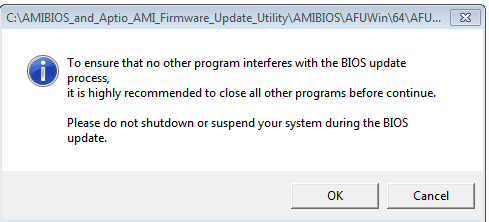
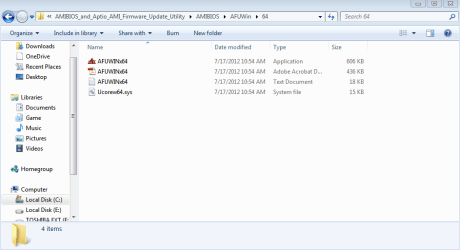
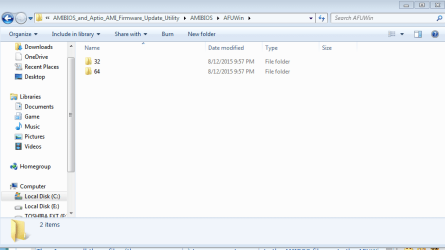
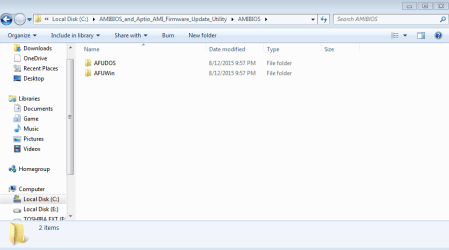
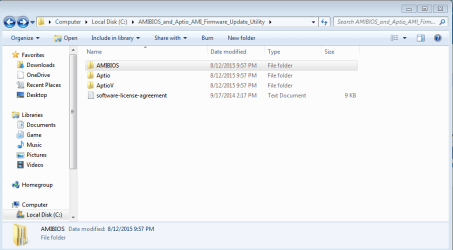
Then I move all those files (they come as a zip) to my computer, go into the AMIBOS file, go to the AFUWin file, then go to the 64 since my computer is 64-bit. In that file there's a "AFUWINx64" application which I assume is the program which should open and let me update the BIOS. But after I click that button a screen comes up which says it's recommended to close all programs, so I close all programs and then press "ok" but after I press that after one second everything freezes. The first time I did it I let the computer run for 10 minutes to see if anything would happen and nothing happend and the time stayed the same, so everything was frozen. I had to force shut it down. I tried it a couple more times and the same thing happens.. no program starts.. it just freezes.

I'll include screenshots of the files and then screen which I press "ok" on and then it freezes.
Please help! Thanks!
 

Attachments

  • amibios6.PNG
    amibios6.PNG
    5 KB · Views: 9
  • amibios5.PNG
    amibios5.PNG
    18 KB · Views: 0
  • amibios3.PNG
    amibios3.PNG
    16.9 KB · Views: 0
  • amibios2.PNG
    amibios2.PNG
    16.7 KB · Views: 0
  • amibios.PNG
    amibios.PNG
    20.1 KB · Views: 0

My Computer

Computer type
PC/Desktop
OS
Windows 7 64 bit
there is a 64 and 32 folder, try the x32 version.
 

My Computer

Computer type
Laptop
Computer Manufacturer/Model Number
Dell
OS
Windows 7 Enterprise x64
CPU
Intel i5 Dual Core
Screen Resolution
1366x768
Keyboard
built in Keyboard
Antivirus
System Centre Endpoint Protection
Browser
Google Chrome, Firefox and Internet Explorer
there is a 64 and 32 folder, try the x32 version.

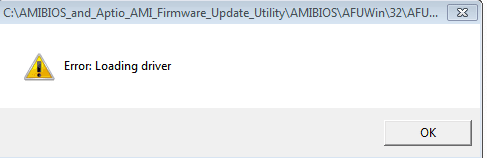
Just tried it and I got an error message. "Error: Loading driver"
 

Attachments

  • error.PNG
    error.PNG
    3.1 KB · Views: 10

My Computer

Computer type
PC/Desktop
OS
Windows 7 64 bit
try downloading it again, you my have had a dodgy download.
 

My Computer

Computer type
Laptop
Computer Manufacturer/Model Number
Dell
OS
Windows 7 Enterprise x64
CPU
Intel i5 Dual Core
Screen Resolution
1366x768
Keyboard
built in Keyboard
Antivirus
System Centre Endpoint Protection
Browser
Google Chrome, Firefox and Internet Explorer
ok, try again, this time right click and say run as administrator
 

My Computer

Computer type
Laptop
Computer Manufacturer/Model Number
Dell
OS
Windows 7 Enterprise x64
CPU
Intel i5 Dual Core
Screen Resolution
1366x768
Keyboard
built in Keyboard
Antivirus
System Centre Endpoint Protection
Browser
Google Chrome, Firefox and Internet Explorer
ok, try again, this time right click and say run as administrator

Tried that and it did the same thing as before.
I did it a different way though. Instead of going through American Megatrends I went directly to my motherboards manufacturer. My motherboard is ASRock Z77 Extreme 6, so I went here ASRock > Z77 Extreme6 and installed the 2.8 (7/23/13) for windows. It was successful and it now says I have "P2.80" where it previously said "P2.60"
But.. my latency is still the same as it was before. I even disabled CPU throttling in the BIOS and that didn't change anything either.
Attached is a screenshot of LatencyMon after this BIOS update.
 

Attachments

  • Lat.PNG
    Lat.PNG
    31.6 KB · Views: 1

My Computer

Computer type
PC/Desktop
OS
Windows 7 64 bit
next thing to consider is the audio drivers, check them for updates and if needed update them and try again.
 

My Computer

Computer type
Laptop
Computer Manufacturer/Model Number
Dell
OS
Windows 7 Enterprise x64
CPU
Intel i5 Dual Core
Screen Resolution
1366x768
Keyboard
built in Keyboard
Antivirus
System Centre Endpoint Protection
Browser
Google Chrome, Firefox and Internet Explorer
next thing to consider is the audio drivers, check them for updates and if needed update them and try again.

Updated the audio (and video drivers while I was at it) and everything is still the same.
Attached updated LatencyMon screenshots after letting it run for 20 minutes.
 

Attachments

  • Lat2.PNG
    Lat2.PNG
    41.8 KB · Views: 1
  • Lat.PNG
    Lat.PNG
    35.7 KB · Views: 2

My Computer

Computer type
PC/Desktop
OS
Windows 7 64 bit
Do you think getting a dedicated soundcard would fix this problem?
I'm so stuck on how to fix this that I wouldn't mind spending a little if it meant getting rid of these sound errors. :\
 

My Computer

Computer type
PC/Desktop
OS
Windows 7 64 bit
maybe...
 

My Computer

Computer type
Laptop
Computer Manufacturer/Model Number
Dell
OS
Windows 7 Enterprise x64
CPU
Intel i5 Dual Core
Screen Resolution
1366x768
Keyboard
built in Keyboard
Antivirus
System Centre Endpoint Protection
Browser
Google Chrome, Firefox and Internet Explorer
I just found something really interesting.
My mom and dad both have computers as well, so I decided out of curiosity to run Latency Mon on their computers to see if they might have the same problem. LatencyMon said both of their computers also have real time audio/video problems.
Attached is the screenshots of their LatencyMon results.
 

Attachments

  • dad.png
    dad.png
    40.1 KB · Views: 0
  • dad 2.png
    dad 2.png
    47.6 KB · Views: 0
  • mom.png
    mom.png
    28.5 KB · Views: 0
  • mom 2.png
    mom 2.png
    25.9 KB · Views: 0

My Computer

Computer type
PC/Desktop
OS
Windows 7 64 bit
maybe it is a normal thing... sometimes things can seem like errors ut are actually completely normal.
 

My Computer

Computer type
Laptop
Computer Manufacturer/Model Number
Dell
OS
Windows 7 Enterprise x64
CPU
Intel i5 Dual Core
Screen Resolution
1366x768
Keyboard
built in Keyboard
Antivirus
System Centre Endpoint Protection
Browser
Google Chrome, Firefox and Internet Explorer
Back
Top