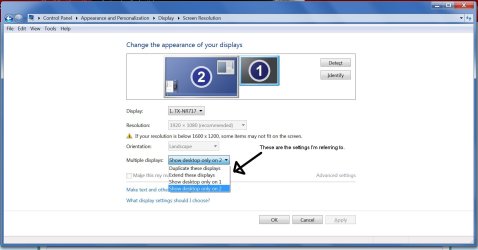
Windows 7 Ultimate x64 system with 2 monitors - 1 DVI, 1 VGA
Intel HD 3000 Video
Hi -
I'm struggling to find the cause of a condition where, when I am playing a Youtube video, the monitor connected to the DVI input will blank after a short period (maybe 5 seconds into the video, maybe a minute).
Here is a list of what I've done (none of these resolved my issue):
1. Switch between using Firefox and Iexplorer
2. Disabled (MsConfig) all startup items and non microsoft services
3. Tried to update video driver - No new driver available ( Driver is Intel driver)
4. Uninstalled video driver and reinstalled.
5. Performed a memory test and no problems found
6. Ran a graphics stress test application - no blanking issues found.
7. Checked the Power Saving - Monitor set to never turn off
I need to get a second monitor with DVI and determine whether the monitor is the issue, I suppose.
The monitor, however, works like a champ otherwise. Could the monitor be the reason?
I would appreciate any suggestions.
Thanks
Jim
Intel HD 3000 Video
Hi -
I'm struggling to find the cause of a condition where, when I am playing a Youtube video, the monitor connected to the DVI input will blank after a short period (maybe 5 seconds into the video, maybe a minute).
Here is a list of what I've done (none of these resolved my issue):
1. Switch between using Firefox and Iexplorer
2. Disabled (MsConfig) all startup items and non microsoft services
3. Tried to update video driver - No new driver available ( Driver is Intel driver)
4. Uninstalled video driver and reinstalled.
5. Performed a memory test and no problems found
6. Ran a graphics stress test application - no blanking issues found.
7. Checked the Power Saving - Monitor set to never turn off
I need to get a second monitor with DVI and determine whether the monitor is the issue, I suppose.
The monitor, however, works like a champ otherwise. Could the monitor be the reason?
I would appreciate any suggestions.
Thanks
Jim
My Computer
At a glance
Windows 7 Ultimate x64
- Computer type
- PC/Desktop
- OS
- Windows 7 Ultimate x64