avast installation problem...help me

nfsworldpinoy

New member
Member
VIP
Local time
5:33 AM
Messages
117
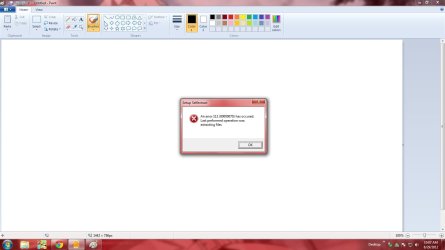
this is what i get when im opening avast..after loading the buffer symbol this is what i get what is supposed to be the problem
 

Attachments

  • avast.jpg
    avast.jpg
    62.4 KB · Views: 30

My Computer

OS
windows xp pro 32-bit
Sometimes program installations can be corrupted through no fault of the user. Go to Control Panel > Programs and Features and see if Avast is listed. If it is, uninstall it. Then use the official Avast uninstall utility to make sure all traces of Avast are removed. I'd also run a Disk Cleanup and delete any unnecessary non-system files (Step 4 in tutorial) just in case some Avast temp files may remain. Then use the official Avast download site (or your install disk if you're using the paid version) to reinstall. Hopefully this will solve the installation problem.

avast! Uninstall Utility | Download aswClear for avast! Removal

http://www.sevenforums.com/tutorials/818-disk-cleanup-open-use.html

avast! | Download Free Antivirus Software or Internet Security

NOTE: If you now have, or ever had, any other antivirus programs on your machine you should consider running that product's uninstall utility. Previous remnants could interfere with this installation.

Security Software | SingularLabs
 

My Computer

Computer type
Laptop
Computer Manufacturer/Model Number
Sony Vaio VPCEB47GM Laptop
OS
Win 7 Pro 64-bit
CPU
Intel i5 2.4 Ghz
Memory
8GB DDR3
Graphics Card(s)
Intel HD 3000
Sound Card
IDT High Definition
Monitor(s) Displays
15.6 WGXA Anti-Glare LED
Screen Resolution
1280x800
Hard Drives
640Gb 7200rpm
Antivirus
MSE
Browser
Opera (primary) with IE9 backup
Back
Top