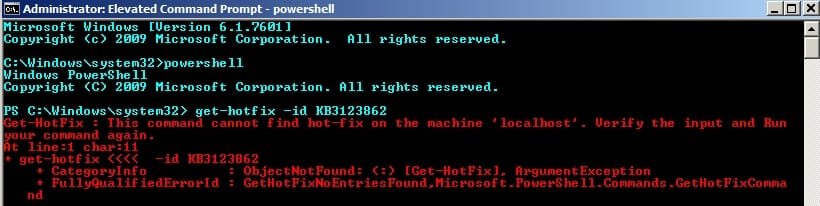
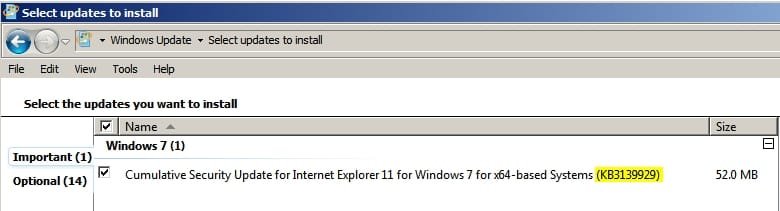
I think you need KB3123862 installed in addition to KB3146449 via the IE11 security update to get the banner to pop up when opening a new tab. I'm guessing Woody's problem in replicating the behavior is not having W10-related KB3123862 installed, which appeared sometime last week, and what I assume was consequently hidden.
So, even if you downloaded the IE11 cumulative update it won't trigger the banner when opening a new tab.
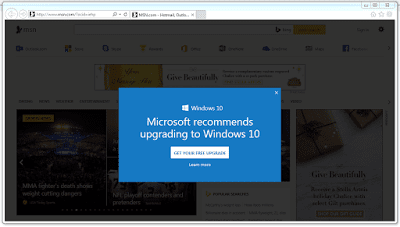
Thanks for the suggestion! I've been looking high and low for a screenshot of this phenomenon. Lots of people have sent me pictures of msn.com throwing up (I use the term intentionally) a "Microsoft recommends upgrading to Windows 10" ad. But msn.com has been running those forever.
I tried installing KB 3123862, as you recommend, and haven't seen an ad on a new tab yet.
I asked Microsoft about it and got the usual "we have nothing further to say" response. Not unexpected.
I'm still looking! Please, if any of you see a "Get Windows 10" ad on a new tab, shoot a picture.

I'm wondering if the sequence of installing KB3123862 and IE11 Cumulative Security update with the attached KB3146449 may have something to do whether users get this mysterious blue banner.
Perhaps when initiating Window Update, it scans and checks to see if KB3123862 is already installed, and if present it selectively includes KB3146449 as part of the IE11 Cumulative update.
I guess the only way of testing this theory would be to uninstall this month's IE11 Cumulative update and then manually check again for Windows Update with KB3123862 already installed.
P.S. Thanks for taking on the role of guinea pig on behalf of all of us who are not ready to upgrade to W10.
My Computer
At a glance
Windows 7 Home 64-bit
- Computer type
- PC/Desktop
- OS
- Windows 7 Home 64-bit