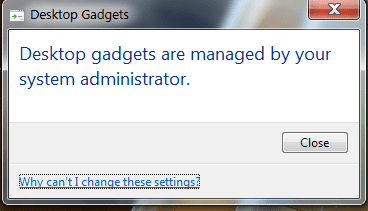
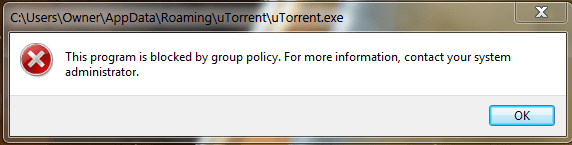
I've just got my computer back from a mechanic after reinstalling Microsoft OS, and I'm currently installing my old programs. However, some programs/functions are blocked by group policy.
I am the owner/admin, personal home computer, private network, not part of domain.
I've tried some methods mentioned in other threads such as running as admin, changing security policy to prompt for credentials, checking blocked programs in AppLocker. I've also tried resetting local group policy using BAT and VBS file, but none have worked so far.
There is one method I've been looking into before using, which is going into regedit and deleting some registries, but I've read that deleting the wrong file can wreck the OS. I'm hesitant about this because I'm not very proficient with computers.
Are there other solutions to this issue?
If not, perhaps someone could provide advice on how to modify registries.
I am the owner/admin, personal home computer, private network, not part of domain.
I've tried some methods mentioned in other threads such as running as admin, changing security policy to prompt for credentials, checking blocked programs in AppLocker. I've also tried resetting local group policy using BAT and VBS file, but none have worked so far.
There is one method I've been looking into before using, which is going into regedit and deleting some registries, but I've read that deleting the wrong file can wreck the OS. I'm hesitant about this because I'm not very proficient with computers.
Are there other solutions to this issue?
If not, perhaps someone could provide advice on how to modify registries.
My Computer
At a glance
Windows 7 professional x64Intel i5 4440k2x 4GB SamsungEVGA Geforce GTX 760
- Computer type
- PC/Desktop
- Computer Manufacturer/Model Number
- Custom Build
- OS
- Windows 7 professional x64
- CPU
- Intel i5 4440k
- Motherboard
- ASRock H81M-DGS
- Memory
- 2x 4GB Samsung
- Graphics Card(s)
- EVGA Geforce GTX 760
- Hard Drives
- -256 GB Samsung Solid State
-500 GB Seagate HDD
- Antivirus
- N/A
- Browser
- Chrome