

AWN7F
New member
- Local time
- 1:01 AM
- Messages
- 6
got tthis problem for several day and my place call
"my little fun house"
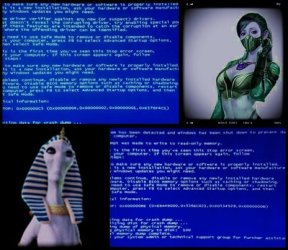
Problem signature:
Problem Event Name: BlueScreen
OS Version: 6.1.7601.2.1.0.256.48
Locale ID: 1033
Additional information about the problem:
BCCode: 1000007e
BCP1: C0000005
BCP2: 834A8F13
BCP3: 8CF9BB0C
BCP4: 8CF9B6F0
OS Version: 6_1_7601
Service Pack: 1_0
Files that help describe the problem:
C:\Windows\Minidump\042213-35568-01.dmp
C:\Users\CINDY\AppData\Local\Temp\WER-49046-0.sysdata.xml
Read our privacy statement online:
Windows 7 Privacy Statement
If the online privacy statement is not available, please read our privacy statement offline:
C:\Windows\system32\en-US\erofflps.txt
Lets run a SFC /scannow .
If SFC /SCANNOW locates any corrupted files please upload the log file . Log file could be located C:\Windows\Logs\CBS\CBS.log
Once that is complete. Run chkdsk /F /R . Open the Elevated command prompt as you did for SFC /SCANNOW.
#7sp1
Did you have any USB video devices attached? If so, disconnect them and see if that helps.
Also, please uninstall any software related to the USB video device. Then download a fresh copy and install it.
AMD OverDrive (AODDriver2.sys) is either a stand-alone application, or a component of the AMD VISION Engine Control Center. This driver is known to cause BSOD's on some Win7 systems.
Please uninstall all AMD/ATI video stuff from Control Panel...Programs...Uninstall a program
Then, download (but DO NOT install) a fresh copy of the ATI drivers from Global Provider of Innovative Graphics, Processors and Media Solutions | AMD (in the upper right corner of the page)
Use this procedure to install the DRIVER ONLY: ATI video cards - DRIVER ONLY installation procedure
If the device (AODDriver or AODDriver4.01) remains a problem, open Device Manager, select the "View" item.
Then select "Show hidden devices" and scroll down to the Non-Plug and Play Drivers section.
Locate the AODDriver entry, right click on it and select "Uninstall". Reboot for changes to take affect.
#threadorder
Sorry for not being clear. I specifically wondered why stated "...but I can't be sure." Why is that? What does the stop on the button desktop say?
As long as I'm correct about the wireless USB device, things should work just fine afterwards.
With BSOD's there shouldn't be any permanent damage as Windows is designed to "fail fast" and avoid problems that way. There is a chance of some corruption due to the BSOD's, but not as much as if you'd get by shutting down the computer by being hold the power switch (LMAO) end of it is time!!.
"my little fun house"
Problem signature:
Problem Event Name: BlueScreen
OS Version: 6.1.7601.2.1.0.256.48
Locale ID: 1033
Additional information about the problem:
BCCode: 1000007e
BCP1: C0000005
BCP2: 834A8F13
BCP3: 8CF9BB0C
BCP4: 8CF9B6F0
OS Version: 6_1_7601
Service Pack: 1_0
Files that help describe the problem:
C:\Windows\Minidump\042213-35568-01.dmp
C:\Users\CINDY\AppData\Local\Temp\WER-49046-0.sysdata.xml
Read our privacy statement online:
Windows 7 Privacy Statement
If the online privacy statement is not available, please read our privacy statement offline:
C:\Windows\system32\en-US\erofflps.txt
Lets run a SFC /scannow .
If SFC /SCANNOW locates any corrupted files please upload the log file . Log file could be located C:\Windows\Logs\CBS\CBS.log
Once that is complete. Run chkdsk /F /R . Open the Elevated command prompt as you did for SFC /SCANNOW.
#7sp1
Did you have any USB video devices attached? If so, disconnect them and see if that helps.
Also, please uninstall any software related to the USB video device. Then download a fresh copy and install it.
AMD OverDrive (AODDriver2.sys) is either a stand-alone application, or a component of the AMD VISION Engine Control Center. This driver is known to cause BSOD's on some Win7 systems.
Please uninstall all AMD/ATI video stuff from Control Panel...Programs...Uninstall a program
Then, download (but DO NOT install) a fresh copy of the ATI drivers from Global Provider of Innovative Graphics, Processors and Media Solutions | AMD (in the upper right corner of the page)
Use this procedure to install the DRIVER ONLY: ATI video cards - DRIVER ONLY installation procedure
If the device (AODDriver or AODDriver4.01) remains a problem, open Device Manager, select the "View" item.
Then select "Show hidden devices" and scroll down to the Non-Plug and Play Drivers section.
Locate the AODDriver entry, right click on it and select "Uninstall". Reboot for changes to take affect.
#threadorder
Sorry for not being clear. I specifically wondered why stated "...but I can't be sure." Why is that? What does the stop on the button desktop say?
As long as I'm correct about the wireless USB device, things should work just fine afterwards.
With BSOD's there shouldn't be any permanent damage as Windows is designed to "fail fast" and avoid problems that way. There is a chance of some corruption due to the BSOD's, but not as much as if you'd get by shutting down the computer by being hold the power switch (LMAO) end of it is time!!.
My Computer
At a glance
Microsoft Windows 7 Ultimate OS Version 6.1.7...Intel(R) Core(TM)2 Quad CPU [email protected]Total Memory 3.0 GBAMD Radeon HD 6570
- Computer type
- PC/Desktop
- Computer Manufacturer/Model Number
- ACER / MS-7512 MICRO-STAR INTERNATIONAL.CO.LTD
- OS
- Microsoft Windows 7 Ultimate OS Version 6.1.7601 Service Pac
- CPU
- Intel(R) Core(TM)2 Quad CPU [email protected]
- Motherboard
- x64 Family 6 Model 15 Stepping 11 P45 Platinum (MS-7512)
- Memory
- Total Memory 3.0 GB
- Graphics Card(s)
- AMD Radeon HD 6570
- Sound Card
- AMD High Definition Audio Device
- Monitor(s) Displays
- SM215 / AMD Radeon HD6570
- Screen Resolution
- 1366 x 768 x 75 hertz
- Hard Drives
- Name ST3250310AS ATA Device
Media Type Fixed hard disk media
Capability 232.9 GB
Interface Type IDE
Partitions 3
Total Cylinders
- Keyboard
- Standard PS2/ Keyboard
- Mouse
- Microsoft PS/2 Mouse
- Internet Speed
- 100Mbps
- Antivirus
- 360 Total Security
- Browser
- Firefox Developer Edition
