
I've received a blue screen with the error code 0x9F. I've also noticed some odd behavior during startup on Windows 11, where the screen briefly turns grey after the login page, and then continues loading Windows. Interestingly, Ctrl + Alt + Del still works during this grey screen, and I can see the available options when pressing the command.
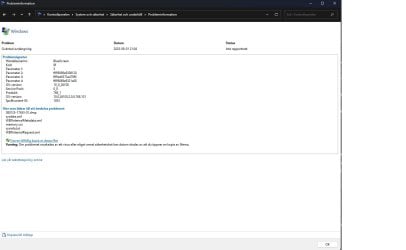
The blue screen seems to occur while playing Overwatch 2, at least for now. Here's the information from the crash: "The computer was restarted after a bugcheck. The bugcheck was: 0x0000009F (0x0000000000000003, 0xffff9089e9308120, 0xffffed0373a479f0, 0xffff9089e9321a60). A dump was saved in: C:\WINDOWS\Minidump\080125-17453-01.dmp. Report ID: ad850ff3-11b8-4145-b0d3-7298bf093873."
I've uploaded the DMP file in a ZIP format. Could someone please take a look and let me know what it points to? This is a brand-new system. If anyone is wondering about the language in the screenshot, I'm using the Swedish version of Windows 11.

My Computers
-
At a glance
Windows 11AMD Ryzen 7 9800X3D 8-Core ProcessorKingston Fury Beast DDR5 6000MHz 64GBASUS ROG Strix GeForce RTX 4070 Ti- Computer type
- PC/Desktop
- OS
- Windows 11
- CPU
- AMD Ryzen 7 9800X3D 8-Core Processor
- Motherboard
- ROG STRIX X870E-E GAMING WIFI
- Memory
- Kingston Fury Beast DDR5 6000MHz 64GB
- Graphics Card(s)
- ASUS ROG Strix GeForce RTX 4070 Ti
- Hard Drives
- Samsung 990 PRO intern SSD (4TB)
- Browser
- Chrome
-
- Computer type
- PC/Desktop
