
formation4
New member
- Local time
- 6:10 PM
- Messages
- 13
Hi there guys I have Windows 7 RC and have been using it it for months without any problems.
I installed Microsofts new AV program and that was running fine, I guess. Today I installed a wireless keyboard and was playing around with it and the system crashed. I restarted it and when it came to the boot screen (mine is dual boot with Vista) it just restarted. Tried Vista it came up with boot load error. I tried the RC disc to repair and first it said it fixed it but tried again and nothing. So I was thinking about re installing OS again, went through the setup and windows said it could not install on disk 0 partition 1 as that had a boot system, it just would not show that HD at all even though it has other partitions. When to the motherboard setting and there it only shows 1 WD HD and the Pioneer DVD-ROM. My system consists of the following
1 X Samsung 1TB, several partitions inc OS for both Win 7 and Vista
1 X WD 2TB, 2 partitons
1 X WD 2TB, no partitions
The Samsung did not show up nor did the other WD

I have now opened the case and plugged the samsung via USB to my XP machine and all partitions show up, on Win 7 the boot file is messed up and the Vista partition has no boot file at all.
How do I fix this guys.
 I dont mind re-installing Win 7 but there must be another way to do this, any help on this will be much appreciated thanks in advance guys
The WIN 7 OS partition, has a bootmsq file which is messed up, what does an original WIN 7 Boot msq file look like
I installed Microsofts new AV program and that was running fine, I guess. Today I installed a wireless keyboard and was playing around with it and the system crashed. I restarted it and when it came to the boot screen (mine is dual boot with Vista) it just restarted. Tried Vista it came up with boot load error. I tried the RC disc to repair and first it said it fixed it but tried again and nothing. So I was thinking about re installing OS again, went through the setup and windows said it could not install on disk 0 partition 1 as that had a boot system, it just would not show that HD at all even though it has other partitions. When to the motherboard setting and there it only shows 1 WD HD and the Pioneer DVD-ROM. My system consists of the following
1 X Samsung 1TB, several partitions inc OS for both Win 7 and Vista
1 X WD 2TB, 2 partitons
1 X WD 2TB, no partitions
The Samsung did not show up nor did the other WD
I have now opened the case and plugged the samsung via USB to my XP machine and all partitions show up, on Win 7 the boot file is messed up and the Vista partition has no boot file at all.
How do I fix this guys.
The WIN 7 OS partition, has a bootmsq file which is messed up, what does an original WIN 7 Boot msq file look like
My Computer
- Computer Manufacturer/Model Number
- Custom Built
- OS
- Windows 7 RC 64bit
- CPU
- Dual Core 2.53GHZ E7200
- Motherboard
- Gigabyte
- Memory
- 4GB Crucial Ballistix
- Graphics Card(s)
- Onboard HDMI
- Sound Card
- Asus Xonar
- Monitor(s) Displays
- Sony LCD
- Hard Drives
- 1 X Samsung F1
2 X WD 2TB
- PSU
- Silverstone Silent
- Case
- HFX Classic
- Cooling
- Passive
- Keyboard
- Microsoft laser 5000
- Mouse
- Microsoft laser 5000
- Internet Speed
- +1
- Other Info
- [B]Audio//[/B] Yamaha DSP A2 - ATC SCM 12 -7- C1A REL Q100E
[B]Video//[/B] Sony KDL40v4000 1080p LCD - US Sony BDP-S550 - US PS3 - Xbox360 -Mod Xbox
[B]HTPC//[/B] HFX Classic 5TB - Windows 7 RC1 64 bit


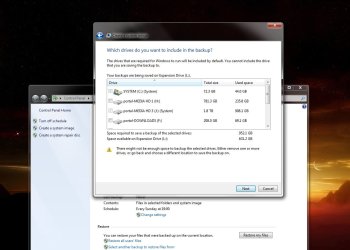
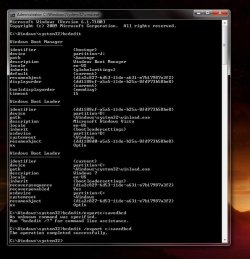
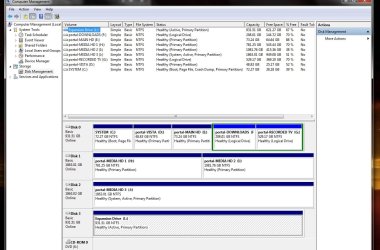
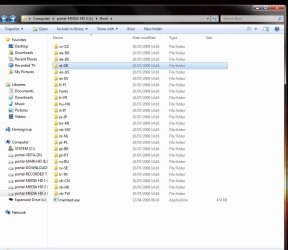
 well tomorrow its 2AM,
  , (it takes into account c: 75GB and j: 1.8TB