Hi there,
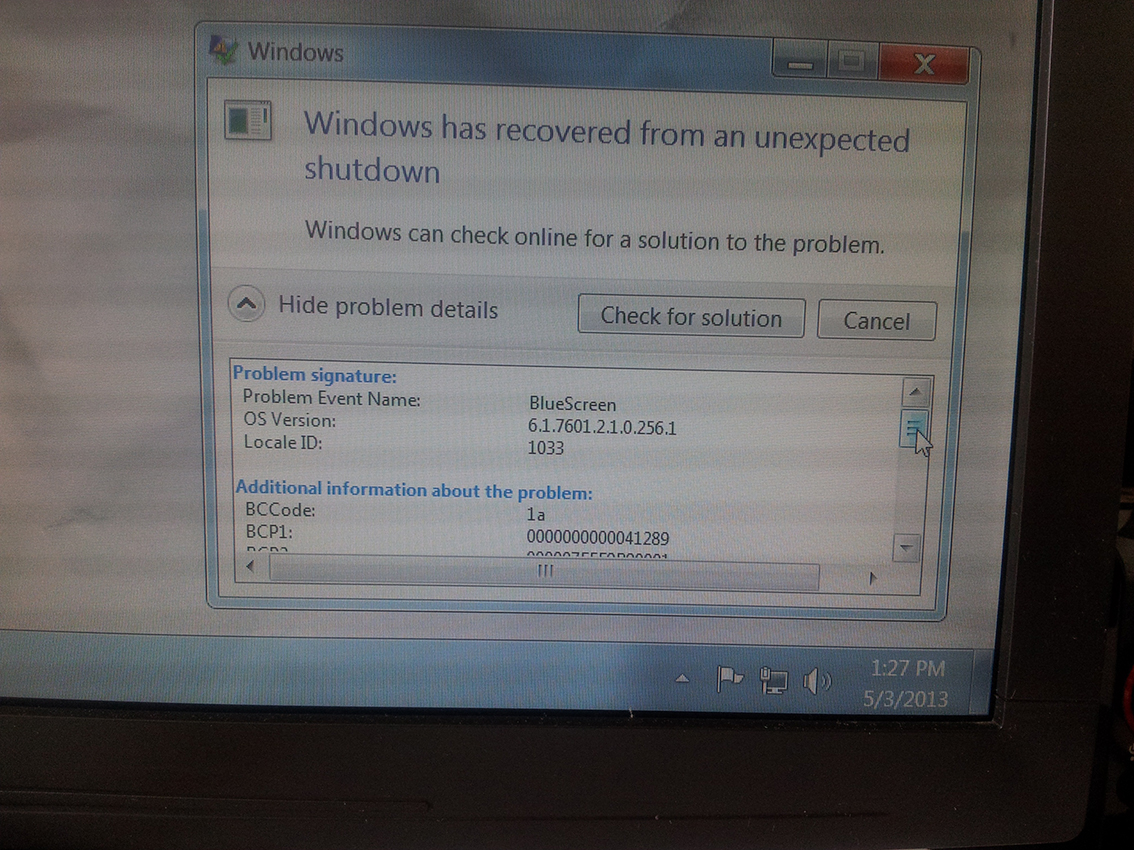
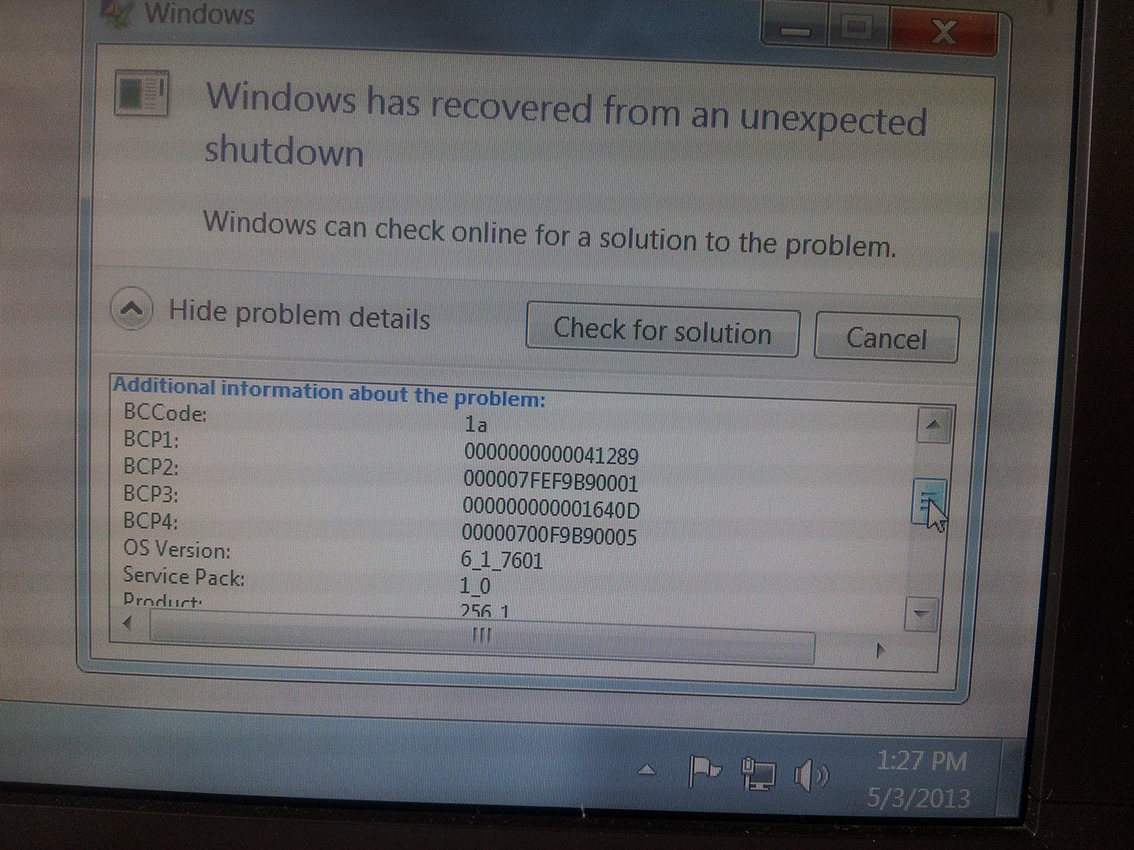
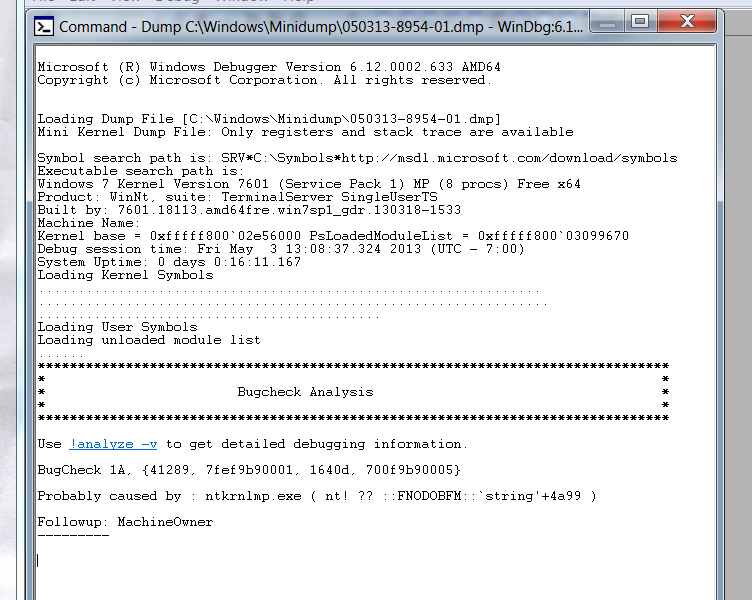
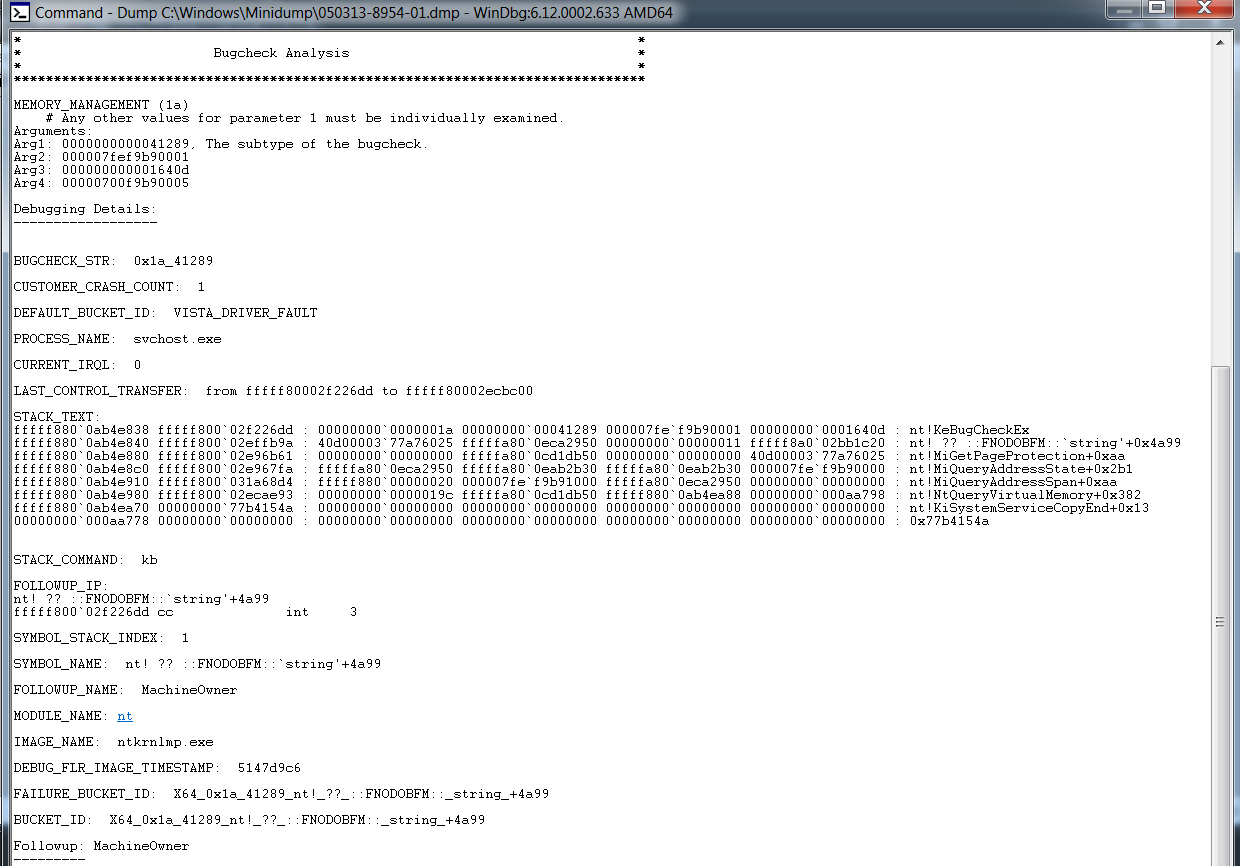
I am getting since few weeks blue screen error message and computer crash right after that. The problem become very persistent and two days ago I got crash again and at new booting the black screen poped up with a message :
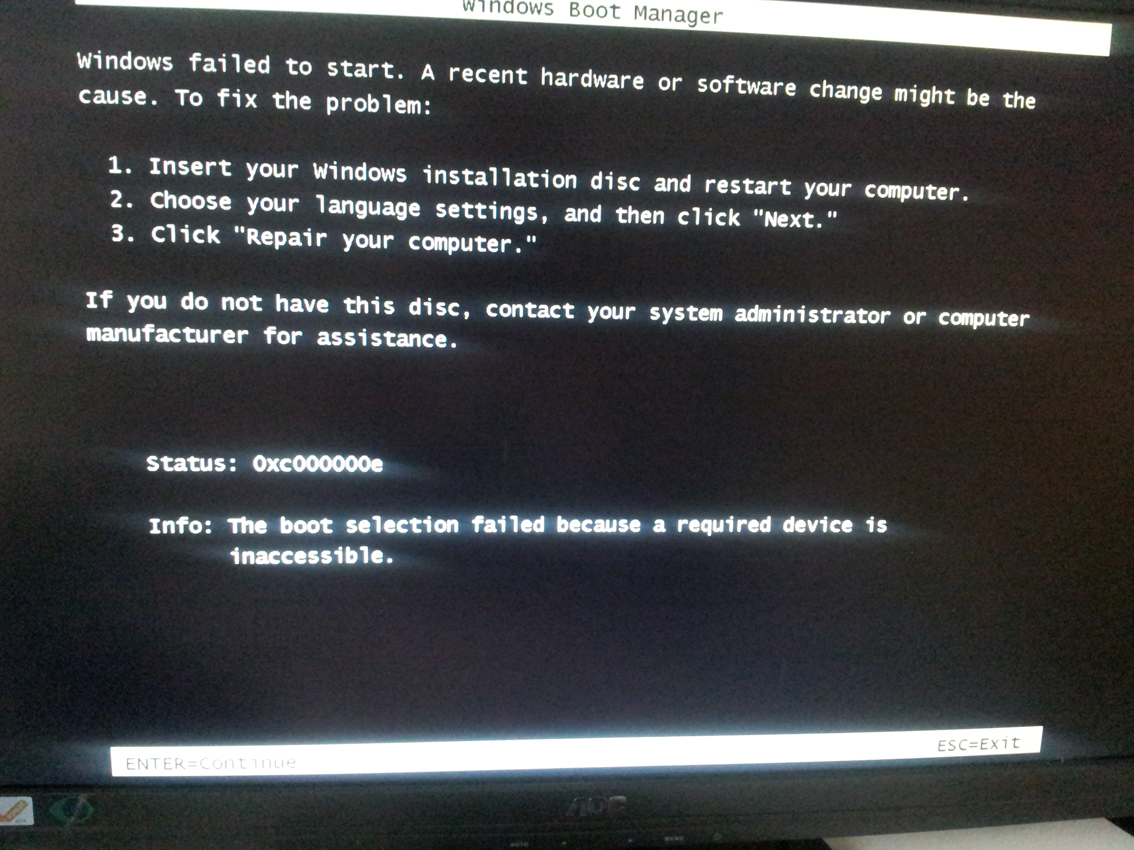
I went into Bios and make sure it boots in right order but I couldn't find my SSD disc at all. The order I had was:
P1: HL-DT-ST BD-RE BH10LS30 - Which is my DVD Rom
P4: WDC WD 6400AAKS-75A - my Internal HDD Wester Digital Caviar blue ...( it is not recongisable in windows environment though) - can't see it in My Computer.
UEFI disk is on the third position an is labeled same as first one DVD Rom with green UEFI label across the icon.
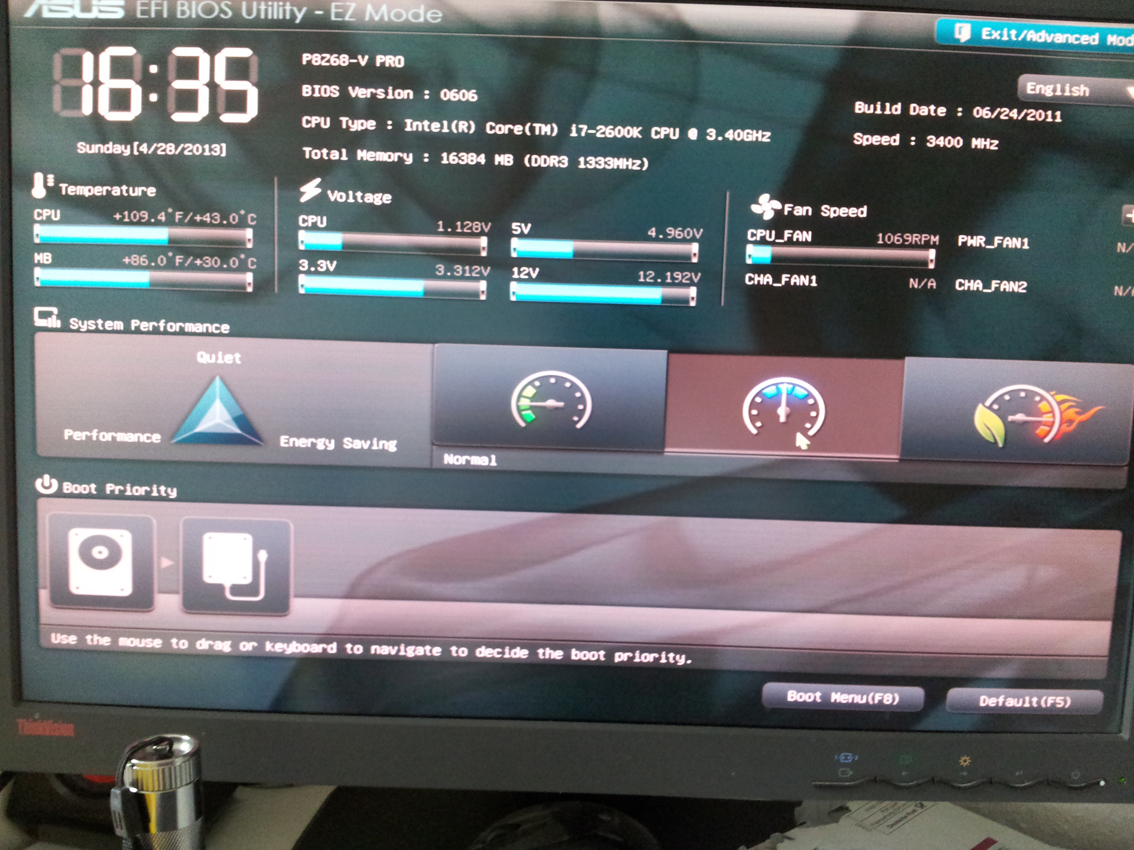
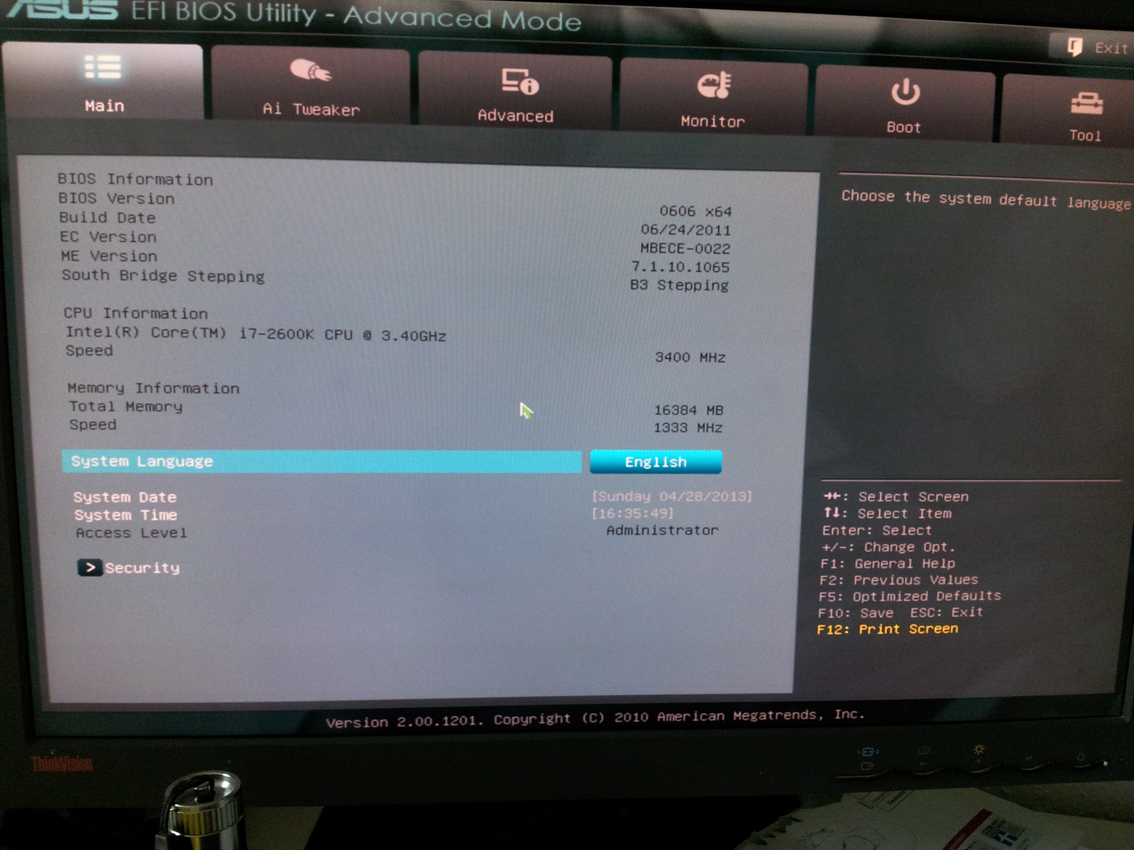
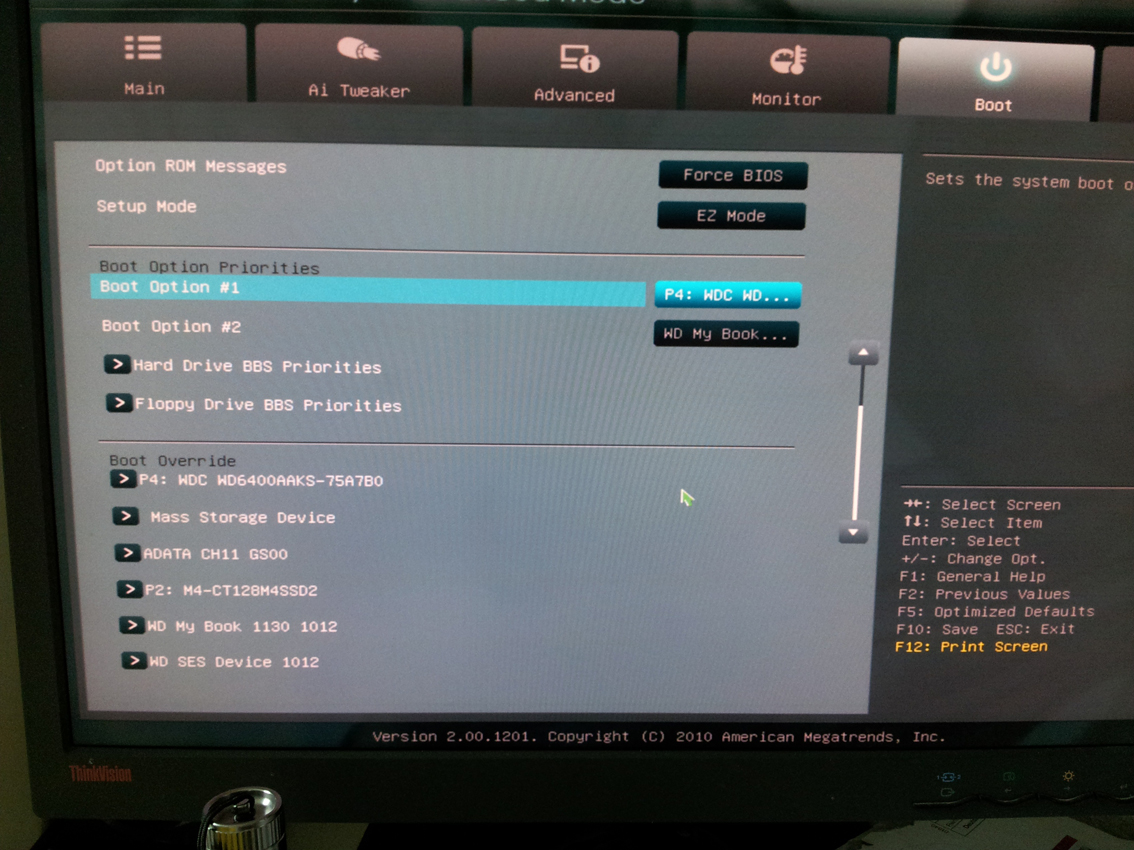
All in all it was keep going back to the error message.
I opened my case and switched SATA cables - then suddenly find my SSD in Boot queue, put discs in order
SSD, DVD, ... and booted correctly!!! nevertheless after 30 minutes problem appeared again and my SSD disapeared from boot queue in Bios but still appear in bios menu - where I cannot change order though (it does only in main view EZ Menu. Meanwhile I did next few restarts my CD Rom changed booting position in Bios for some reason - then I switched SATA cable again and set it back to order. The only option which allowed me to boot system with success was a reset button on the back of my mobo. Didn't work every time however. computer keep freezing approx ever half an hour and I don't know what to do.
I Cannot set right order in Bios as my SSD is not recognised in bios boot order - while it does in bios menu!!
HELP!
I am getting since few weeks blue screen error message and computer crash right after that. The problem become very persistent and two days ago I got crash again and at new booting the black screen poped up with a message :
I went into Bios and make sure it boots in right order but I couldn't find my SSD disc at all. The order I had was:
P1: HL-DT-ST BD-RE BH10LS30 - Which is my DVD Rom
P4: WDC WD 6400AAKS-75A - my Internal HDD Wester Digital Caviar blue ...( it is not recongisable in windows environment though) - can't see it in My Computer.
UEFI disk is on the third position an is labeled same as first one DVD Rom with green UEFI label across the icon.
All in all it was keep going back to the error message.
I opened my case and switched SATA cables - then suddenly find my SSD in Boot queue, put discs in order
SSD, DVD, ... and booted correctly!!! nevertheless after 30 minutes problem appeared again and my SSD disapeared from boot queue in Bios but still appear in bios menu - where I cannot change order though (it does only in main view EZ Menu. Meanwhile I did next few restarts my CD Rom changed booting position in Bios for some reason - then I switched SATA cable again and set it back to order. The only option which allowed me to boot system with success was a reset button on the back of my mobo. Didn't work every time however. computer keep freezing approx ever half an hour and I don't know what to do.
I Cannot set right order in Bios as my SSD is not recognised in bios boot order - while it does in bios menu!!
HELP!
Last edited:
My Computer
At a glance
Windows 7 Ultimate x64Intel Core i7-2600K CPU @3.40 GHz16 GBAMD Radeon HD 6900 Series
- Computer type
- PC/Desktop
- Computer Manufacturer/Model Number
- Custom build
- OS
- Windows 7 Ultimate x64
- CPU
- Intel Core i7-2600K CPU @3.40 GHz
- Motherboard
- ASUS P8Z68-V PRO
- Memory
- 16 GB
- Graphics Card(s)
- AMD Radeon HD 6900 Series
- Hard Drives
- M4 - CT128M4SSD2 ATA Device
WDC WD6400AAKS 75A7B0 ATA Device
WD My Book 1130 USB Device
- Antivirus
- Microsoft Security Essentials
- Browser
- Chrome