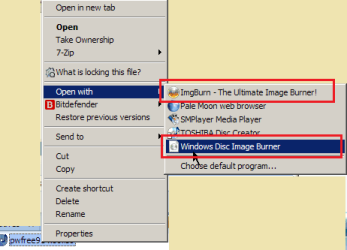
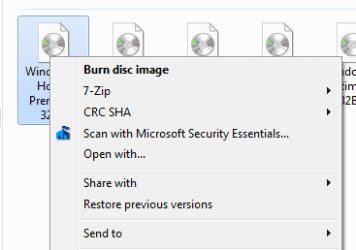
I have downloaded "pwfree91-x86.iso" from MiniTools.
Also downloaded Portable ImgBurn
My first experience with ISO files
New DVD+R into DVD tray
Open ImgBurn
Write Image file to disc (incl verify)
selected ISO file as source
output to default DVD tray
At the end a message that it failed
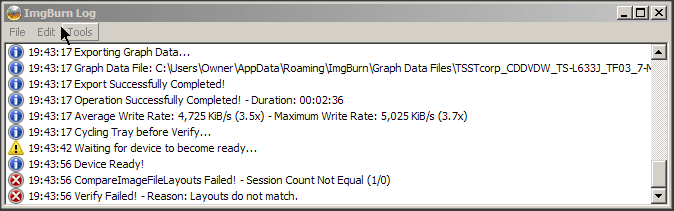
What am I doing wrong ? Am I missing a step somewhere ? (eg, pre formatting the disc ?)
- I am starting a coaster collection with the failures
I have already used "FreeISOBurner" -- no alerts but when I tried to boot the DVD from BIOS; Windows continued to boot.
- so I assume the "FreeISOBurner" was a failure
Would appreciate some help, thank you
Also downloaded Portable ImgBurn
My first experience with ISO files
New DVD+R into DVD tray
Open ImgBurn
Write Image file to disc (incl verify)
selected ISO file as source
output to default DVD tray
At the end a message that it failed
What am I doing wrong ? Am I missing a step somewhere ? (eg, pre formatting the disc ?)
- I am starting a coaster collection with the failures
I have already used "FreeISOBurner" -- no alerts but when I tried to boot the DVD from BIOS; Windows continued to boot.
- so I assume the "FreeISOBurner" was a failure
Would appreciate some help, thank you
My Computer
- Computer type
- PC/Desktop
- Computer Manufacturer/Model Number
- Toshiba, Lenovo (laptops) + 4 rigs
- OS
- XP Pro (x86) | 7 HP (x86) & (x64) | 7 Pro (x64)