
How to Change the Width of Window Borders
Information
Do you find the default with of the window borders too thin or too wide? This tutorial will show you how to change it to suite your taste.
Here's How:
1) Open control panel and click on Appearance and Personalization[
2) Click on Personalization and then Window Color at the bottom
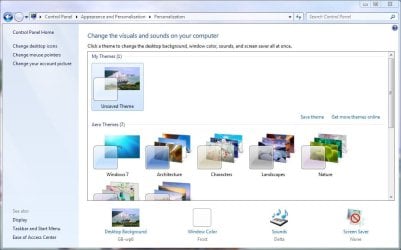
3) In the Window Color screen, click on Advanced appearance settings
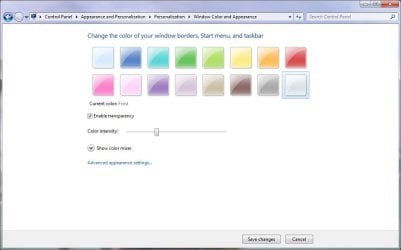
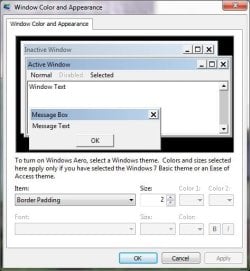
4) A dialog box will appear where you can change various aspects of the desktop appearance. In the item box, scroll down to Border Padding, and change the Size value to whatever you fancy then press ok.
NOTE: The default size is 4. The smaller the number, the thinner the border. The larger the number, the wider the border.
Note
This tutorial can also apply to Vista.
Have fun playing with this feature!
Last edited by a moderator:


 ) So pls help, anybody .. somebody!
