BSOD Analysis - Getting Started

Having the same problem with symbols:

Code:
Microsoft (R) Windows Debugger Version 6.2.9200.16384 X86
Copyright (c) Microsoft Corporation. All rights reserved.


Loading Dump File [C:\Windows\Minidump\090212-19437-01.dmp]
Mini Kernel Dump File: Only registers and stack trace are available

Symbol search path is: SRV*c:\symbols*http://msdl.microsoft.com/download/symbols
Executable search path is: 
Windows 7 Kernel Version 7601 (Service Pack 1) MP (8 procs) Free x64
Product: WinNt, suite: TerminalServer SingleUserTS Personal
Built by: 7601.17835.amd64fre.win7sp1_gdr.120503-2030
Machine Name:
Kernel base = 0xfffff800`03812000 PsLoadedModuleList = 0xfffff800`03a56670
Debug session time: Sun Sep  2 20:14:49.867 2012 (UTC - 4:00)
System Uptime: 0 days 1:15:37.929
Loading Kernel Symbols
...............................................................
................................................................
..............................
Loading User Symbols
Loading unloaded module list
........
*******************************************************************************
*                                                                             *
*                        Bugcheck Analysis                                    *
*                                                                             *
*******************************************************************************

Use !analyze -v to get detailed debugging information.

BugCheck 1E, {0, 0, 0, 0}

*************************************************************************
***                                                                   ***
***                                                                   ***
***    Either you specified an unqualified symbol, or your debugger   ***
***    doesn't have full symbol information.  Unqualified symbol      ***
***    resolution is turned off by default. Please either specify a   ***
***    fully qualified symbol module!symbolname, or enable resolution ***
***    of unqualified symbols by typing ".symopt- 100". Note that   ***
***    enabling unqualified symbol resolution with network symbol     ***
***    server shares in the symbol path may cause the debugger to     ***
***    appear to hang for long periods of time when an incorrect      ***
***    symbol name is typed or the network symbol server is down.     ***
***                                                                   ***
***    For some commands to work properly, your symbol path           ***
***    must point to .pdb files that have full type information.      ***
***                                                                   ***
***    Certain .pdb files (such as the public OS symbols) do not      ***
***    contain the required information.  Contact the group that      ***
***    provided you with these symbols if you need this command to    ***
***    work.                                                          ***
***                                                                   ***
***    Type referenced: ExceptionRecord                               ***
***                                                                   ***
*************************************************************************
*************************************************************************
***                                                                   ***
***                                                                   ***
***    Either you specified an unqualified symbol, or your debugger   ***
***    doesn't have full symbol information.  Unqualified symbol      ***
***    resolution is turned off by default. Please either specify a   ***
***    fully qualified symbol module!symbolname, or enable resolution ***
***    of unqualified symbols by typing ".symopt- 100". Note that   ***
***    enabling unqualified symbol resolution with network symbol     ***
***    server shares in the symbol path may cause the debugger to     ***
***    appear to hang for long periods of time when an incorrect      ***
***    symbol name is typed or the network symbol server is down.     ***
***                                                                   ***
***    For some commands to work properly, your symbol path           ***
***    must point to .pdb files that have full type information.      ***
***                                                                   ***
***    Certain .pdb files (such as the public OS symbols) do not      ***
***    contain the required information.  Contact the group that      ***
***    provided you with these symbols if you need this command to    ***
***    work.                                                          ***
***                                                                   ***
***    Type referenced: ContextRecord                                 ***
***                                                                   ***
*************************************************************************
*************************************************************************
***                                                                   ***
***                                                                   ***
***    Either you specified an unqualified symbol, or your debugger   ***
***    doesn't have full symbol information.  Unqualified symbol      ***
***    resolution is turned off by default. Please either specify a   ***
***    fully qualified symbol module!symbolname, or enable resolution ***
***    of unqualified symbols by typing ".symopt- 100". Note that   ***
***    enabling unqualified symbol resolution with network symbol     ***
***    server shares in the symbol path may cause the debugger to     ***
***    appear to hang for long periods of time when an incorrect      ***
***    symbol name is typed or the network symbol server is down.     ***
***                                                                   ***
***    For some commands to work properly, your symbol path           ***
***    must point to .pdb files that have full type information.      ***
***                                                                   ***
***    Certain .pdb files (such as the public OS symbols) do not      ***
***    contain the required information.  Contact the group that      ***
***    provided you with these symbols if you need this command to    ***
***    work.                                                          ***
***                                                                   ***
***    Type referenced: ExceptionRecord                               ***
***                                                                   ***
*************************************************************************
*************************************************************************
***                                                                   ***
***                                                                   ***
***    Either you specified an unqualified symbol, or your debugger   ***
***    doesn't have full symbol information.  Unqualified symbol      ***
***    resolution is turned off by default. Please either specify a   ***
***    fully qualified symbol module!symbolname, or enable resolution ***
***    of unqualified symbols by typing ".symopt- 100". Note that   ***
***    enabling unqualified symbol resolution with network symbol     ***
***    server shares in the symbol path may cause the debugger to     ***
***    appear to hang for long periods of time when an incorrect      ***
***    symbol name is typed or the network symbol server is down.     ***
***                                                                   ***
***    For some commands to work properly, your symbol path           ***
***    must point to .pdb files that have full type information.      ***
***                                                                   ***
***    Certain .pdb files (such as the public OS symbols) do not      ***
***    contain the required information.  Contact the group that      ***
***    provided you with these symbols if you need this command to    ***
***    work.                                                          ***
***                                                                   ***
***    Type referenced: ContextRecord                                 ***
***                                                                   ***
*************************************************************************
*** WARNING: Unable to verify timestamp for win32k.sys
*** ERROR: Module load completed but symbols could not be loaded for win32k.sys
Probably caused by : ntkrnlmp.exe ( nt!KiKernelCalloutExceptionHandler+e )

Followup: MachineOwner
---------
 

My Computer

Computer Manufacturer/Model Number
CyberPower Inc
OS
Windows 7 Home Premium 64bit
CPU
AMD FX-8150 Eight-Core Processor 3.60Ghz
Motherboard
Gigabyte GA-970a-d3
Memory
2x 8GB (16GB) DDR-5
Graphics Card(s)
Gigabyte HD7850 2GB Factory OC
Sound Card
Realtek HD Audio
Monitor(s) Displays
HP w2207h 22" Flat LCD
Hard Drives
Seagate Barracuda 2TB 7200RPM
PSU
Coonix 850w
There has been a common issue with Win32k symbols lately from the symbol server which many believe to be server-side problems. If you wish, you should verify by doing .reload /o /f /v. The output would be beneficial.
 

My Computer

OS
Windows 7 64-bit
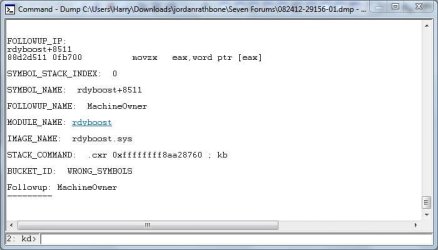
I've just downloaded a few dump files from the forums, and used the analysis tool for the files, so my question is it working properly (the debugger tool)?

I've started learning BSOD analysis

Thanks for any help,

Harry

EDIT:I think may got the problem resolved (:
 

Attachments

  • Dump File Analysis.JPG
    Dump File Analysis.JPG
    48 KB · Views: 48
  • Dump File Command.JPG
    Dump File Command.JPG
    32.5 KB · Views: 41
Last edited:

My Computer

Computer type
Laptop
You'll need to resolve your symbol issue here as it's complaining about incorrect symbols. Having wrong symbols or no symbols will be very detrimental to the accuracy of your analysis.
 

My Computer

OS
Windows 7 64-bit
Code:
SRV*c:\symbols*http://msdl.microsoft.com/download/symbols
Do I have to copy/paste this into File > Symbol File Path each time I open WinDbg? Isn't there away to tell it to always use that path?
 

My Computer

Computer type
PC/Desktop
Computer Manufacturer/Model Number
Golden Mk. I.4
OS
Windows 10 Pro x64 ; Xubuntu x64
CPU
Intel i7 860 @ 2.80 GHz O/C'ed to 4.0GHz
Motherboard
Gigabyte P55A-UD3R Rev.1. Award BIOS F13
Memory
16GB Corsair Vengance DDR3 @ 661 MHz Dual Channel (9-9-9-24)
Graphics Card(s)
EVGA NVidia GTX 560 1024MB
Sound Card
Realtek Integrated
Monitor(s) Displays
Dual Samsung SyncMaster 2494HS
Screen Resolution
1920*1080 and 1920*1080
Hard Drives
1*Samsung 840 EVO 120GB SSD;
1*OCZ Vertex 2 60GB SSD;
2*Samsung F3 SpinPoint 1TB in RAID0;
1*Samsung F1 SpinPoint 1TB;
2*Western Digital 1TB External USB 3.0
1*Western Digital 500GB External USB 3.0
1*Seagate 500GB External USB 2.0
PSU
Thermaltake ToughPower QFan 750W
Case
Thermaltake Element S VK60001W2Z
Cooling
Corsair H60 Water Cooling, 2*230mm and 2*80mm case fans
Keyboard
Logitech G110
Mouse
Logitech MX518
Code:
SRV*c:\symbols*http://msdl.microsoft.com/download/symbols
Do I have to copy/paste this into File > Symbol File Path each time I open WinDbg? Isn't there away to tell it to always use that path?

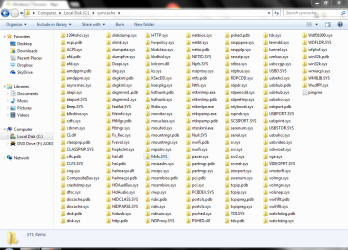
What do you mean? you should only have to do it, once and it stays. check your hard drive and find, that folder. It will slowly grow over time, here is an example of mine.
You should be in good condition after you set it just once.
 

Attachments

  • Capture2.PNG
    Capture2.PNG
    165.6 KB · Views: 10

My Computer

Computer type
Laptop
Computer Manufacturer/Model Number
Lenovo Y560 Laptop
OS
Microsoft Windows 7 Ultimate 64-bit 7601 Multiprocessor Free Service Pack 1
CPU
Intel(R) Core(TM) i7 CPU Q [email protected] (Turbo boost 2.93ghz)
Motherboard
Lenovo KL3
Memory
4.00 GB
Graphics Card(s)
ATI Mobility Radeon HD 5730
Sound Card
(1) ATI HDMI Audio (2) Realtek High Definition Audio
Monitor(s) Displays
1024 x 768 x 32 bits (4294967296 colors) @ 60 Hz
Screen Resolution
1366 x 768 x 32 bits (4294967296 colors) @ 60 Hz
Hard Drives
WDC WD5000BEVT-24A0RT0
Mouse
Logitech M305
Internet Speed
10 Mbps
Antivirus
My brain
Browser
Google Chrome
Other Info
Trying my best to learn.
Do it one time, and then File> save workspace. Then forget it. :)
 

My Computer

Computer type
PC/Desktop
Computer Manufacturer/Model Number
Self Assembled
OS
Microsoft Windows 10 Pro Insider Preview 64-bit
CPU
Intel(R) Core(TM) i3-4130 CPU @ 3.40GHz
Motherboard
Gigabyte Technology Co., Ltd. B85M-D3H
Memory
Corsair Vengence 4GB x2 (8.00GB Dual-Channel DDR3 @ 798MHz)
Graphics Card(s)
2047MB GeForce GTS 450 (ZOTAC International)
Sound Card
Onboard (Realtek High Definition Audio)
Monitor(s) Displays
LG Flatron E2040T
Screen Resolution
1600x900
Hard Drives
Western Digital 1 TB
Seagate 500 GB
PSU
Corsair VS550
Case
Cooler Master K380
Cooling
Cooler Master Seidon 120V Plus
Keyboard
Logitech MK260r
Mouse
Logitech MK260r
Internet Speed
PMPL Broadband
Antivirus
Windows Defender + MBAM
Browser
Firefox
Other Info
Dell Studio 15" Laptop
I tried some of the commands JK mentioned, but they dont seem to work for me:
Code:
0: kd> !sysinfo
!sysinfo [ cpuinfo | cpumicrocode | cpuspeed | gbl | machineid | registers | smbios ] [-csv | -noheaders]
0: kd> !sysinfo machineid
sysinfo: could not find necessary interfaces.
sysinfo: note that mssmbios.sys must be loaded (XPSP2+).
0: kd> !sysinfosmbios
No export sysinfosmbios found
0: kd> !sysinfo smbios
sysinfo: could not find necessary interfaces.
sysinfo: note that mssmbios.sys must be loaded (XPSP2+).
0: kd> process name
       ^ No runnable debuggees error in 'process name'
0: kd> PROCESS NAME
       ^ No runnable debuggees error in 'PROCESS NAME'
0: kd> PROCESS_NAME
       ^ No runnable debuggees error in 'PROCESS_NAME'
 

My Computer

Computer type
PC/Desktop
Computer Manufacturer/Model Number
Golden Mk. I.4
OS
Windows 10 Pro x64 ; Xubuntu x64
CPU
Intel i7 860 @ 2.80 GHz O/C'ed to 4.0GHz
Motherboard
Gigabyte P55A-UD3R Rev.1. Award BIOS F13
Memory
16GB Corsair Vengance DDR3 @ 661 MHz Dual Channel (9-9-9-24)
Graphics Card(s)
EVGA NVidia GTX 560 1024MB
Sound Card
Realtek Integrated
Monitor(s) Displays
Dual Samsung SyncMaster 2494HS
Screen Resolution
1920*1080 and 1920*1080
Hard Drives
1*Samsung 840 EVO 120GB SSD;
1*OCZ Vertex 2 60GB SSD;
2*Samsung F3 SpinPoint 1TB in RAID0;
1*Samsung F1 SpinPoint 1TB;
2*Western Digital 1TB External USB 3.0
1*Western Digital 500GB External USB 3.0
1*Seagate 500GB External USB 2.0
PSU
Thermaltake ToughPower QFan 750W
Case
Thermaltake Element S VK60001W2Z
Cooling
Corsair H60 Water Cooling, 2*230mm and 2*80mm case fans
Keyboard
Logitech G110
Mouse
Logitech MX518
Try with another dump file.

Some of them does not contain all the information.
 

My Computer

Computer type
PC/Desktop
Computer Manufacturer/Model Number
Self Assembled
OS
Microsoft Windows 10 Pro Insider Preview 64-bit
CPU
Intel(R) Core(TM) i3-4130 CPU @ 3.40GHz
Motherboard
Gigabyte Technology Co., Ltd. B85M-D3H
Memory
Corsair Vengence 4GB x2 (8.00GB Dual-Channel DDR3 @ 798MHz)
Graphics Card(s)
2047MB GeForce GTS 450 (ZOTAC International)
Sound Card
Onboard (Realtek High Definition Audio)
Monitor(s) Displays
LG Flatron E2040T
Screen Resolution
1600x900
Hard Drives
Western Digital 1 TB
Seagate 500 GB
PSU
Corsair VS550
Case
Cooler Master K380
Cooling
Cooler Master Seidon 120V Plus
Keyboard
Logitech MK260r
Mouse
Logitech MK260r
Internet Speed
PMPL Broadband
Antivirus
Windows Defender + MBAM
Browser
Firefox
Other Info
Dell Studio 15" Laptop
Ah OK - thanks Arc
 

My Computer

Computer type
PC/Desktop
Computer Manufacturer/Model Number
Golden Mk. I.4
OS
Windows 10 Pro x64 ; Xubuntu x64
CPU
Intel i7 860 @ 2.80 GHz O/C'ed to 4.0GHz
Motherboard
Gigabyte P55A-UD3R Rev.1. Award BIOS F13
Memory
16GB Corsair Vengance DDR3 @ 661 MHz Dual Channel (9-9-9-24)
Graphics Card(s)
EVGA NVidia GTX 560 1024MB
Sound Card
Realtek Integrated
Monitor(s) Displays
Dual Samsung SyncMaster 2494HS
Screen Resolution
1920*1080 and 1920*1080
Hard Drives
1*Samsung 840 EVO 120GB SSD;
1*OCZ Vertex 2 60GB SSD;
2*Samsung F3 SpinPoint 1TB in RAID0;
1*Samsung F1 SpinPoint 1TB;
2*Western Digital 1TB External USB 3.0
1*Western Digital 500GB External USB 3.0
1*Seagate 500GB External USB 2.0
PSU
Thermaltake ToughPower QFan 750W
Case
Thermaltake Element S VK60001W2Z
Cooling
Corsair H60 Water Cooling, 2*230mm and 2*80mm case fans
Keyboard
Logitech G110
Mouse
Logitech MX518
Are you getting the dumps to load and the !analyze –v opens the basic info?
 

My Computer

Computer type
PC/Desktop
Computer Manufacturer/Model Number
76~2.0
OS
Windows 7 Ult x64 - SP1/ Windows 8 Pro x64
CPU
Intel Core i5-3570K 4.6GHz
Motherboard
Gigabyte GA-Z77X UD3H, f18
Memory
8GB (2X4GB) DDR3 1600 Corsair Vengeance CL8 1.5v
Graphics Card(s)
Sapphire HD 7770 Vapor-X OC 1GB DDR5
Sound Card
Onboard VIA VT2021
Monitor(s) Displays
22" LCD Dell
Screen Resolution
1680x1050
Hard Drives
Samsung 840Pro 128GB SSD,
Seagate Barracuda 500GB SATA2 7200rpm 32MB cache, Seagate Barracuda 1TB SATA2 7200rpm 32MB cache,
PSU
Corsair HX650W
Case
Cooler Master Storm Scout
Cooling
Corsair H80 2x12cm Noctua NF P12 , 2x14cm case fans
Keyboard
Logitech Wave
Mouse
CM Sentinel
Internet Speed
Dismal
Antivirus
Avast
Browser
Opera Next
Other Info
Haswell laptop: HP Envy 17t-j, i7-4700MQ, GeForce 740M 2GB DDR3, 17.3" Full HD 1920x1080, 16GB RAM, Samsung 840 Pro 128GB, 1TB Hitachi 7200 HDD,
Desktop: eSATA ports,
External eSATA Seagate 500GB SATA2 7200rpm,
External WD USB 500GB
hey Dave. Yeah, I've been checking a few dmps. I actually found a 0x124 which I believe is hardware, and it actually listed a process name too.....

Its quite intimidating this stuff. I realise I can start with analyse -v, but its all the stuff after that, and it seems you need a fairly good grasp of all the windbg commands, and know exactly what to do next.

I don't know.....this is going to take a damn long time to get to grips with
 

My Computer

Computer type
PC/Desktop
Computer Manufacturer/Model Number
Golden Mk. I.4
OS
Windows 10 Pro x64 ; Xubuntu x64
CPU
Intel i7 860 @ 2.80 GHz O/C'ed to 4.0GHz
Motherboard
Gigabyte P55A-UD3R Rev.1. Award BIOS F13
Memory
16GB Corsair Vengance DDR3 @ 661 MHz Dual Channel (9-9-9-24)
Graphics Card(s)
EVGA NVidia GTX 560 1024MB
Sound Card
Realtek Integrated
Monitor(s) Displays
Dual Samsung SyncMaster 2494HS
Screen Resolution
1920*1080 and 1920*1080
Hard Drives
1*Samsung 840 EVO 120GB SSD;
1*OCZ Vertex 2 60GB SSD;
2*Samsung F3 SpinPoint 1TB in RAID0;
1*Samsung F1 SpinPoint 1TB;
2*Western Digital 1TB External USB 3.0
1*Western Digital 500GB External USB 3.0
1*Seagate 500GB External USB 2.0
PSU
Thermaltake ToughPower QFan 750W
Case
Thermaltake Element S VK60001W2Z
Cooling
Corsair H60 Water Cooling, 2*230mm and 2*80mm case fans
Keyboard
Logitech G110
Mouse
Logitech MX518

My Computer

Computer type
PC/Desktop
Computer Manufacturer/Model Number
Self Assembled
OS
Microsoft Windows 10 Pro Insider Preview 64-bit
CPU
Intel(R) Core(TM) i3-4130 CPU @ 3.40GHz
Motherboard
Gigabyte Technology Co., Ltd. B85M-D3H
Memory
Corsair Vengence 4GB x2 (8.00GB Dual-Channel DDR3 @ 798MHz)
Graphics Card(s)
2047MB GeForce GTS 450 (ZOTAC International)
Sound Card
Onboard (Realtek High Definition Audio)
Monitor(s) Displays
LG Flatron E2040T
Screen Resolution
1600x900
Hard Drives
Western Digital 1 TB
Seagate 500 GB
PSU
Corsair VS550
Case
Cooler Master K380
Cooling
Cooler Master Seidon 120V Plus
Keyboard
Logitech MK260r
Mouse
Logitech MK260r
Internet Speed
PMPL Broadband
Antivirus
Windows Defender + MBAM
Browser
Firefox
Other Info
Dell Studio 15" Laptop
The section Arc linked has a lot of good info.

A good source for Stop code info and driver info is usasma's site:
THE BSOD LISTING

Driver Reference Table

Also searching the System and APPs Event Logs can give good clues, use 'Find' and enter 'error', this will get you through it faster.
And don't forget your friend, preferred search engine.

You'll be flying through dumps by the end of next week.
Let us know when you have any questions.
 

My Computer

Computer type
PC/Desktop
Computer Manufacturer/Model Number
76~2.0
OS
Windows 7 Ult x64 - SP1/ Windows 8 Pro x64
CPU
Intel Core i5-3570K 4.6GHz
Motherboard
Gigabyte GA-Z77X UD3H, f18
Memory
8GB (2X4GB) DDR3 1600 Corsair Vengeance CL8 1.5v
Graphics Card(s)
Sapphire HD 7770 Vapor-X OC 1GB DDR5
Sound Card
Onboard VIA VT2021
Monitor(s) Displays
22" LCD Dell
Screen Resolution
1680x1050
Hard Drives
Samsung 840Pro 128GB SSD,
Seagate Barracuda 500GB SATA2 7200rpm 32MB cache, Seagate Barracuda 1TB SATA2 7200rpm 32MB cache,
PSU
Corsair HX650W
Case
Cooler Master Storm Scout
Cooling
Corsair H80 2x12cm Noctua NF P12 , 2x14cm case fans
Keyboard
Logitech Wave
Mouse
CM Sentinel
Internet Speed
Dismal
Antivirus
Avast
Browser
Opera Next
Other Info
Haswell laptop: HP Envy 17t-j, i7-4700MQ, GeForce 740M 2GB DDR3, 17.3" Full HD 1920x1080, 16GB RAM, Samsung 840 Pro 128GB, 1TB Hitachi 7200 HDD,
Desktop: eSATA ports,
External eSATA Seagate 500GB SATA2 7200rpm,
External WD USB 500GB
The article on 0x124 crashdumps ARC referred too is great, but is kinda outdated and uses an older, insufficient and more difficult method for gaining info on the problem. Your best bet is to just use the !errrec (yes, that's 3 'r's, not 2, as in error record) 'command'* in Windbg and give it Arg2 of the bugcheck code (2nd of the 4 numbers in parentheses next to the 0x124 number), so it'll be !errrec <Arg2> (no <> of course). That'll give you plenty of info, with certain lines like the actual error message which is a lot easier to read (and reliable) than whipping out an Intel/AMD dev manual and trying to interpret MCi status codes.

Articles that explain further are here and here.

* - In Windbg terminology, a command is something built into the Windbg (KD/CDB) engine, and is usually prefixed with a period (.) like .reload or .process, whereas an extension is something that adds more robust functionality and can be either included with Windbg, made personally or downloaded from a site (like cmkd), and they are prefixed with a bang (!), like !analyze or !thread. I just called !errrec - which is an extension - a command to prevent confusion, but it's really technically called an extension.
 

My Computer

OS
Windows 7 64-bit
Thanks for the information.

The more the better, we are all trying to learn and appreciate your input.
 

My Computer

Computer type
PC/Desktop
Computer Manufacturer/Model Number
76~2.0
OS
Windows 7 Ult x64 - SP1/ Windows 8 Pro x64
CPU
Intel Core i5-3570K 4.6GHz
Motherboard
Gigabyte GA-Z77X UD3H, f18
Memory
8GB (2X4GB) DDR3 1600 Corsair Vengeance CL8 1.5v
Graphics Card(s)
Sapphire HD 7770 Vapor-X OC 1GB DDR5
Sound Card
Onboard VIA VT2021
Monitor(s) Displays
22" LCD Dell
Screen Resolution
1680x1050
Hard Drives
Samsung 840Pro 128GB SSD,
Seagate Barracuda 500GB SATA2 7200rpm 32MB cache, Seagate Barracuda 1TB SATA2 7200rpm 32MB cache,
PSU
Corsair HX650W
Case
Cooler Master Storm Scout
Cooling
Corsair H80 2x12cm Noctua NF P12 , 2x14cm case fans
Keyboard
Logitech Wave
Mouse
CM Sentinel
Internet Speed
Dismal
Antivirus
Avast
Browser
Opera Next
Other Info
Haswell laptop: HP Envy 17t-j, i7-4700MQ, GeForce 740M 2GB DDR3, 17.3" Full HD 1920x1080, 16GB RAM, Samsung 840 Pro 128GB, 1TB Hitachi 7200 HDD,
Desktop: eSATA ports,
External eSATA Seagate 500GB SATA2 7200rpm,
External WD USB 500GB
:mad: This is like pulling teeth! I'm going to try Frederik's video's over the next few weeks and see if I can find the will to live through this stuff. The basic problem is I'm missing the fundamentals : I have no idea in which order I should proceed. I've grasped that Arg4 is important, but I don't know how to "tease" information from it (decipher the hexdecimal to mean something to me), or even if its the right information. For example:

Code:
2: kd> !analyze -v
*******************************************************************************
*                                                                             *
*                        Bugcheck Analysis                                    *
*                                                                             *
*******************************************************************************

MEMORY_MANAGEMENT (1a)
    # Any other values for parameter 1 must be individually examined.
Arguments:
Arg1: 0000000000041289, The subtype of the bugcheck.
Arg2: 000007feee270001
Arg3: 0000000000000b68
Arg4: 000007fcee270005

Debugging Details:
------------------


BUGCHECK_STR:  0x1a_41289

CUSTOMER_CRASH_COUNT:  1

DEFAULT_BUCKET_ID:  VISTA_DRIVER_FAULT

PROCESS_NAME:  TrustedInstall
Code:
2: kd> lmvm nt*
start             end                 module name
fffff800`03002000 fffff800`035ea000   nt         (pdb symbols)          c:\symcache\ntkrnlmp.pdb\B2DA40502FA744C18B9022FD187ADB592\ntkrnlmp.pdb
    Loaded symbol image file: ntkrnlmp.exe
    Mapped memory image file: c:\symcache\ntoskrnl.exe\503F82BE5e8000\ntoskrnl.exe
    Image path: ntkrnlmp.exe
    Image name: ntkrnlmp.exe
    Timestamp:        Fri Aug 31 00:41:58 2012 (503F82BE)
    CheckSum:         00554126
    ImageSize:        005E8000
    File version:     6.1.7601.17944
    Product version:  6.1.7601.17944
    File flags:       0 (Mask 3F)
    File OS:          40004 NT Win32
    File type:        1.0 App
    File date:        00000000.00000000
    Translations:     0409.04b0
    CompanyName:      Microsoft Corporation
    ProductName:      Microsoft® Windows® Operating System
    InternalName:     ntkrnlmp.exe
    OriginalFilename: ntkrnlmp.exe
    ProductVersion:   6.1.7601.17944
    FileVersion:      6.1.7601.17944 (win7sp1_gdr.120830-0333)
    FileDescription:  NT Kernel & System
    LegalCopyright:   © Microsoft Corporation. All rights reserved.
fffff880`01235000 fffff880`013d8000   Ntfs       (deferred)             
    Mapped memory image file: c:\symcache\Ntfs.sys\5040D4C61a3000\Ntfs.sys
    Image path: \SystemRoot\System32\Drivers\Ntfs.sys
    Image name: Ntfs.sys
    Timestamp:        Sat Sep 01 00:44:14 2012 (5040D4C6)
    CheckSum:         0019EA7B
    ImageSize:        001A3000
    File version:     6.1.7601.17945
    Product version:  6.1.7601.17945
    File flags:       0 (Mask 3F)
    File OS:          40004 NT Win32
    File type:        3.7 Driver
    File date:        00000000.00000000
    Translations:     0409.04b0
    CompanyName:      Microsoft Corporation
    ProductName:      Microsoft® Windows® Operating System
    InternalName:     ntfs.sys
    OriginalFilename: ntfs.sys
    ProductVersion:   6.1.7601.17945
    FileVersion:      6.1.7601.17945 (win7sp1_gdr.120831-0331)
    FileDescription:  NT File System Driver
    LegalCopyright:   © Microsoft Corporation. All rights reserved.
There is such a vast array of commands available, I wouldn't even know where to start......
 

My Computer

Computer type
PC/Desktop
Computer Manufacturer/Model Number
Golden Mk. I.4
OS
Windows 10 Pro x64 ; Xubuntu x64
CPU
Intel i7 860 @ 2.80 GHz O/C'ed to 4.0GHz
Motherboard
Gigabyte P55A-UD3R Rev.1. Award BIOS F13
Memory
16GB Corsair Vengance DDR3 @ 661 MHz Dual Channel (9-9-9-24)
Graphics Card(s)
EVGA NVidia GTX 560 1024MB
Sound Card
Realtek Integrated
Monitor(s) Displays
Dual Samsung SyncMaster 2494HS
Screen Resolution
1920*1080 and 1920*1080
Hard Drives
1*Samsung 840 EVO 120GB SSD;
1*OCZ Vertex 2 60GB SSD;
2*Samsung F3 SpinPoint 1TB in RAID0;
1*Samsung F1 SpinPoint 1TB;
2*Western Digital 1TB External USB 3.0
1*Western Digital 500GB External USB 3.0
1*Seagate 500GB External USB 2.0
PSU
Thermaltake ToughPower QFan 750W
Case
Thermaltake Element S VK60001W2Z
Cooling
Corsair H60 Water Cooling, 2*230mm and 2*80mm case fans
Keyboard
Logitech G110
Mouse
Logitech MX518
There's just some types of crashdumps that are indecipherable because they actually provide details only accessible to those with private access to Windows code, like Windows development and support teams. The 0x1A crashes are often a prime example. The only item of much importance with a 0x1A bugcheck is Arg1, which is the subcode. If the subcode present is not mentioned in the list offered by the Windbg help manual for that particular bugcheck, then just disregard it and consider the crashdump worthless.

Even the best and brightest kernel debugging analysts can be easily stumped by a crashdump. Not every crashdump provided can offer relevant information. Some of them just happen too late and the culprit has already left the scene, or they just offer too little detail. The best step for a person doing debugging of this nature is to first make it so that a crashdump will provide something meaningful. Often this would mean turning on Driver Verifier, doing manual crashing, reading a kernel dump instead of a minidump, collecting more minidumps, etc. etc.. If what you have right now is making you scratch your head, STOP, and get more information. Driver Verifier is always the best start for this.

Yes, there's a lot of commands, and there's a lot of information, because we're dealing with a robust OS from the ground up, so learning about all of its intricate parts can kinda be necessary. I have recommendations on literature, sites and whatnot for research purposes, as well as studying tips (like running through Windbg help manual on each command) here, but it's gonna boil down to how much you're willing to learn on it.

Kernel debugging and crashdump analysis is not an entry-level profession. The people usually responsible for dealing with it are escalation engineers which are the highest echelon of computer engineering in the industry. However, it is also not an insurmountable obstacle. There is plenty of documentation and resources available to make the trek easier, but it's going to rely a lot on exposure and experience, which fortunately for here at SF is available in droves. Don't swallow more than you can stomach, and don't bite more than you can chew, and you should be able to make progress in understanding more and more about this field of study.

It's slow and methodical, but the benefits are great. Computer technicians and sysadmins that are able to do forensic troubleshooting like this are very, very few and far inbetween, and makes them stand head and shoulders over the rest of their peers in the industry. Knowledge like this will certainly not go unheeded, as it is a rare and treasured gem which few know of its value until they see it firsthand.
 

My Computer

OS
Windows 7 64-bit
Thats great feedback! Thanks. Yes, you summed it up nicely : I'm certainly at an entry-level trying to see what I can accomplish with the hardcore end of the business. Its frustrating to say the least, primarily due to my own impatience, if truth be known. But, I'll try and stick with it and spend more time trying to learn the best places to implement the commands in some logical fashion.
 

My Computer

Computer type
PC/Desktop
Computer Manufacturer/Model Number
Golden Mk. I.4
OS
Windows 10 Pro x64 ; Xubuntu x64
CPU
Intel i7 860 @ 2.80 GHz O/C'ed to 4.0GHz
Motherboard
Gigabyte P55A-UD3R Rev.1. Award BIOS F13
Memory
16GB Corsair Vengance DDR3 @ 661 MHz Dual Channel (9-9-9-24)
Graphics Card(s)
EVGA NVidia GTX 560 1024MB
Sound Card
Realtek Integrated
Monitor(s) Displays
Dual Samsung SyncMaster 2494HS
Screen Resolution
1920*1080 and 1920*1080
Hard Drives
1*Samsung 840 EVO 120GB SSD;
1*OCZ Vertex 2 60GB SSD;
2*Samsung F3 SpinPoint 1TB in RAID0;
1*Samsung F1 SpinPoint 1TB;
2*Western Digital 1TB External USB 3.0
1*Western Digital 500GB External USB 3.0
1*Seagate 500GB External USB 2.0
PSU
Thermaltake ToughPower QFan 750W
Case
Thermaltake Element S VK60001W2Z
Cooling
Corsair H60 Water Cooling, 2*230mm and 2*80mm case fans
Keyboard
Logitech G110
Mouse
Logitech MX518
Glad to hear it, skipper. Though don't forget to actually enjoy doing it once in a while. I love seeing it as nerdy detective work, considering myself a bit of a data sleuth who scrutinizes the trail of clues to eventually find the suspect. If you work at it as just that - a trail of evidence - then that can help with your analysis. Sometimes trails end abruptly and you'll want to start back at the crime scene and follow another trail, or you just need to reevaluate the whole thing. Sometimes even the most obvious potential suspect can end up being the most misleading.

It's a rather fascinating venture, and seeing the pieces fit together is always a satisfying experience. Once you learn to deep dive further into a crashdump to find more specific yet relevant details, it becomes more and more exciting - like learning to play an instrument and getting to the point where you can play your favorite songs.

Of course, like playing an instrument, this isn't something for everyone. If all this stuff does is end up making you tear your hair out and down Advil like it's M&Ms, then perhaps you're better off leaving this to someone else and focusing on other fields of study that cater more to your aptitude and interests. Nobody will hold it against you on that. We already know how difficult it is, so to see someone try to begrudgingly work through it with no satisfaction would be a living hell for them!
 

My Computer

OS
Windows 7 64-bit
Back
Top