
Hi guys!
i have been using this computer today since 4 hours ago and i have gotten two BSOD caused by cmdguard.sys
Have any idea what can i do to avoid this?
This is a Windows 10 machine, recently installed 5 days ago, so it is still downloading updates, you know it takes ages to finish.
Comodo antivirus i have installed always have been a very quiet and stable soteare, but now i am getting this, i dont know if it is comodo itself, or any Win10 updates that makes conflict with Comodo.
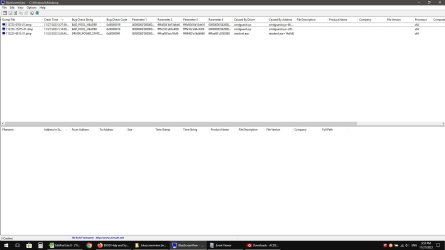
- - - Updated - - -
ok, i got a third BSOD right now, and due the same cause
i have been using this computer today since 4 hours ago and i have gotten two BSOD caused by cmdguard.sys
Have any idea what can i do to avoid this?
This is a Windows 10 machine, recently installed 5 days ago, so it is still downloading updates, you know it takes ages to finish.
Comodo antivirus i have installed always have been a very quiet and stable soteare, but now i am getting this, i dont know if it is comodo itself, or any Win10 updates that makes conflict with Comodo.
- - - Updated - - -
ok, i got a third BSOD right now, and due the same cause
My Computer
At a glance
widnows 7 professional 32 bits
- OS
- widnows 7 professional 32 bits

