
starsplash
New member
- Local time
- 9:20 PM
- Messages
- 14
Hello.
I have a laptop here which just keeps on restarting, it's pretty much in a reboot-loop and on booting it splashes a BSOD. The exact error is: DRIVER_IRQL_NOT_LESS_OR_EQUAL (and the cause seems to be "stornvme.sys"). I took a picture of it, seen below:
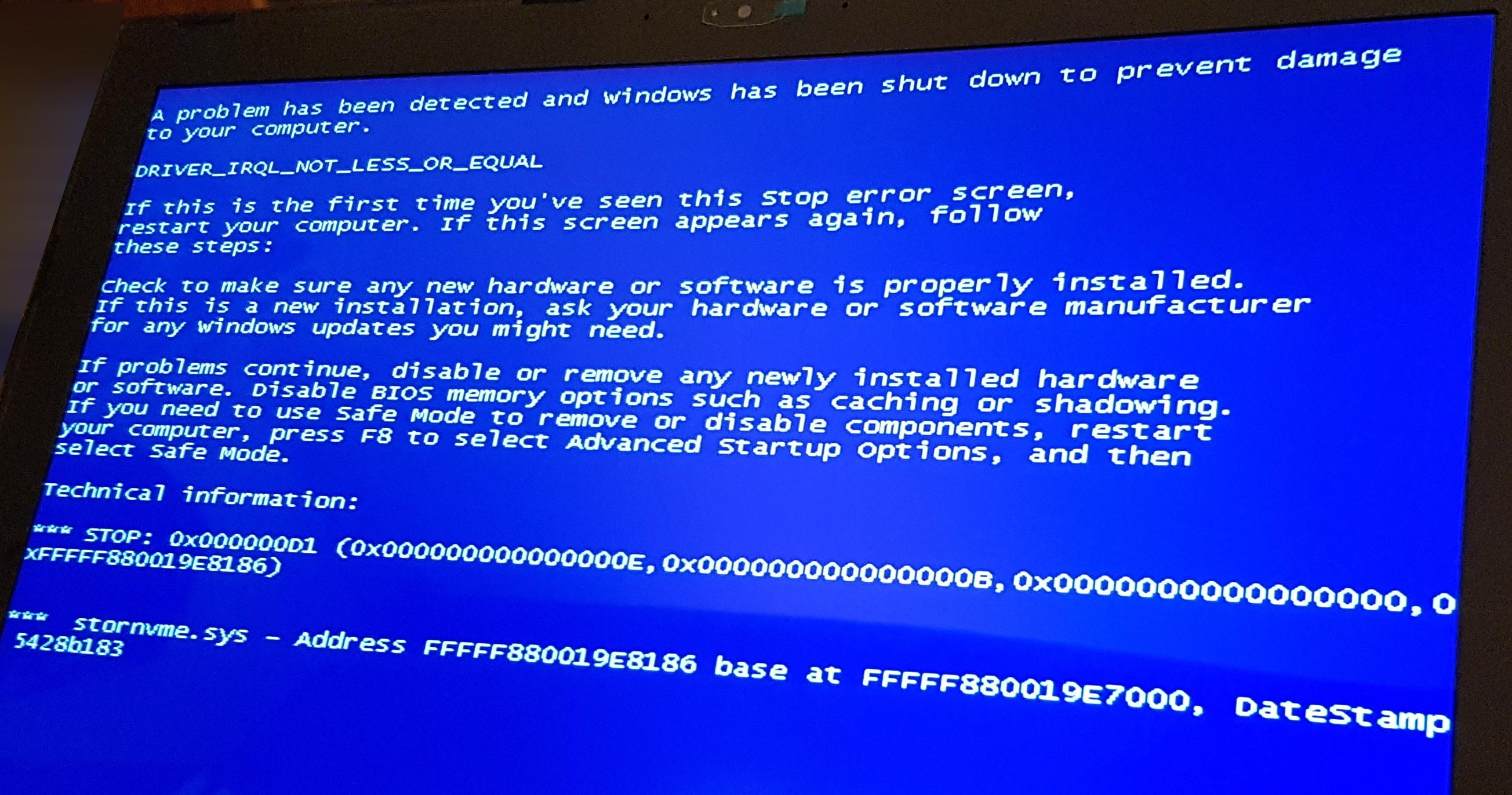
Laptop's brand is MSI, and the exact version is: MSI GS60 6QE-098XPL. Here's the synopsis what got me to this BSOD-error.
It's my friend's laptop. It came with no OS preinstalled. My friend wanted a Windows 7 installation and he also had an installation disc, and from the contents of the disc I made a bootable USB. The MSI's website has Windows 7 drivers, so I thought I'd give it a go.
But it didn't go that seamlessly, as with the older laptops or PCs. So I booted up the USB-stick, but the Windows 7 setup couldn't list the SSD drive. But I wanted to install the W7 to the SSD, not the HDD. So after hours of googling and trying different solutions, I finally found this guide.
So the guide told me to get NTLite, slipstream a Windows Update file that would make the setup recognise the SSD, copy 2 files from the Windows 10 iso and replace them in the Windows 7 folder. Then I copied the files to the USB and miraculously it listed the SSD. So I successfully installed Windows 7 on the SSD, but after the setup went to restart, I thought it'd continue with the installation, but it'd just start in the reboot-loop, displaying this BSOD, which I specified above in the post.
So I googled about this BSOD. The search term: '"DRIVER_IRQL_NOT_LESS_OR_EQUAL" "stronvme.sys"' did not give any promising results. Apparently this "stronvme.sys" has something to do with the SSD, being a driver of some sort.
I've tried to boot into "Safe Mode" and "Safe Mode with Networking" and it'd load a bunch of things on the screen, but after that it'd still display the BSOD and then start restarting, and the same thing keeps looping.
I'm pretty confident, that I wouldn't have this BSOD problem with the Windows 10, but he insists, he wants Windows 7.
I'm wondering what chances do I have? Is it impossible to get this machine a Windows 7? Does anyone have ideas, how I could resolve the BSOD error? Keep in mind, that I can't boot to the desktop, so I can't install any software or troubleshoot with the Windows' tools.
I'd be glad, if there's someone out there willing to help me.
Cheers,
starsplash
I have a laptop here which just keeps on restarting, it's pretty much in a reboot-loop and on booting it splashes a BSOD. The exact error is: DRIVER_IRQL_NOT_LESS_OR_EQUAL (and the cause seems to be "stornvme.sys"). I took a picture of it, seen below:
Laptop's brand is MSI, and the exact version is: MSI GS60 6QE-098XPL. Here's the synopsis what got me to this BSOD-error.
It's my friend's laptop. It came with no OS preinstalled. My friend wanted a Windows 7 installation and he also had an installation disc, and from the contents of the disc I made a bootable USB. The MSI's website has Windows 7 drivers, so I thought I'd give it a go.
But it didn't go that seamlessly, as with the older laptops or PCs. So I booted up the USB-stick, but the Windows 7 setup couldn't list the SSD drive. But I wanted to install the W7 to the SSD, not the HDD. So after hours of googling and trying different solutions, I finally found this guide.
So the guide told me to get NTLite, slipstream a Windows Update file that would make the setup recognise the SSD, copy 2 files from the Windows 10 iso and replace them in the Windows 7 folder. Then I copied the files to the USB and miraculously it listed the SSD. So I successfully installed Windows 7 on the SSD, but after the setup went to restart, I thought it'd continue with the installation, but it'd just start in the reboot-loop, displaying this BSOD, which I specified above in the post.
So I googled about this BSOD. The search term: '"DRIVER_IRQL_NOT_LESS_OR_EQUAL" "stronvme.sys"' did not give any promising results. Apparently this "stronvme.sys" has something to do with the SSD, being a driver of some sort.
I've tried to boot into "Safe Mode" and "Safe Mode with Networking" and it'd load a bunch of things on the screen, but after that it'd still display the BSOD and then start restarting, and the same thing keeps looping.
I'm pretty confident, that I wouldn't have this BSOD problem with the Windows 10, but he insists, he wants Windows 7.
I'm wondering what chances do I have? Is it impossible to get this machine a Windows 7? Does anyone have ideas, how I could resolve the BSOD error? Keep in mind, that I can't boot to the desktop, so I can't install any software or troubleshoot with the Windows' tools.
I'd be glad, if there's someone out there willing to help me.
Cheers,
starsplash
My Computer
- Computer type
- PC/Desktop
- OS
- Windows 7 Pro 32bit

