BSOD random crashes, no rhyme or reason

dsnel23

New member
Local time
10:00 AM
Messages
3
Hi guys, first off thanks for any help in advance. Much appreciated.

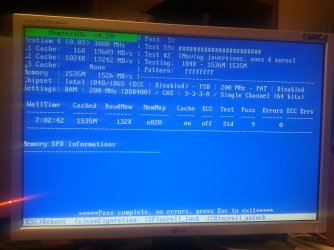
I have searched through forum after forum and am at a loss. This Dump files seem to be different every time. I have uninstalled Avast so there is no virus software installed. I ram memtest86 and let it run for 9 passes and no errors. I downloaded the western digital diagnosis tool and did a full test and no errors. I was using onboard video and was getting crashes, now disabled that and installed a GeForce video card and still getting crashes. I ran the amazing diagnostic tool collector on your site and have attached it. (Thanks to whoever made that, its incredible!)


View attachment Seven Forums.zip
 

My Computer My Computer

At a glance

Windows 7 RC1 64 Bit
OS
Windows 7 RC1 64 Bit
For christ sake !!!!

What are you trying to do..... Your system is almost 8 years old... and to top that you are running windows 7 RC1 .....which is again 4 years old...

The only available drivers are for Windows XP

I really admire you courage !!!

Based on the dump files, all the BSOD's have memory corruption issue or page file issue......

I seriously dont know what else to say either go back to XP or buy a new computer
 

My Computer My Computer

At a glance

Windows 7 ultimate x64
Computer Manufacturer/Model Number
Nothing specific....what ever the clients provide for Repair
OS
Windows 7 ultimate x64
Thanks so much for the quick reply and your time. It's really only used to browse the internet or run some simple applications. It was running fine for about a year or so then just started having problems. I'll see if I can find a copy of XP, or do you think Vista would work? I do have a copy of that laying around, and I like that it has a backup feature built in.

But then I guess the main point is, if I format and put either one on will that solve the problem or do I need new memory or something else first?

Thank you so much!


For christ sake !!!!

What are you trying to do..... Your system is almost 8 years old... and to top that you are running windows 7 RC1 .....which is again 4 years old...

The only available drivers are for Windows XP

I really admire you courage !!!

Based on the dump files, all the BSOD's have memory corruption issue or page file issue......

I seriously dont know what else to say either go back to XP or buy a new computer
 

My Computer My Computer

At a glance

Windows 7 RC1 64 Bit
OS
Windows 7 RC1 64 Bit
Hi dsnel

The max memory you could put in there is 2 GB and you should know the minimum recommended by MS is 2 GB for proper working for Win 7 ...... (You are by the way using the RC1 or release candidate. ) and to top that...once you have more programs.... it will strain you system

but in the end its more like milking the cow dry and try to squeeze again.....

Even though Win XP is not officially supported anymore.... it still does a good job for a normal usage..


But as a precaution .... since the system is pretty old.... before you install XP or do anything else....try the below test to confirm they are OK

Please do a memtest for the RAM's using this... Since there were lot of memory corruption in the BSOD's

as well as do tell us the SMART values of HDD using this .
 

My Computer My Computer

At a glance

Windows 7 ultimate x64
Computer Manufacturer/Model Number
Nothing specific....what ever the clients provide for Repair
OS
Windows 7 ultimate x64

My Computer My Computer

At a glance

Windows 7 RC1 64 Bit
OS
Windows 7 RC1 64 Bit
Well these look good....

Your good to go for XP......

You can try Win 7 the retail version... if you wish... but its up to you
 

My Computer My Computer

At a glance

Windows 7 ultimate x64
Computer Manufacturer/Model Number
Nothing specific....what ever the clients provide for Repair
OS
Windows 7 ultimate x64
Back
Top