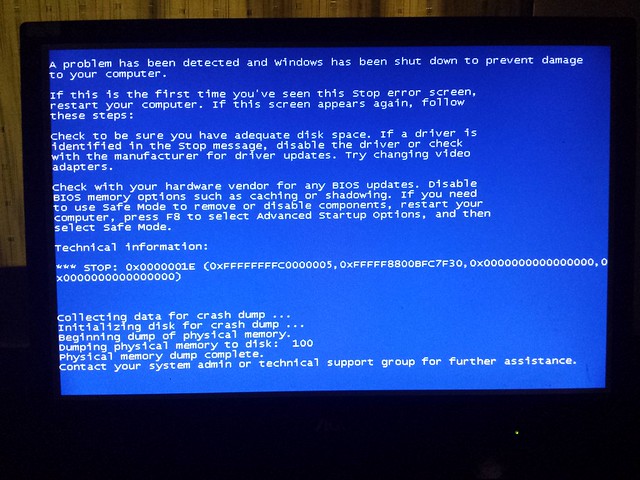
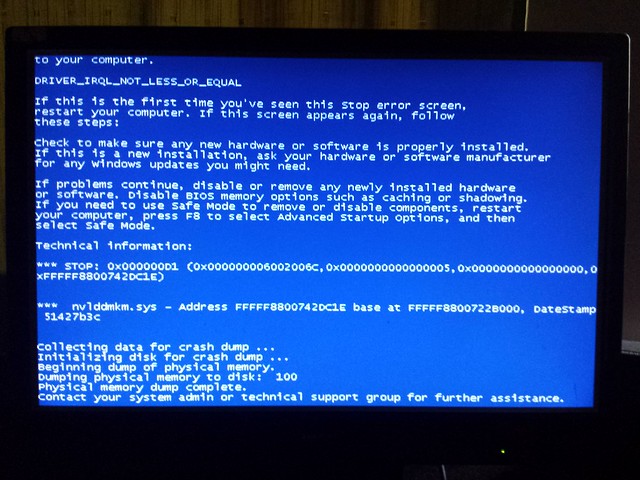
Well, Stop 0xD1 is basically a driver issue. You installed the display driver 314.22 lately, and this one never fails itself. So seeing the screenshot I was astonished.
But, seeing the crash dump, the situation is clear to me now. It indicates to hardware clearly.
Code:
*******************************************************************************
*                                                                             *
*                        Bugcheck Analysis                                    *
*                                                                             *
*******************************************************************************

Use !analyze -v to get detailed debugging information.

BugCheck D1, {6002006c, 5, 0, fffff8800742dc1e}

*** WARNING: Unable to verify timestamp for nvlddmkm.sys
*** ERROR: Module load completed but symbols could not be loaded for nvlddmkm.sys
[COLOR=Red]Probably caused by : hardware [/COLOR]( nvlddmkm+202c1e )

Followup: MachineOwner
---------
A graphics failure caused by hardware ... it may be caused by the GPU itself, or the power supply, or dust+heat. Let us check those elements one by one.
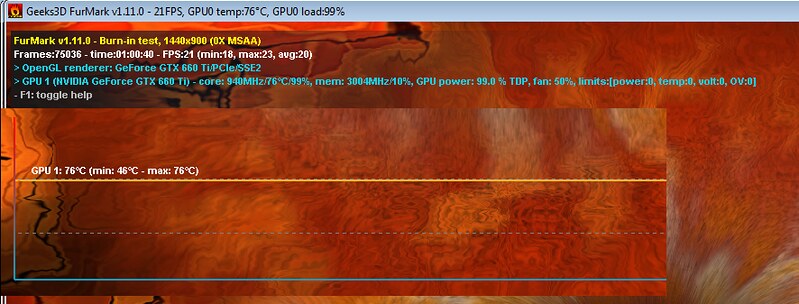
Stress test the Graphics Card using Furmark.
Video Card - Stress Test with Furmark
Check if the Power Supply Unit (PSU) supplying adequate power to the computer or not.
eXtreme Power Supply Calculator
Also let us know the wattage of your PSU.
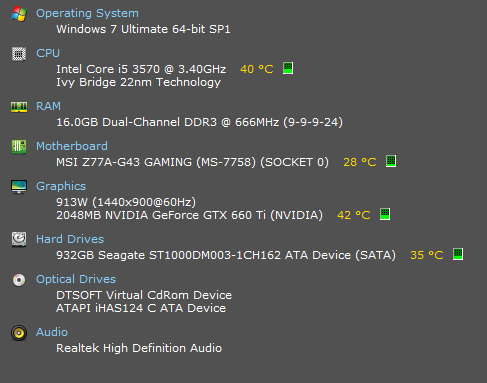
Is the computer hot? Report us the heat of the computer after a couple of hours of your normal usage. Upload a screenshot of the summery tab of
Speccy.
Do one more test .... Test your RAM modules for possible errors.
How to Test and Diagnose RAM Issues with Memtest86+
Run memtest for at least 8 passes, preferably overnight.
If it start showing errors/red lines, stop testing. A single error is enough to determine that something is going bad there.
Let us know the results.