build 7068 won't shut down, completely

davidtb

New member
Local time
1:11 PM
Messages
15
Hello Everyone:
I installed win7_x64 7068 in dual boot as the second operating system to Vista 64. It runs sweet, found some obscure drivers (like USB to serial),works with office, my AV and even does a good job with Fallout3.
It wound shut down though, it hangs at "shutting down" and the cursor just spins there, until I pull the plug, it boots back without any complaint, so I'm figuring it's a situation, and not a flaw.
Any ideas?

db.
 

My Computer My Computer

At a glance

vista 64 Win7Q66008gigsMSI 260 GTX OC'ed
Computer Manufacturer/Model Number
Home Grown
OS
vista 64 Win7
CPU
Q6600
Motherboard
Gigabyte EP45-UD3P
Memory
8gigs
Graphics Card(s)
MSI 260 GTX OC'ed
Sound Card
on board
Monitor(s) Displays
ACER P243W
Screen Resolution
all da way
Hard Drives
2 Maxtor 320s, and an external 320 on the floor
PSU
680 antec
Case
real old, real big Enlight
Cooling
Zalman
Keyboard
G15
Mouse
G7
Internet Speed
Cable
Hello David,

Welcome to the Seven Forums.

Has this always happened or did it just start.

Gary
 

My Computer My Computer

At a glance

Vista Ult 64 bit Seven Ult RTM x64Intel Core2 Quad Q6600 2.40 gigahertzCrucial Ballistix 4x2GB PC2 6400NVIDIA GeForce 8600 GTS 256 MB
Computer Manufacturer/Model Number
Dell XPS420
OS
Vista Ult 64 bit Seven Ult RTM x64
CPU
Intel Core2 Quad Q6600 2.40 gigahertz
Memory
Crucial Ballistix 4x2GB PC2 6400
Graphics Card(s)
NVIDIA GeForce 8600 GTS 256 MB
Sound Card
Creative SB X-Fi audio
Monitor(s) Displays
HP w2207 + HPvs15
Screen Resolution
1680x1050 + 1024x768
Hard Drives
2-WD5000AAKS-500 GB
WD5000AAV-500 GB external
Keyboard
Microsoft Comfort Curve
Mouse
MX Revolution
Other Info
Wacom Intuos 2 Graphics Tablet
Experience Index=5.5
this always happens, everything closes down, but the system hangs at shutdown, there an audio related fix on Win7Vista, but it didn't work.
I'm inclined to think that it may be some pesky app that won't properly end, but there are 40+ services loaded.
 

My Computer My Computer

At a glance

vista 64 Win7Q66008gigsMSI 260 GTX OC'ed
Computer Manufacturer/Model Number
Home Grown
OS
vista 64 Win7
CPU
Q6600
Motherboard
Gigabyte EP45-UD3P
Memory
8gigs
Graphics Card(s)
MSI 260 GTX OC'ed
Sound Card
on board
Monitor(s) Displays
ACER P243W
Screen Resolution
all da way
Hard Drives
2 Maxtor 320s, and an external 320 on the floor
PSU
680 antec
Case
real old, real big Enlight
Cooling
Zalman
Keyboard
G15
Mouse
G7
Internet Speed
Cable
download and install the latest version of ccleaner. See if that helps to fix your problem. Be careful what options you tick though. You'll want to run the registery checker.
 

My Computer My Computer

At a glance

Windows 7 Professional 64-bitIntel E8400 3GHzKingston PC3-10700H 4GbXFX Radeon HD 5850 BlackEd.
Computer Manufacturer/Model Number
self built
OS
Windows 7 Professional 64-bit
CPU
Intel E8400 3GHz
Motherboard
Intel DX48BT2
Memory
Kingston PC3-10700H 4Gb
Graphics Card(s)
XFX Radeon HD 5850 BlackEd.
Sound Card
Asus Xonar DG
Monitor(s) Displays
2x Samsung SM-T220HD 22"
Screen Resolution
1680x1050 on two monitors
Hard Drives
OCZ Vertex 2 120gb 3.5" (OS)
Seagate Momentus XT 500gb
Samsung F3 1Tb (games)
2x Samsung F1 1Tb
PSU
Thermaltake ToughPower 850w
Case
Thermaltake Armor
Cooling
Scythe Mugen II
Keyboard
Microsoft Comfort Curve USB
Mouse
Razer Diamondback 3G
Internet Speed
8128/443
Hi everyone:
Thanks for your help.
I have tried the audio fix and it didn't work,(Win7Vista help)
Swarfega: I did try Ccleaner and no luck.
I tried watching the processes during shutdown for a "sticky one", lotsa luck hehehe.
I booted and shutdown in safe mode, with no luck.
I've Google'd the problem and there's enough for a large support group with the same problem.
I'll keep looking ,and keep you posted.
 

My Computer My Computer

At a glance

vista 64 Win7Q66008gigsMSI 260 GTX OC'ed
Computer Manufacturer/Model Number
Home Grown
OS
vista 64 Win7
CPU
Q6600
Motherboard
Gigabyte EP45-UD3P
Memory
8gigs
Graphics Card(s)
MSI 260 GTX OC'ed
Sound Card
on board
Monitor(s) Displays
ACER P243W
Screen Resolution
all da way
Hard Drives
2 Maxtor 320s, and an external 320 on the floor
PSU
680 antec
Case
real old, real big Enlight
Cooling
Zalman
Keyboard
G15
Mouse
G7
Internet Speed
Cable
In the old days of XP Id have suggested removing all the files in c:\windows\prefetch but not so sure now. It looks a bit more integrated.
 

My Computer My Computer

At a glance

Windows 7 Professional 64-bitIntel E8400 3GHzKingston PC3-10700H 4GbXFX Radeon HD 5850 BlackEd.
Computer Manufacturer/Model Number
self built
OS
Windows 7 Professional 64-bit
CPU
Intel E8400 3GHz
Motherboard
Intel DX48BT2
Memory
Kingston PC3-10700H 4Gb
Graphics Card(s)
XFX Radeon HD 5850 BlackEd.
Sound Card
Asus Xonar DG
Monitor(s) Displays
2x Samsung SM-T220HD 22"
Screen Resolution
1680x1050 on two monitors
Hard Drives
OCZ Vertex 2 120gb 3.5" (OS)
Seagate Momentus XT 500gb
Samsung F3 1Tb (games)
2x Samsung F1 1Tb
PSU
Thermaltake ToughPower 850w
Case
Thermaltake Armor
Cooling
Scythe Mugen II
Keyboard
Microsoft Comfort Curve USB
Mouse
Razer Diamondback 3G
Internet Speed
8128/443
Just out of curiosity, what does your task manager show running (screenshot if you could)? I had this issue with an older build of W7 and since using 7077 have not had that issue again. Also, what AV are you using?
 

My Computer My Computer

At a glance

Windows 7 Ultimate x64AMD Sempron Dual Core3GBNVIDIA GeForce 6150SE nForce 430
Computer Manufacturer/Model Number
Compaq Desktop
OS
Windows 7 Ultimate x64
CPU
AMD Sempron Dual Core
Memory
3GB
Graphics Card(s)
NVIDIA GeForce 6150SE nForce 430
Screen Resolution
1024x768
Hard Drives
150GB Sata
Thanks for the response Orb:
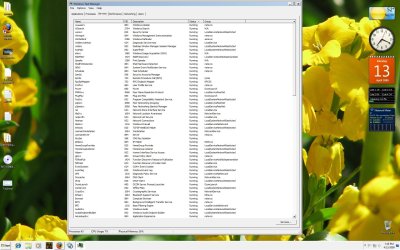
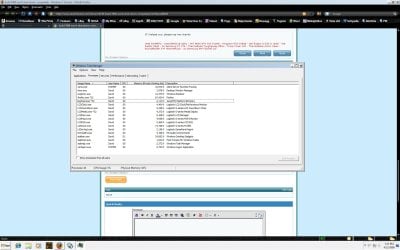
here are SS of taskman and or services, that are running.
Services.jpg

Taskman.jpg
 

My Computer My Computer

At a glance

vista 64 Win7Q66008gigsMSI 260 GTX OC'ed
Computer Manufacturer/Model Number
Home Grown
OS
vista 64 Win7
CPU
Q6600
Motherboard
Gigabyte EP45-UD3P
Memory
8gigs
Graphics Card(s)
MSI 260 GTX OC'ed
Sound Card
on board
Monitor(s) Displays
ACER P243W
Screen Resolution
all da way
Hard Drives
2 Maxtor 320s, and an external 320 on the floor
PSU
680 antec
Case
real old, real big Enlight
Cooling
Zalman
Keyboard
G15
Mouse
G7
Internet Speed
Cable
Try killing the Logitech KB related stuff and see if that makes a difference
 

My Computers My Computers

  • At a glance

    Windows 11 21H2 Current buildAMD Ryzen 9 3950X4 * 32 GB - Corsair Vengeance 3600 MHzEVGA GeForce RTX 3080 Ti XC3 ULTRA GAMING (12...
    Computer type
    PC/Desktop
    Computer Manufacturer/Model Number
    The Beast Model A (homebrew)
    OS
    Windows 11 21H2 Current build
    CPU
    AMD Ryzen 9 3950X
    Motherboard
    MSI MEG X570 GODLIKE
    Memory
    4 * 32 GB - Corsair Vengeance 3600 MHz
    Graphics Card(s)
    EVGA GeForce RTX 3080 Ti XC3 ULTRA GAMING (12G-P5-3955-KR)
    Sound Card
    Realtek® ALC1220 Codec
    Monitor(s) Displays
    2x Eve Spectrum ES07D03 4K Gaming Monitor (Matte) | Eve Spec
    Screen Resolution
    3x 3840 x 2160
    Hard Drives
    3x Samsung 980 Pro NVMe PCIe 4 M.2 2 TB SSD (MZ-V8P2T0B/AM) } 3x Sabrent Rocket NVMe 4.0 1 TB SSD
    PSU
    PC Power & Cooling’s Silencer Series 1050 Watt, 80 Plus Plat
    Case
    Fractal Design Define 7 XL Dark ATX Full Tower Case
    Cooling
    SteelSeries Apex Pro Wired Gaming Keyboard
    Keyboard
    SteelSeries Apex Pro
    Mouse
    Logitech MX Master 3S | MX Master 3 for business
    Internet Speed
    AT&T LightSpeed Gigabit Duplex Ftth
    Antivirus
    Windows Defender + MB 3
    Browser
    Nightly (default) + Firefox (stable),Chrome, Edge
  • At a glance

    ChromeOS Flex Dev Channel (current)Intel(R) Core(TM) i5-6300U CPU @ 2.40GHz, 250...16 GBIntel(R) HD Graphics 520
    Computer type
    PC/Desktop
    System Manufacturer/Model Number
    Dell Latitude E5470
    OS
    ChromeOS Flex Dev Channel (current)
    CPU
    Intel(R) Core(TM) i5-6300U CPU @ 2.40GHz, 2501 Mhz, 2 Core(s), 4 Logical Processor(s)
    Motherboard
    Dell
    Memory
    16 GB
    Graphics Card(s)
    Intel(R) HD Graphics 520
    Sound Card
    Intel(R) HD Graphics 520 + RealTek Audio
    Monitor(s) Displays
    Dell laptop display 15"
    Screen Resolution
    1920 * 1080
    Hard Drives
    Toshiba 128GB M.2 22300 drive
    INTEL Cherryville 520 Series SSDSC2CW180A 180 GB SATA III SSD
    PSU
    Dell
    Case
    Dell
    Cooling
    Dell
    Keyboard
    Dell
    Mouse
    Logitech MX Master 3S (shared w. Sys 1) | Dell TouchPad
    Internet Speed
    AT&T LightSpeed Gigabit Duplex Ftth
I agree with johngalt, there's far too many Logitech entries for it to be healthy. Did your system shut down ok before installing these drivers? Or did you not get the chance and installed them straight on first boot?
 

My Computer My Computer

At a glance

Windows 7 Ultimate x64AMD Sempron Dual Core3GBNVIDIA GeForce 6150SE nForce 430
Computer Manufacturer/Model Number
Compaq Desktop
OS
Windows 7 Ultimate x64
CPU
AMD Sempron Dual Core
Memory
3GB
Graphics Card(s)
NVIDIA GeForce 6150SE nForce 430
Screen Resolution
1024x768
Hard Drives
150GB Sata
As other have suggested, check the processes.

I had a very odd problem recently with 7068, and the issue was so simple and silly. Having an SD card in my computer's SD card would not allow it to shut down appropriately, although in my case it usually hung at the "Logging Off" part of the process. Soo.. if you have an SD card in your computers slot, try removing that. I would work to isolate which process is causing the problem. Does your screen quickly flash dark, as if the window saying "waiting for programs to close" were to come up, when you shut down your computer, before showing the logon screen background? That seems to happen to many folk with shutdown problems.

Try booting in safemode and see if you have the same issue. Perhaps you may wanna try going to msconfig and setting it to diagnositcs startup since that will remove unneccesary processes and help you isolate the problem.

Good Luck!
 

My Computer My Computer

At a glance

Windows 7 Build 7077 x64AMD Athlon Dual Core QL-60 - 1.9Ghz2GBNVIDIA GeForce 8200 M G
Computer Manufacturer/Model Number
Compaq CQ50-107NR
OS
Windows 7 Build 7077 x64
CPU
AMD Athlon Dual Core QL-60 - 1.9Ghz
Memory
2GB
Graphics Card(s)
NVIDIA GeForce 8200 M G
Screen Resolution
1280 x 800
Hard Drives
120GB, Not sure of RPM but prolly 5400 or lower.
Hi everyone:
Those are drivers for the G15 game keyboard, they've never been a problem in the past, but I tried it, and same song.
Here is a couple more things I tried, I did an upgrade to 7077 x64, and it behaves the same way.
But here's something I found..weird...
I'm installed in dual boot, whatever side I'm on (vista x64 or win7 x64) the drive is read as "C" drive, even though Win7 is installed on "D". If I boot to Win 7 it calls "D" drive, "C" and swaps letter-wise. Yet in Win7, in computer manager, it sees the drive as "D".
Perhaps I'm paying too close attention to the situation, but Win7 is running so sweet, and Fallout3 is soo fast, I'm reluctant to wipe and do over. I know I should maybe quit complaining and deal with it, but it's not right, not as it should be.
Again, thanks for all your suggestions, keep those cards and letters coming... I'll keep plugging. Thanks again
db.
Q6600, 8gigs RAM, NV-GTX260, 2-320 SATA drives.
 

My Computer My Computer

At a glance

vista 64 Win7Q66008gigsMSI 260 GTX OC'ed
Computer Manufacturer/Model Number
Home Grown
OS
vista 64 Win7
CPU
Q6600
Motherboard
Gigabyte EP45-UD3P
Memory
8gigs
Graphics Card(s)
MSI 260 GTX OC'ed
Sound Card
on board
Monitor(s) Displays
ACER P243W
Screen Resolution
all da way
Hard Drives
2 Maxtor 320s, and an external 320 on the floor
PSU
680 antec
Case
real old, real big Enlight
Cooling
Zalman
Keyboard
G15
Mouse
G7
Internet Speed
Cable
Hello again, i'm thinking now on the same lines as napilopez. Do you have any external media installed, card reader & hard drive etc. These can sometimes hold off/freeze the shutdown process as the later releases of windows 7 seem to be trying to access the data on it in the background (just with no physical attributes, e.g. flashing light).
 

My Computer My Computer

At a glance

Windows 7 Ultimate x64AMD Sempron Dual Core3GBNVIDIA GeForce 6150SE nForce 430
Computer Manufacturer/Model Number
Compaq Desktop
OS
Windows 7 Ultimate x64
CPU
AMD Sempron Dual Core
Memory
3GB
Graphics Card(s)
NVIDIA GeForce 6150SE nForce 430
Screen Resolution
1024x768
Hard Drives
150GB Sata
Did you rename the drives??
 

My Computer My Computer

At a glance

MS Windows 7 Professional 64-bit SP1AMD FX(tm)-6100 Six-Core Processor Socket AM3...8.00 GB Dual-Channel DDR3 @ 802MHz (11-11-11-...NVIDIA GeForce GTX 560 Ti
Computer type
PC/Desktop
Computer Manufacturer/Model Number
Self Build
OS
MS Windows 7 Professional 64-bit SP1
CPU
AMD FX(tm)-6100 Six-Core Processor Socket AM3+ (942)
Motherboard
ASUSTeK COMPUTER INC. SABERTOOTH 990FX (AM3r2)
Memory
8.00 GB Dual-Channel DDR3 @ 802MHz (11-11-11-36) 1.5Volts
Graphics Card(s)
NVIDIA GeForce GTX 560 Ti
Sound Card
Onboard Realtek HD
Monitor(s) Displays
shimian (1920x1080@60Hz)
Screen Resolution
1920*1080
Hard Drives
OCZ-AGIL ITY3 SATA Disk Device 120GB
PSU
Corsair TX 750
Case
Corsair
Cooling
WaterCooled
Keyboard
Microsoft Wired
Mouse
Logitech USB Optical TiltWheel Mouse
Internet Speed
Realtek PCIe GBE Family Controller 20MB*1MB
Antivirus
Avast
Browser
Firefox
Other Info
150GB Internal Hard Drive for Backing Up Important Files -
Hauppauge Nova-DT Dual DVB-T Tuner Device (+IR) -
USB PC Camera with Mic (SN9C105)
It's the BIOS which denotes what letter is used for each drive. But when using DUAL boot Windows will arrange the drives as it need them (e.g. it'll change the drive letter depending on what drive it detects as booting first).

This is IMO and i might be slightly wrong, but that's how i'd work if i were Windows :)
 

My Computer My Computer

At a glance

Windows 7 Ultimate x64AMD Sempron Dual Core3GBNVIDIA GeForce 6150SE nForce 430
Computer Manufacturer/Model Number
Compaq Desktop
OS
Windows 7 Ultimate x64
CPU
AMD Sempron Dual Core
Memory
3GB
Graphics Card(s)
NVIDIA GeForce 6150SE nForce 430
Screen Resolution
1024x768
Hard Drives
150GB Sata
Nope I didn't rename the drive Anthony..It is a little weird tho.
And Orbs, didn't think of that, I don't keep the externals plugged or powered up on the box because I don't need them for alot of stuff, and it saves boot time.
hmm I've never had this happen before and I wouldn't see this as a real priority for MS to fix.

Thanks Folks
 

My Computer My Computer

At a glance

vista 64 Win7Q66008gigsMSI 260 GTX OC'ed
Computer Manufacturer/Model Number
Home Grown
OS
vista 64 Win7
CPU
Q6600
Motherboard
Gigabyte EP45-UD3P
Memory
8gigs
Graphics Card(s)
MSI 260 GTX OC'ed
Sound Card
on board
Monitor(s) Displays
ACER P243W
Screen Resolution
all da way
Hard Drives
2 Maxtor 320s, and an external 320 on the floor
PSU
680 antec
Case
real old, real big Enlight
Cooling
Zalman
Keyboard
G15
Mouse
G7
Internet Speed
Cable
Back
Top