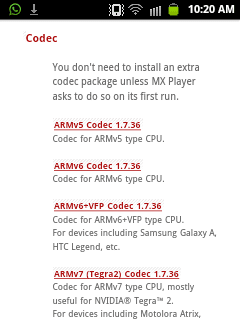
Hmm!. Thank you for your continue repies.
I would be saying that this is most strange thing. Could you confirm these last things for me
- You use the Windows Media player as DLNA server.
- You use AnDLNA client V: 1.0
- You use MX player V1.7.36a(ARMV6 VFP)
- You checked all these options in MX player under the settings> decode these : +H/W(Local), + H/W(Network), - H/W. I checked all these options.
- You checked all extensions of video files available at MX player under in the settings> video codes......, I checked all of them.
#1 - No
#2 - Yes
#3 - V1.7.37 (ARMv7 NEON)
#4 - Just "H/W+ audio on S/W video" checked
#5 - Don't see settings> video codes in MX player
Thank you so much indeed,
First of all: NOTE, when the video files are saved on my phone, then MX player played all Video formats without any exclusion at all.
First: When I said that 'You use the Windows Media player as DLNA server.' I meant from where you get access(watch) your video files(i.e. you used Windows 7 Windows Medial Player as DLNA compliant video server on your laptop, and then you watch the video files on your mobile via AnDLNA client.
As you siad in your very first reply below
Here's a tutorial on how to setup Win 7 Windows Media Player as a DLNA compliant video server:
http://www.pcworld.com/article/24588...dows_7_pc.html
Second: I really updated my MX player into V1.7.37, but it was not V1.7.37 (
ARMv7 NEON). It is stilll V1.7.37
(ARMV6 VFP). Do you think it is realted to the CPU kind of my mobile phone? Yours is ARMV7 NEON, however, mine is ARMV6 VFP, although I update MX into V1.7.37
???
Thirdly: Once opened 'Decoder' option, there were three section , one is 'hardware decoder', one is software decoder', the third is 'general'. Each of them have some options. You mean that Just "H/W+ audio on S/W video" checked on both 'hardware decoder, and software decoder'???? ---- I have only let '"H/W+ audio on S/W video" checked' in hardware decoder
Fourthly: I meant with settings> video codes......, , with the following, I opened the MX player, then on the top-right hand side, there were three full-stops(points) each of them was located over the one below(I don't know the word in English indicates about that). When clicking on it, a drop-down menu wouldl be listed with options. Take 'settings', then chosen 'decoder', finally: H/W +Vidoe codecs. ---- I let them as default.
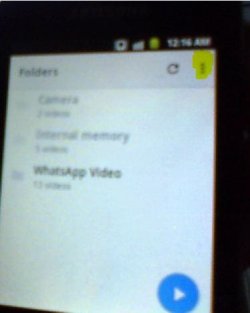
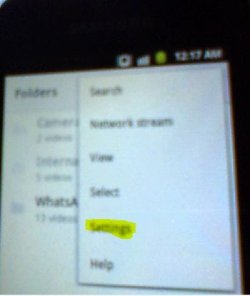
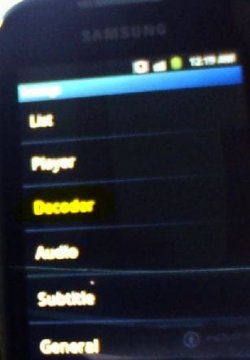
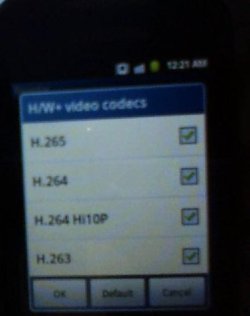
You checked all extensions of video files available at MX player under in the settings> video codes......,
I checked all of them.
Fifthly, when clicking on 'list' option in the third screen shot above, another options show, there is 'file extenstions' option, when chosing it, there are a lot of file extenstions. do you modify anything at it
 Sixthly:
 When opening some video files which are not FLV, However, there is 'AVI', the video file was played well, however, there was no audio, and I received 'This audio format (AC3) isn't supported.' once that video file opened.
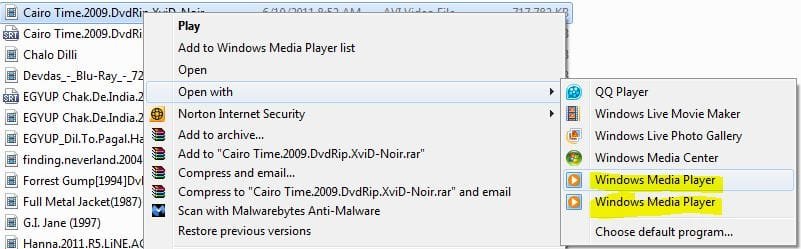
Seventhly: Note when installed K-Lite_Codec_Pack_1095_Basic on my Windows 7 with laptop, then two Windows Media Player were there once when cliking 'right-click' on a video file, and chose 'open with', there were two Windows Media Player shown. Why???( screen shot below)
 Finally:
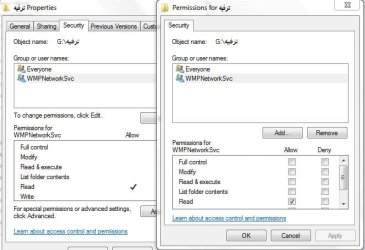
 Where Win 7 Windows Media Player as a DLNA compliant video server, could you please confirm whether there is 'WMP Network Svc(Windows 7 Media Player Network Sharing Service (wmpnetwk)) is taken ownership on the folder shared on the library in Windows Media Player. As shown in this screen shot. In my case 'WMP Network Svc' was added on all folder included on the library.
 In conclusion
, I am afraid that I messed the MX defult settings? However, even if so, I have clicked on 'reset default settings.
Maybe your mobile phone is different than mine. My mobile phone is Samsung Galaxy Mini GT-S5570I. What brand is your mobile?