
Just tried to run a .bat file and it just opens up in notepad so it appears the file association has been mixed up.
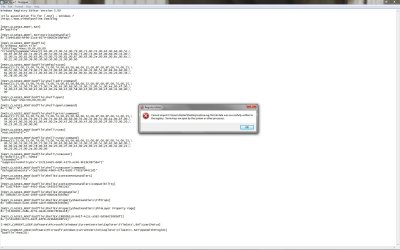
I have tried running the attached file as a registry fix which was on another website for .bat file association problems but the error also shown in the screenshot appeared, I have looked at a process monitor to see what is currently accessing the registry but it's just svchost.exe so I can not understand why it won't merge. I have tried deleting the .bat file registry entry as a lot of threads on google suggest but it still doesn't re-create the association.
Anyone got any ideas?
Cheers!
I have tried running the attached file as a registry fix which was on another website for .bat file association problems but the error also shown in the screenshot appeared, I have looked at a process monitor to see what is currently accessing the registry but it's just svchost.exe so I can not understand why it won't merge. I have tried deleting the .bat file registry entry as a lot of threads on google suggest but it still doesn't re-create the association.
Anyone got any ideas?
Cheers!
Attachments
My Computer
- OS
- Window 7 Professional 32-Bit
- CPU
- Intel Core Duo 2 X6800 @ 3.6GHZ
- Motherboard
- EVGA 122-CK-NF68
- Memory
- 4GB (2x2GB) Corsair Dominator 1066MHZ DDR2
- Graphics Card(s)
- Radeon HD 5870 @ 1000/1300
- Sound Card
- Creative X-FI XtremeGamer
- Monitor(s) Displays
- Dell 2407WFP
- Hard Drives
- 2 X 36.6GB Western Digital Raptor Drives Raid 0 (Boot)
80GB Western Digital (Storage)
- PSU
- Tagan 1100Watt
 ).
).