can someone help me with my HALF LIFE 2 graphic??

keithktam

New member
Local time
6:53 AM
Messages
10
Hi, been playing Half Life 2, found out some weird graphic glitches, i have tried using steam, and not using steam, so I can conclude that it ain't a steam problem, anyway, the first problem occurred in "the red letter day", all models have that light blue shading on them even at close proximity, i checked out youtube walkthrough on this game, and it didn't seem to happen commonly to other players... anyway, i will let the picture tells for itself:


many and many thanks in advance!!!
 

My Computer My Computer

At a glance

vista
OS
vista
Hi,

please post here your pc specifications and what what graphics settings are you using in the game. It is difficult for us to help you if we don't know your pc and how are you running the game.

Does this glitch happen only with this game? have you tried to patch it to the last version?

I found this, it should help you: https://support.steampowered.com/kb_article.php?ref=3803-DFGL-0112

It says:

"Half-Life 2 Video Error: Gray Fog Glitch:

- ATI Card Owners: Enable Catalyst AI
Right-click on your desktop and select Catalyst Control Panel
In the tree in the left window pane, select 3D > Catalyst AI
Uncheck Disable Catalyst AI. The slider may be left in either Basic or Advanced mode.

- nVIDIA Card Owners
If you see this error and you have a nVIDIA, please update your video card drivers to the latest version. See the Updating Drivers topic for further instructions.

- Alternate solution
This solution may be necessary if you are seeing this problem with an Intel GMA 3 or 4 series integrated GPU, or in some games that Catalyst AI does not solve this issue for. While this unfortunately disables a number of features, such as color correction and High Dynamic Range (HDR) lighting, some users may prefer to sacrifice these features to correct this problem.
Open the game, then bring up the console.
Type the following command in the console, then press Enter: mat_dxlevel 81
Allow the game some time to restart the video engine (similar to the time taken to change video resolutions)."

Hope this will help you, good luck :)
If the glitch isn't solved in this way, let me know!

 

My Computer My Computer

Computer type
PC/Desktop
Hazy shades of Winter? ;)

+1 We need specs but, on a pinch... Update video and Audio drivers while you are at it. Do so from Manufacturer and not from Windows Updates.
 

My Computer My Computer

At a glance

Windows 7 x64 (Ultimate)Intel i5-4670K8GBs Ripjaws 2133MhzAsus GTX660 (2GBs)
Computer type
PC/Desktop
Computer Manufacturer/Model Number
Custom Built... Intel/Nvidia/ASRock
OS
Windows 7 x64 (Ultimate)
CPU
Intel i5-4670K
Motherboard
ASRock Z87 Extreme 6
Memory
8GBs Ripjaws 2133Mhz
Graphics Card(s)
Asus GTX660 (2GBs)
Sound Card
Onboard Realtek HD
Monitor(s) Displays
Acer AL2216W
Screen Resolution
1680 x 1050
Hard Drives
Samsung 840 SSD 120GBs
Samsung 750GB 32MB cache
1.5 TB
PSU
PC Cooling 750w Silencer
Case
Thermaltake Spedo Advance
Cooling
Std Cooler
Keyboard
Logitech G15
Mouse
Logitech G9
Internet Speed
Comcast 20Mbit
Antivirus
Avast
Browser
Firefox
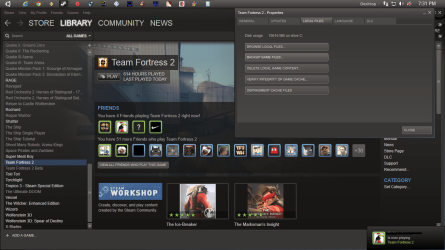
Try verify the integrity of the game with steam. Click proprieties on the game through steam by right clicking then go to local files and verify cache. This will check for broken files and replace the broken files within the game.
 

Attachments

  • 2322222.png
    2322222.png
    164.8 KB · Views: 7

My Computer My Computer

At a glance

Windows 10 64bitAMD Phenom II X4 925 (Deneb)(2.8GHz) OC 3.4GHzCorsair Vengeance DDR3 4GBX2 (8192MB)XFX HD 6870 1GB (OC)- 940MHz core, mem 1150MHz
Computer type
PC/Desktop
Computer Manufacturer/Model Number
custom build
OS
Windows 10 64bit
CPU
AMD Phenom II X4 925 (Deneb)(2.8GHz) OC 3.4GHz
Motherboard
M5A78L-MLX Plus
Memory
Corsair Vengeance DDR3 4GBX2 (8192MB)
Graphics Card(s)
XFX HD 6870 1GB (OC)- 940MHz core, mem 1150MHz
Monitor(s) Displays
Vizio 26' 1920x1080 / Acer 1336x768
Screen Resolution
1920x1080 60Hz /1336x768
Hard Drives
Kingston Digital 60GB SSDNow V300/500gb HDD Western Digital 7200rpm (/WD 160GB HDD 7200rpm
PSU
CORSAIR CX600 600w
Case
AZZA Orion 202 EVO
Cooling
cooler master hyper TX3 cpu cooler
Keyboard
Razer DeathStalker
Mouse
Logitech Optical Gaming Mouse G400
Antivirus
Defualt on win 10
Browser
Firefox
Other Info
cpu is overclocked in bios
Hi,

please post here your pc specifications and what what graphics settings are you using in the game. It is difficult for us to help you if we don't know your pc and how are you running the game.

Does this glitch happen only with this game? have you tried to patch it to the last version?

I found this, it should help you: https://support.steampowered.com/kb_article.php?ref=3803-DFGL-0112

It says:

"Half-Life 2 Video Error: Gray Fog Glitch:

- ATI Card Owners: Enable Catalyst AI
Right-click on your desktop and select Catalyst Control Panel
In the tree in the left window pane, select 3D > Catalyst AI
Uncheck Disable Catalyst AI. The slider may be left in either Basic or Advanced mode.

- nVIDIA Card Owners
If you see this error and you have a nVIDIA, please update your video card drivers to the latest version. See the Updating Drivers topic for further instructions.

- Alternate solution
This solution may be necessary if you are seeing this problem with an Intel GMA 3 or 4 series integrated GPU, or in some games that Catalyst AI does not solve this issue for. While this unfortunately disables a number of features, such as color correction and High Dynamic Range (HDR) lighting, some users may prefer to sacrifice these features to correct this problem.
Open the game, then bring up the console.
Type the following command in the console, then press Enter: mat_dxlevel 81
Allow the game some time to restart the video engine (similar to the time taken to change video resolutions)."

Hope this will help you, good luck :)
If the glitch isn't solved in this way, let me know!

my spec:
processor: intel core i7-2670QM CPU @ 2.20Ghz 2.20Ghz
memory: 8GB
windows: win7 64-bit premium home edition Service Pack 1
Graphic: Nvidea GeForce GT 540M (Main Graphic Card, just driver updated) & Intel Graphic 3000 (used in low performance demand task)

thank you guys!!!
 

My Computer My Computer

At a glance

vista
OS
vista
Hazy shades of Winter? ;)

Hi,

please post here your pc specifications and what what graphics settings are you using in the game. It is difficult for us to help you if we don't know your pc and how are you running the game.
thank you guys, it works!! still just a little foggy, compare to the reference pics, but that just might how it should look like, or how Source deal with all the light diffusion...

so thanks a ton!!! and added karma to both of you!!:)
 

My Computer My Computer

At a glance

vista
OS
vista
Try verify the integrity of the game with steam. Click proprieties on the game through steam by right clicking then go to local files and verify cache. This will check for broken files and replace the broken files within the game.

add me: deadend275
 

My Computer My Computer

At a glance

Windows 7 Home Premium 64-BITAMD A8 7200P8GB 1600mhzRadeon R5 (APU) + Radeon R5 M230 2GB Dual Gra...
Computer type
PC/Desktop
Computer Manufacturer/Model Number
ASUS X550ZE
OS
Windows 7 Home Premium 64-BIT
CPU
AMD A8 7200P
Motherboard
N/A
Memory
8GB 1600mhz
Graphics Card(s)
Radeon R5 (APU) + Radeon R5 M230 2GB Dual Graphics
Sound Card
Realtek ALC269 with SonicMaster
Monitor(s) Displays
Laptop Display
Screen Resolution
1920 x 1080 @60hz
Hard Drives
WDC WD50 00LPVX-80V0TT0 (500GB)
PSU
Laptop Charger
Mouse
ARMAGGEDON TEXTRON SCORPION 7
Internet Speed
100 mbps DOWN / 50 mbps UP
Antivirus
Windows Defender
Browser
Mozzila FireFox, Valve Steam in-game internet browser
Try verify the integrity of the game with steam. Click proprieties on the game through steam by right clicking then go to local files and verify cache. This will check for broken files and replace the broken files within the game.

add me: deadend275
do you mean adding karma to you or add you as friend ( cause i don't know how in this forum, i am still kind of a newbie) :)
 

My Computer My Computer

At a glance

vista
OS
vista
Try verify the integrity of the game with steam. Click proprieties on the game through steam by right clicking then go to local files and verify cache. This will check for broken files and replace the broken files within the game.

add me: deadend275
do you mean adding karma to you or add you as friend ( cause i don't know how in this forum, i am still kind of a newbie) :)

I think he meant adding him as a friend on Steam.
 

My Computer My Computer

At a glance

Windows 7 Ultimate 32-BitIntel(R) Core(TM) i7 CPU 920 @ 2.67GHzCorsair DDR3 4GbNvidia Ge-Force GTS250
Computer Manufacturer/Model Number
Custom
OS
Windows 7 Ultimate 32-Bit
CPU
Intel(R) Core(TM) i7 CPU 920 @ 2.67GHz
Motherboard
Gigabyte Technology Co., Ltd. EX58-UD3R
Memory
Corsair DDR3 4Gb
Graphics Card(s)
Nvidia Ge-Force GTS250
Sound Card
High Definition Audio Device
Monitor(s) Displays
Envision 19 inch
Screen Resolution
1280x1024
Hard Drives
2 physical hard drives (4 letter drives) that equal up to 626.3 gigs of space all together. I think both are Maxtors, but primary is a SATA drive, secondary is a SATA, too.
Case
"Elite" style case
Cooling
"Cooler Master"
Mouse
Microsoft Optical USB Mouse.
Internet Speed
Verizon DSL Internet
Back
Top