
I have installed the latest Samsung USB drivers (1.5.65.0) and I have tried previous versions but I cannot get my phone to show up in Win7 File Explorer or My Computer.
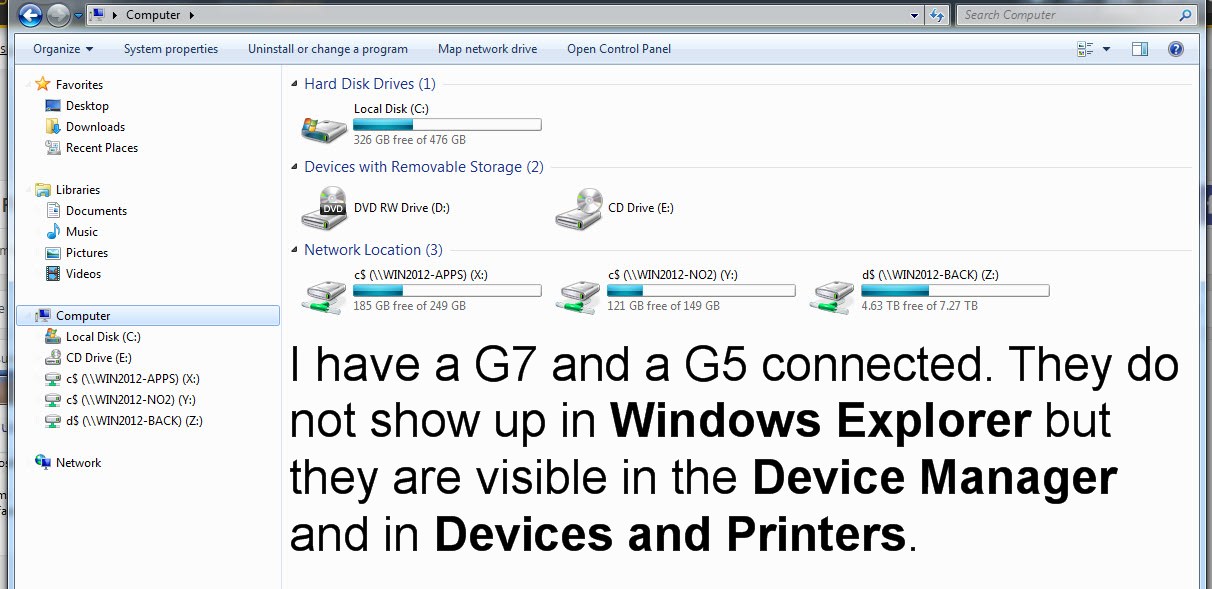
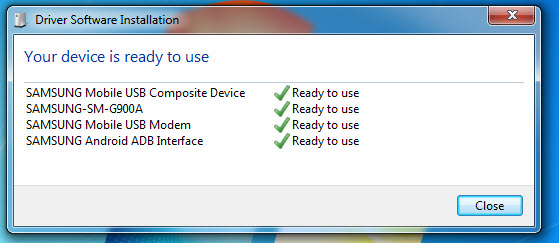
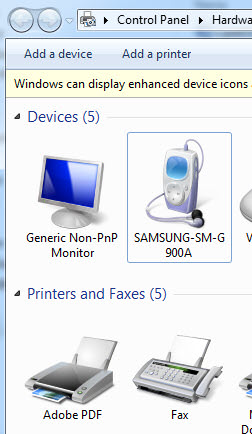
I have enabled Developer support and USB Debugging on the phone and it is set for MTP. The phone is visible in Printers and Devices. The phone is visible in the Device Manager and it shows as working properly.

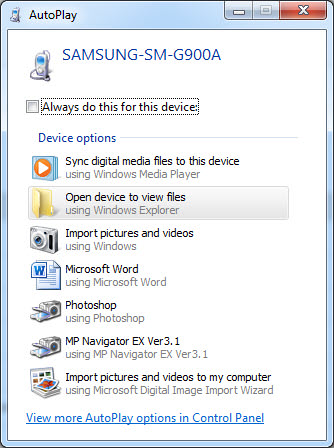
The AutoPlay dialog even pops up when I connect the phone but nothing happens when I click on "Open device to view files".
I get the same results on two different PC's and with a Galaxy S5 which is what was connected when I took the screenshots.
Tried different cables and different ports. The Samsung Mobile Connectivity Service is running.
Finally, I ran sfc /runnow. When the run finished, it said some issues could not be corrected. Below is a relevant excerpt from C:\Windows\Logs\CBS\CBS.log
The log file contains thousands of lines but basically two DLL's could not be replaced by SFC. They are: wmploc.DLL and wpdshext.dll
I'm guessing this is caused by MS Updates being installed out of order. Possibly due to slipstreamed DVD install media???
Anyway, does anyone know how to fix this?
I have enabled Developer support and USB Debugging on the phone and it is set for MTP. The phone is visible in Printers and Devices. The phone is visible in the Device Manager and it shows as working properly.
The AutoPlay dialog even pops up when I connect the phone but nothing happens when I click on "Open device to view files".
I get the same results on two different PC's and with a Galaxy S5 which is what was connected when I took the screenshots.
Tried different cables and different ports. The Samsung Mobile Connectivity Service is running.
Finally, I ran sfc /runnow. When the run finished, it said some issues could not be corrected. Below is a relevant excerpt from C:\Windows\Logs\CBS\CBS.log
Code:
2018-03-10 14:52:05, Info                  CSI    0000036c [SR] Verify complete
2018-03-10 14:52:05, Info                  CSI    0000036d [SR] Repairing 2 components
2018-03-10 14:52:05, Info                  CSI    0000036e [SR] Beginning Verify and Repair transaction
2018-03-10 14:52:05, Info                  CSI    0000036f Hashes for file member \SystemRoot\WinSxS\amd64_microsoft-windows-mediaplayer-core_31bf3856ad364e35_6.1.7601.23930_none_69ff9c7b7eeae0dd\wmploc.DLL do not match actual file [l:20{10}]"wmploc.DLL" :
  Found: {l:32 b:jztJ9x1ZrISF9kkh/Oujcmh87131z+zLDIgyhZqKYRk=} Expected: {l:32 b:eQvBjmG0eIjD68sCDp4jLMDEu8cc58LGzOxqli/XAGA=}
2018-03-10 14:52:05, Info                  CSI    00000370 [SR] Cannot repair member file [l:20{10}]"wmploc.DLL" of Microsoft-Windows-MediaPlayer-Core, Version = 6.1.7601.23930, pA = PROCESSOR_ARCHITECTURE_AMD64 (9), Culture neutral, VersionScope = 1 nonSxS, PublicKeyToken = {l:8 b:31bf3856ad364e35}, Type neutral, TypeName neutral, PublicKey neutral in the store, hash mismatch
2018-03-10 14:52:05, Info                  CSI    00000371 Hashes for file member \SystemRoot\WinSxS\amd64_microsoft-windows-wpd-shellextension_31bf3856ad364e35_6.1.7601.23403_none_6fe22d2af67fe01c\wpdshext.dll do not match actual file [l:24{12}]"wpdshext.dll" :
  Found: {l:32 b:/QQrTQ6SVNCkOqwx226z3GseoZrYT+MkS/gUs0mf9FA=} Expected: {l:32 b:XFn1buLUq5Z1QJ3siX8Fjdt8w/opH7BaJ4M3ppzAhps=}
2018-03-10 14:52:05, Info                  CSI    00000372 [SR] Cannot repair member file [l:24{12}]"wpdshext.dll" of Microsoft-Windows-WPD-ShellExtension, Version = 6.1.7601.23403, pA = PROCESSOR_ARCHITECTURE_AMD64 (9), Culture neutral, VersionScope = 1 nonSxS, PublicKeyToken = {l:8 b:31bf3856ad364e35}, Type neutral, TypeName neutral, PublicKey neutral in the store, hash mismatch
2018-03-10 14:52:05, Info                  CSI    00000373 Hashes for file member \SystemRoot\WinSxS\amd64_microsoft-windows-wpd-shellextension_31bf3856ad364e35_6.1.7601.23403_none_6fe22d2af67fe01c\wpdshext.dll do not match actual file [l:24{12}]"wpdshext.dll" :
  Found: {l:32 b:/QQrTQ6SVNCkOqwx226z3GseoZrYT+MkS/gUs0mf9FA=} Expected: {l:32 b:XFn1buLUq5Z1QJ3siX8Fjdt8w/opH7BaJ4M3ppzAhps=}
The log file contains thousands of lines but basically two DLL's could not be replaced by SFC. They are: wmploc.DLL and wpdshext.dll
I'm guessing this is caused by MS Updates being installed out of order. Possibly due to slipstreamed DVD install media???
Anyway, does anyone know how to fix this?
My Computer
At a glance
Windows 7 Ultimate x64
- OS
- Windows 7 Ultimate x64


