
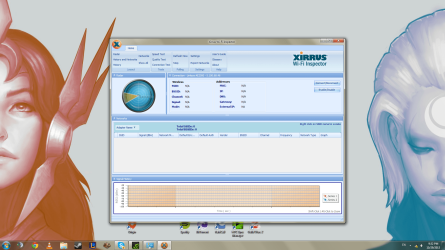
Hey guys, been having trouble with my desktop for awhile after my family and I moved. I was running off an ethernet connection at the time but now I'm using a linksys adapter through our wifi network, however anytime I boot up the computer I get the yellow no internet access symbol. After using windows diagnosis it says I cannot connect to gateway and that it "Fixes" the problem, which is horridly untrue. Anyway, here is the ipconfig log and the Xirrus print screen.
Any help would be greatly appreciated, quite frustrating since every other device is working at our house.
Microsoft Windows [Version 6.1.7601]
Copyright (c) 2009 Microsoft Corporation. All rights reserved.
C:\Users\Dylan Jones>ipconfig /all
Windows IP Configuration
Host Name . . . . . . . . . . . . : ibuypower
Primary Dns Suffix . . . . . . . :
Node Type . . . . . . . . . . . . : Hybrid
IP Routing Enabled. . . . . . . . : No
WINS Proxy Enabled. . . . . . . . : No
Wireless LAN adapter Wireless Network Connection 3:
Connection-specific DNS Suffix . :
Description . . . . . . . . . . . : Linksys AE2500
Physical Address. . . . . . . . . : 48-F8-B3-6B-64-A3
DHCP Enabled. . . . . . . . . . . : Yes
Autoconfiguration Enabled . . . . : Yes
IPv4 Address. . . . . . . . . . . : 192.168.0.15(Preferred)
Subnet Mask . . . . . . . . . . . : 255.255.255.0
Lease Obtained. . . . . . . . . . : Tuesday, October 29, 2013 9:05:51 PM
Lease Expires . . . . . . . . . . : Tuesday, October 29, 2013 10:05:52 PM
Default Gateway . . . . . . . . . : 192.168.0.1
DHCP Server . . . . . . . . . . . : 192.168.0.1
DNS Servers . . . . . . . . . . . : 209.18.47.61
209.18.47.62
NetBIOS over Tcpip. . . . . . . . : Enabled
Ethernet adapter Local Area Connection:
Media State . . . . . . . . . . . : Media disconnected
Connection-specific DNS Suffix . :
Description . . . . . . . . . . . : Realtek PCIe GBE Family Controller
Physical Address. . . . . . . . . : 50-E5-49-53-CA-46
DHCP Enabled. . . . . . . . . . . : Yes
Autoconfiguration Enabled . . . . : Yes
Tunnel adapter isatap.{5ADB3F6A-ADA0-4D0B-AABC-F734236D0759}:
Media State . . . . . . . . . . . : Media disconnected
Connection-specific DNS Suffix . :
Description . . . . . . . . . . . : Microsoft ISATAP Adapter
Physical Address. . . . . . . . . : 00-00-00-00-00-00-00-E0
DHCP Enabled. . . . . . . . . . . : No
Autoconfiguration Enabled . . . . : Yes
Tunnel adapter isatap.{AB320B7D-E49C-4227-9807-E35DC92C1A1B}:
Media State . . . . . . . . . . . : Media disconnected
Connection-specific DNS Suffix . :
Description . . . . . . . . . . . : Microsoft ISATAP Adapter #2
Physical Address. . . . . . . . . : 00-00-00-00-00-00-00-E0
DHCP Enabled. . . . . . . . . . . : No
Autoconfiguration Enabled . . . . : Yes
C:\Users\Dylan Jones>
Any help would be greatly appreciated, quite frustrating since every other device is working at our house.
Attachments
Last edited:
My Computer
At a glance
Windows 7 Home 64bitFX-4100GTX 560
- Computer type
- PC/Desktop
- Computer Manufacturer/Model Number
- Custom Build
- OS
- Windows 7 Home 64bit
- CPU
- FX-4100
- Graphics Card(s)
- GTX 560
- Browser
- Chrome