
thefollower
New member
- Local time
- 5:56 PM
- Messages
- 48
Hey
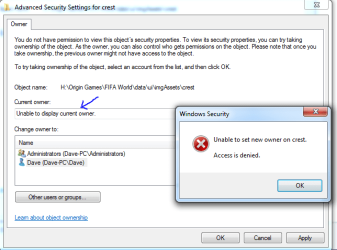
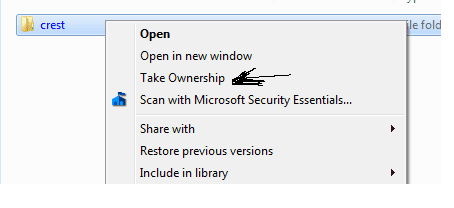
I have a folder that apparently i do not have permission to. And yet i also cannot change the owner either so it is impossible to delete...
What can i do at this point? Here is some screenshots of the issue!
Please help!
I have a folder that apparently i do not have permission to. And yet i also cannot change the owner either so it is impossible to delete...
What can i do at this point? Here is some screenshots of the issue!
Please help!
Attachments
My Computer
At a glance
Windows 7 Ultimate 64BitIntel Core i7 4770k 3.5Ghz16GBNvidia 770 GTX
- Computer type
- PC/Desktop
- Computer Manufacturer/Model Number
- custom build
- OS
- Windows 7 Ultimate 64Bit
- CPU
- Intel Core i7 4770k 3.5Ghz
- Motherboard
- ASUS Maximus Hero Vi
- Memory
- 16GB
- Graphics Card(s)
- Nvidia 770 GTX
- Monitor(s) Displays
- Asus ProArt
- Screen Resolution
- 1920 by 1200
- Internet Speed
- 100MB/s


